Overview
Here is how to specify the viewing direction in the IIIF Server module for Omeka S.
In IIIF, you can use the viewingDirection property to specify the viewing direction of manifests and canvases.
Module Configuration
/admin/module/configure?id=IiifServer
In the IIIF Server module settings page, find the “viewing direction” section.
You can specify a property with Property to use for viewing direction, and you can also set a default viewing direction.
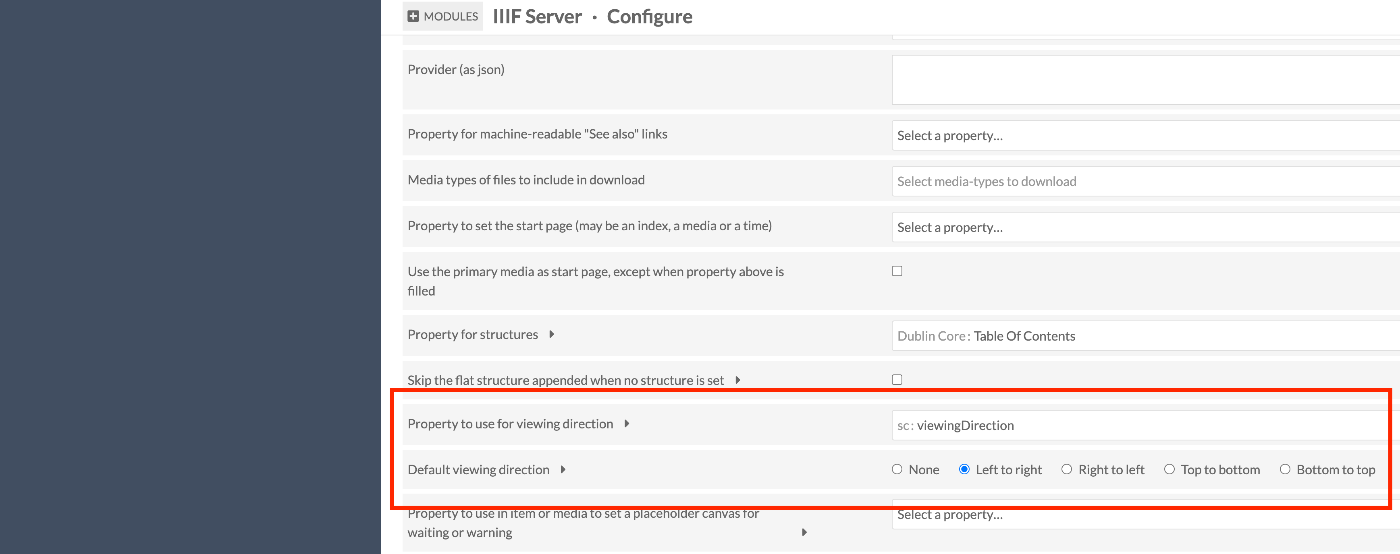
In the example above, the sc:viewingDirection property is specified, but any property can be configured.
Adding Metadata
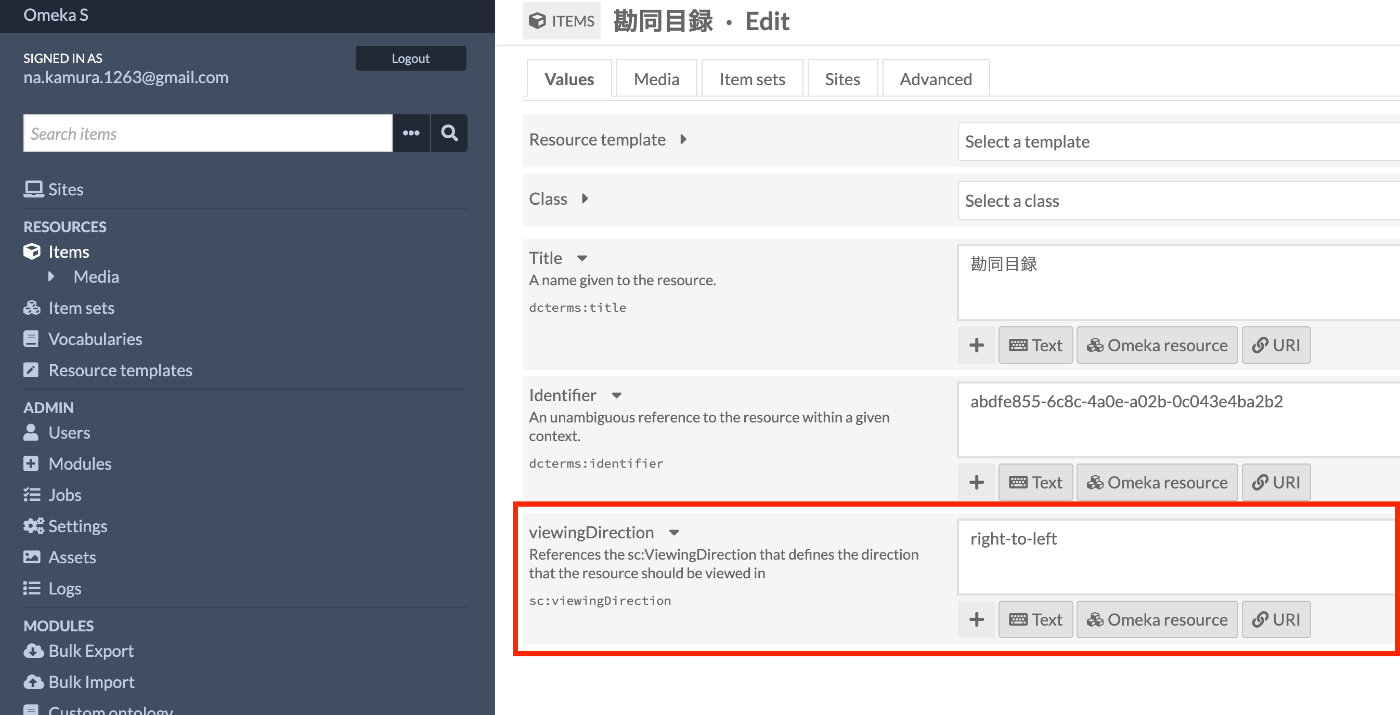
Enter the viewing direction value for the property specified above.
Result
As shown below, viewingDirection is also set in the IIIF manifest file, enabling right-to-left page turning.

References
https://iiif.io/api/cookbook/recipe/0010-book-2-viewing-direction/
The following is a ChatGPT-generated answer.
The viewingDirection property can have the following four values:
left-to-right Display from left to right (suitable for horizontal writing languages such as English).
right-to-left Display from right to left (suitable for Arabic, Hebrew, and vertical Japanese writing).
top-to-bottom Display from top to bottom (mainly suitable for vertical writing languages).
bottom-to-top Display from bottom to top (for special purposes).
Summary
I hope this serves as a useful reference when using the IIIF Server module for Omeka S.