Overview
The Image Server for Omeka S is a module that enables image delivery compatible with the IIIF Image API.
https://omeka.org/s/modules/ImageServer/
When used in combination with the IIIF Server module, it also enables delivery via IIIF manifests.
The Image Server module allows various settings, including methods for creating tile images. This article shares the investigation results regarding these settings.
Experimental Environment
This time, I will use an Amazon Lightsail LAMP instance. I use a relatively low-spec environment with 2 GB RAM and 1 vCPU.
For how to build Omeka S using Amazon Lightsail, please refer to the following:
I also used the following script for this experiment. It installs the related modules needed to use the “Image Server” module being tested.
https://github.com/nakamura196/omeka_aws/blob/main/2023-05-25.sh
Settings Related to Tile Image Creation
After installing the ImageServer module, access the following to reach the ImageServer configuration page:
/admin/module/configure?id=ImageServer
Settings can be configured in the “Tiling service” section of the following screen.

Image Processor Setting
The module’s documentation page recommends installing vips. The above script also installs vips with the following command:
Therefore, based on the default value of the “Image processor” setting on the configuration page, vips will be used for creating tile images.
Tiling Type Setting
This setting allows you to select from four options: “Deep Zoom Image,” “Zoomify,” “Jpeg 2000,” and “Tiled tiff.” The official site describes these as follows:
Four format are proposed to create tiles: DeepZoom, Zoomify, Jpeg 2000 and pyramidal Tiff. The recommended format is DeepZoom. For Jpeg 2000 and pyramidal tiff, some other tools may be required.
Below, I explain the differences when selecting “Deep Zoom Image” versus “Tiled tiff.” For this test, I use the following image published by the National Diet Library:
https://dl.ndl.go.jp/api/iiif/1302584/R0000001/full/full/0/default.jpg
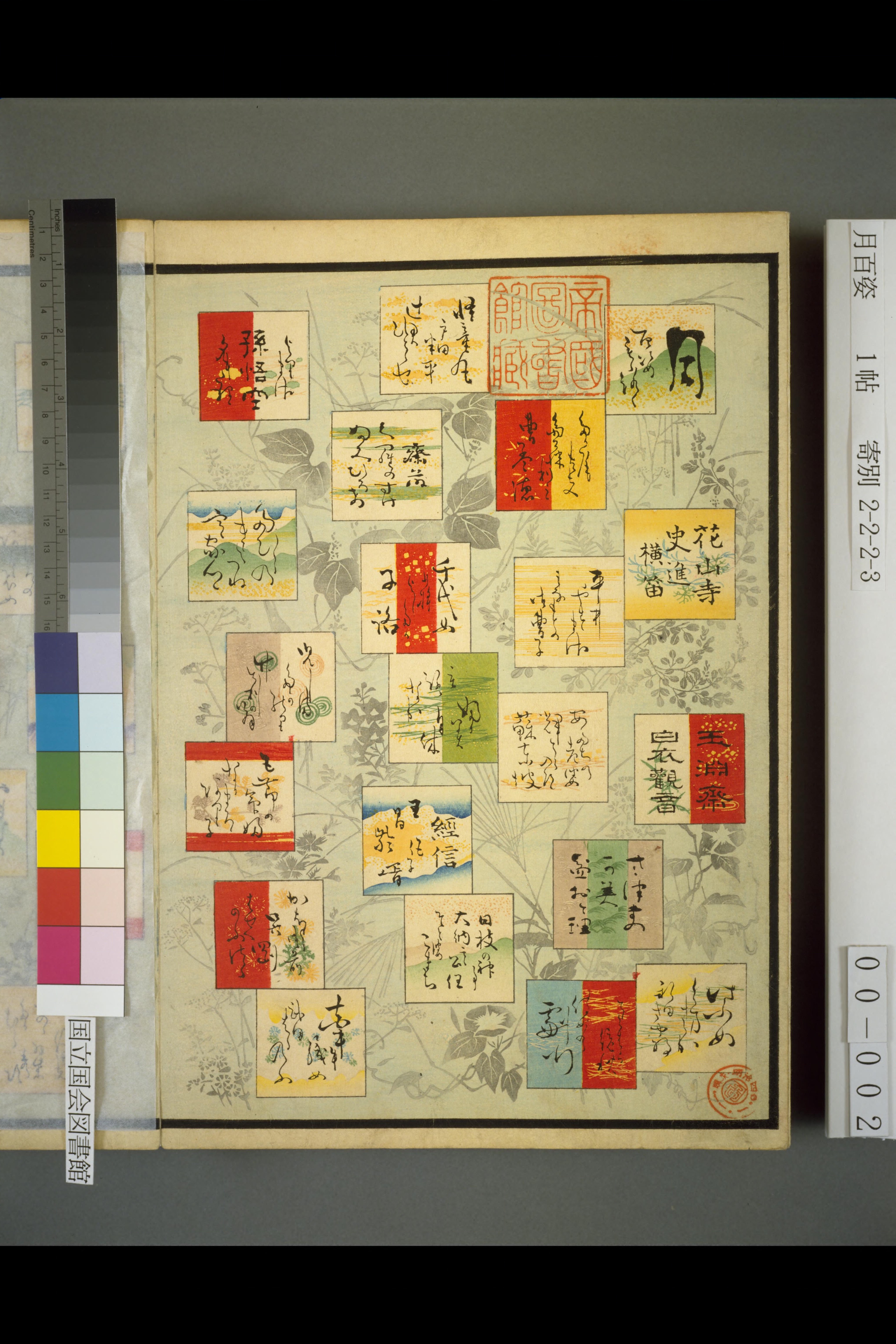
The image is 4096x6144 pixels and 4.5MB in size.
Deep Zoom Image
Create a new item, select “URL” as the media addition method, and paste the above URL.

As a result, an xxx.dzi file and an xxx.files directory are created under files/tile.
Inside xxx_files, pre-split tile images are created.
According to the official page, pre-tiling is recommended when large images or dynamic tile generation takes too long.
For big images that are not stored in a versatile format (jpeg 2000 or tiled tiff) and that cannot be processed dynamically quickly (for example with vips), it is recommended to pre-tile them to load and zoom them instantly. It can be done for any size of images. It may be recommended to manage at least the big images (more than 10 to 50 MB, according to your server and your public.
When loading images created with this option in an IIIF viewer, I confirmed that paths like /iiif/2/3/1792,2048,256,256/256,/0/default.jpg were being 302 redirected to paths like /files/tile/ee93d7a4e7758c92ab5db904cb74c0ca4911b6bc_files/12/4_5.jpg.

By redirecting IIIF Image API requests to DZI image paths, tile images can be returned in relatively short time even on low-spec servers like this one.
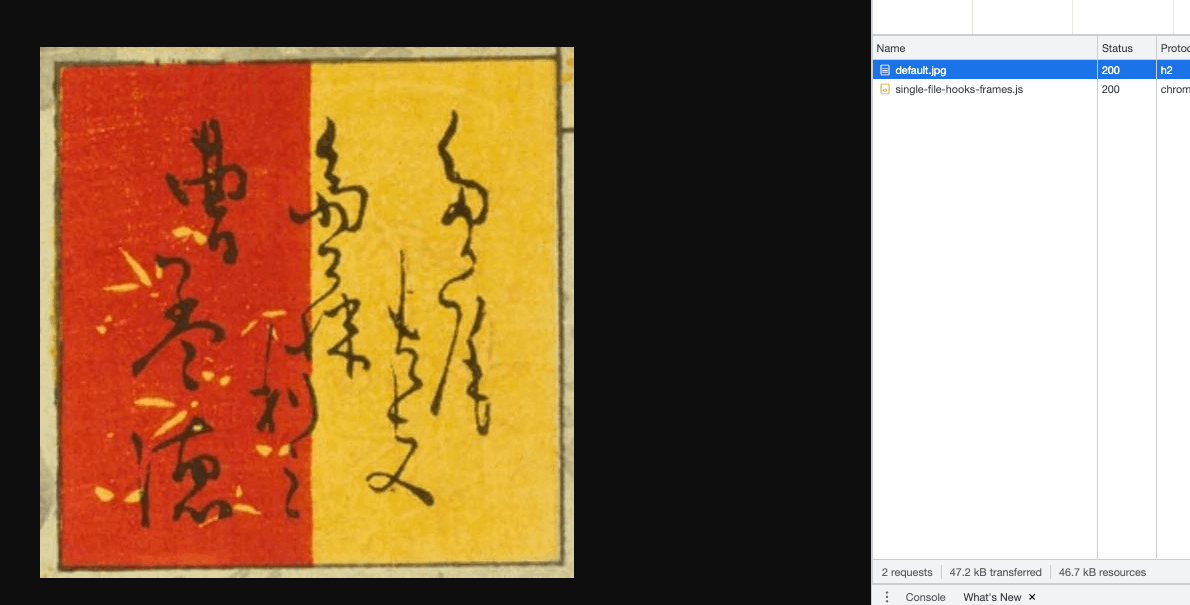
Note that when cropping and displaying an arbitrary region like the following:
https://omekas.aws.ldas.jp/omeka_s0525/iiif/2/3/2249,1813,534,531/full/0/default.jpg

The image for the specified region was displayed without being redirected to a DZI path, as shown below. It appears that when the request does not match pre-created DZI tile images, dynamic cropping is performed.
Tiled tiff
Next, I set the Tiling type to “Tiled tiff.” As a result, only a tif file was created:
When displaying this in an IIIF viewer, there was no 302 redirect as before. However, pending times were long, and blurry images were displayed for extended periods.

The cause is likely that dynamic processing of the Tiled tiff image takes time on the low-spec server used for this test.
(Supplement) HTTP/2 Support
It is recommended to support HTTP/2.
It is recommended to configure the web server (usually Apache or Nginx) to serve files using the HTTP/2 protocol. This allows multiple files to be sent during the same TCP connection, enabling faster delivery of multiple tiles.
For HTTP/2 support on Amazon Lightsail, the following article was helpful:
https://vanbi.com/aws-lightsail-http2/
Summary
I investigated (some of) the settings for the Image Server module for Omeka S. Regarding tile image generation in particular, it seems necessary to choose the appropriate option based on the target images and server specifications.
I hope this serves as a useful reference for IIIF image delivery using Omeka S.