Overview
This article introduces how to use Drupal’s Sortableviews module to reorder content and save the result to a field.
https://www.drupal.org/project/sortableviews
It is described as follows.
This one is similar to Draggableview module except it can save the position value ( After drag and drop the question ) into custom content type field.
Installation
It could be installed using the standard method.
Creating a Content Type
Create the content type to be sorted. Here, we target a content type called team.
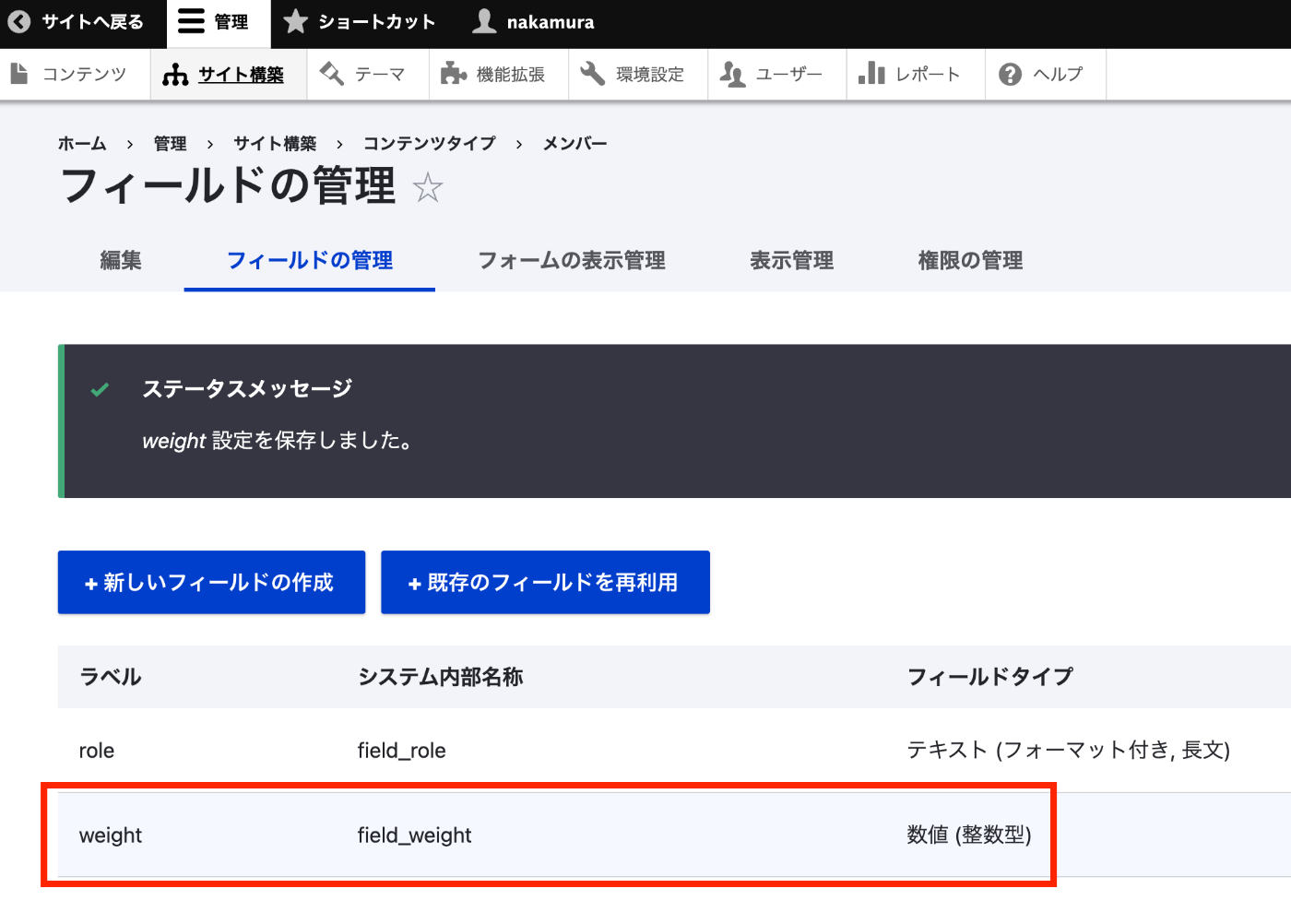
Then create a weight field to store the sort order weight.
Creating a View
The created View is as follows.
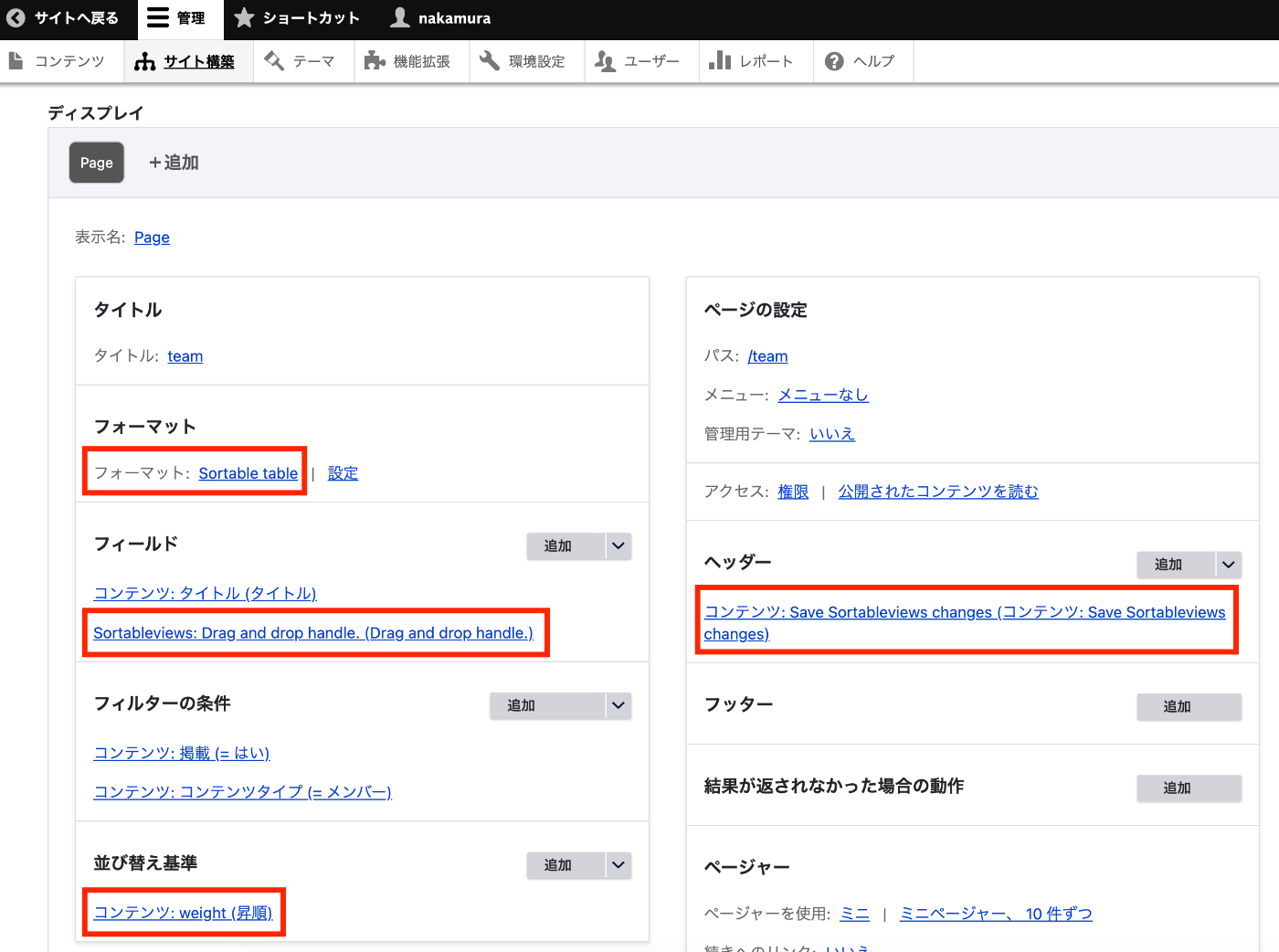
First, set the format to “Sortable table”. At this point, select the field where you want to save the weight in the field to use for weight option.

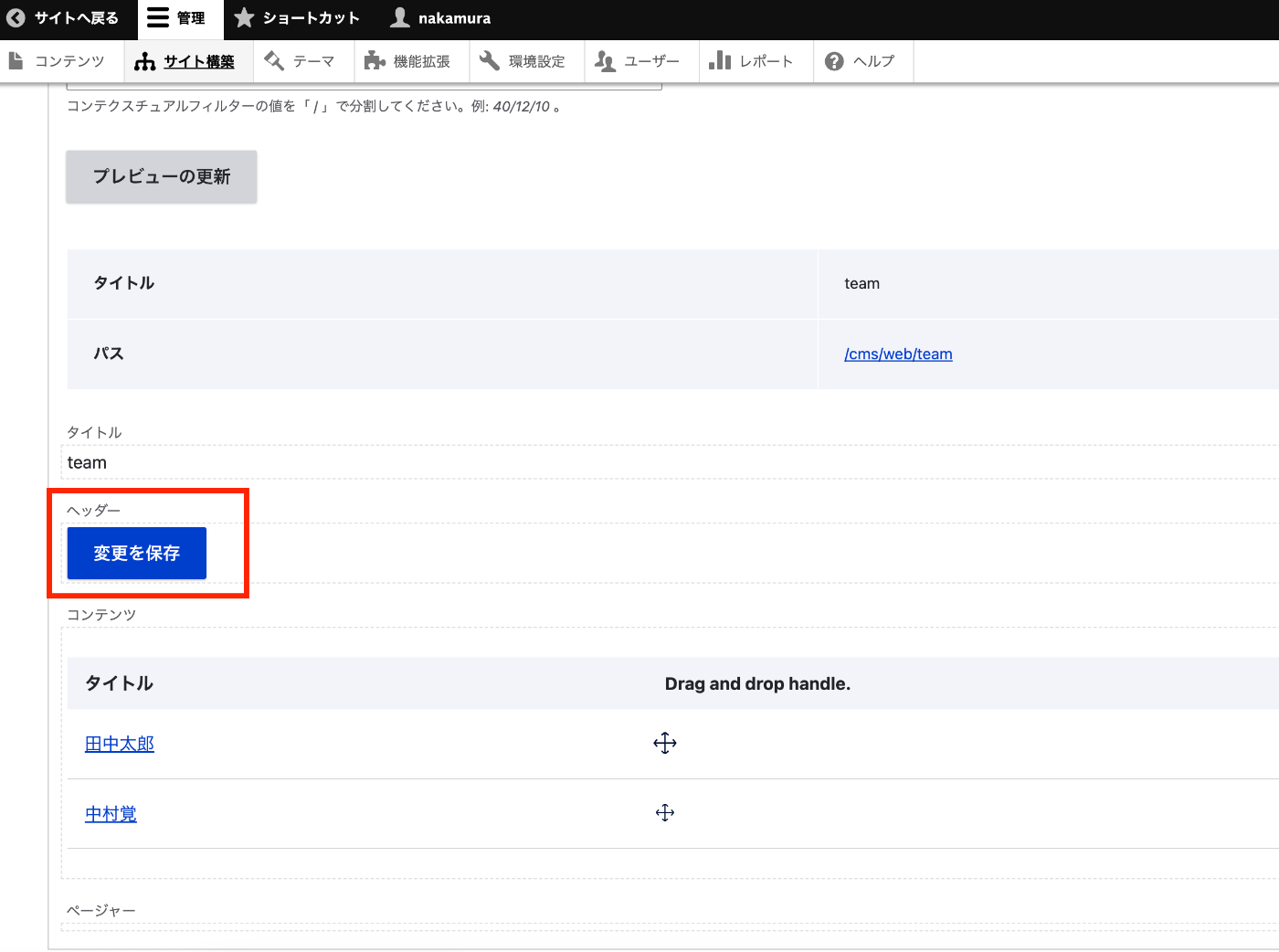
Next, add “Sortableviews: Drag and drop …” in the fields. This displays a drag-and-drop icon as shown below.

Additionally, set the sort criteria to “weight (ascending)”.
Finally, in the header section, add “Save Sortableviews changes”. This displays a “Save changes” button after reordering.
Using via API
With this configuration, sort results are saved to field_weight, so they can be accessed via API as follows.
/jsonapi/node/team?sort=field_weight
You can retrieve results sorted in ascending order. This allows sort results to be used even in a decoupled architecture.
Summary
I hope this serves as a useful reference for content reordering in Drupal and usage with JSON:API.