Overview
This article introduces how to export only specific items with selected fields using Omeka S BulkExport.
Here, we will limit the export to items that have “Table Of Contents (dcterms:tableOfContents)” and export only “Title (dcterms:title)” and “Identifier (dcterms:identifier)”.
Related
The following article explains the overview of the Omeka S BulkExport module.
This time, I will explain based on a specific use case.
Method
Navigate to the following path.
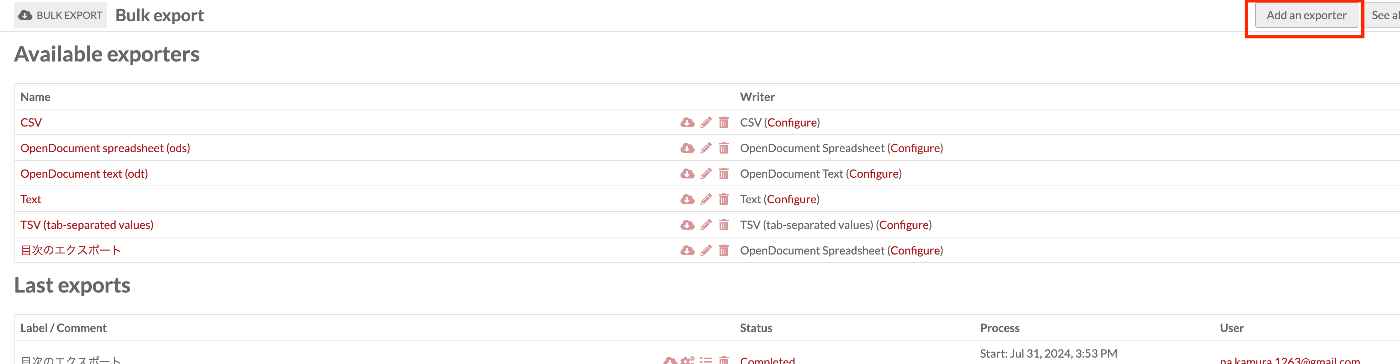
/admin/bulk-export/bulk-export
Press the “Add an exporter” button.
Specify an appropriate label and format (Writer).
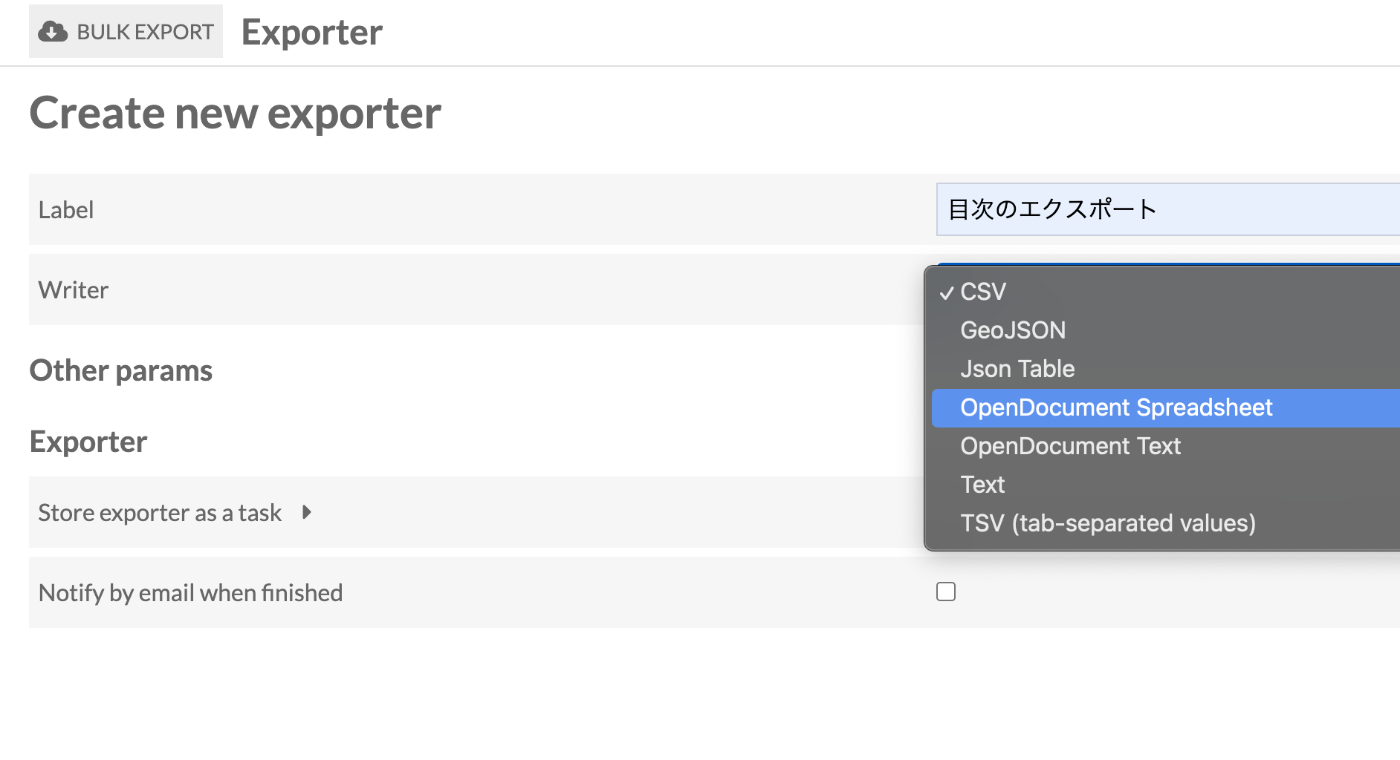
After creation, access it again and open the “Writer” tab.
There, specify the fields you want to output in the “Metadata” section.
Also, limit the items you want to output in the “Resource query” section. Here, we specify “has any value” for “Table Of Contents (dcterms:tableOfContents)”.
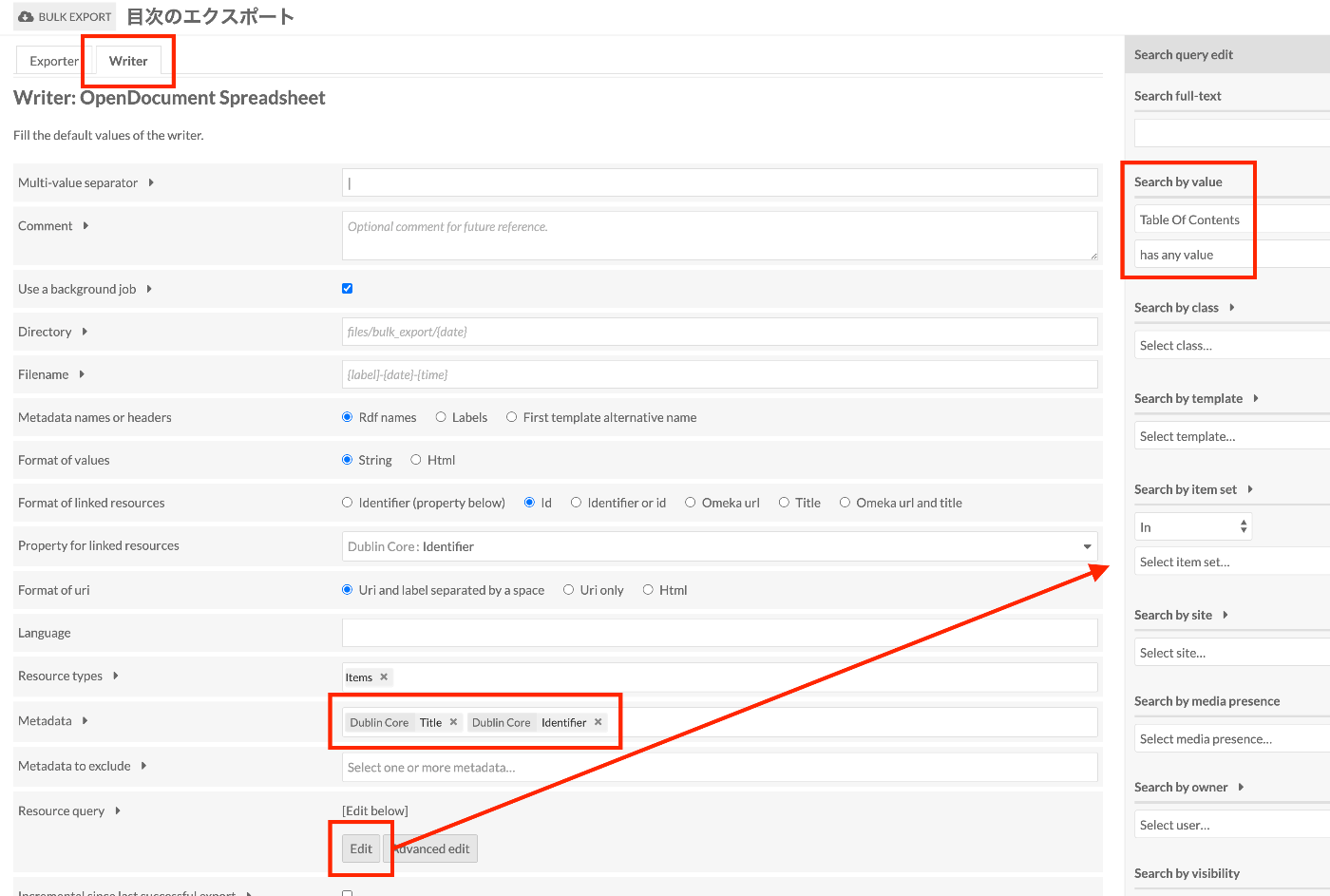
By using this configuration going forward, you can export items and fields that match the above conditions.
Summary
Try modifying the search conditions and output fields to perform exports suited to your needs.
I hope this article serves as a useful reference.