Introduction
To comfortably view high-resolution images on the web, pyramidal structures (multiple resolutions) and tile segmentation are essential. In this article, we used vips to create pyramidal tiled TIFFs from JPEG2000 images and compared the file sizes of various compression methods.
Test Environment
- vips 8.17.3
- macOS (darwin)
- Source image: 764029-1.jp2 (274MB)
vips Commands
JPEG Compression (Lossy)
Lossless Compression
Test Results
| File | Compression Method | Size | Ratio to Original | Notes |
|---|---|---|---|---|
| Original | JPEG2000 | 274MB | - | Input |
| q25.tif | JPEG Q=25 | 57MB | 0.21x | Lossy, high compression |
| q75.tif | JPEG Q=75 | 167MB | 0.61x | Lossy, balanced |
| q100.tif | JPEG Q=100 | 2.4GB | 8.8x | Lossy, high quality |
| deflate.tif | Deflate | 2.8GB | 10.2x | Lossless |
| lzw.tif | LZW | 3.2GB | 11.7x | Lossless |
| none.tif | Uncompressed | 4.3GB | 15.7x | Lossless |
Image Quality Comparison
We visually compared the differences in JPEG compression quality (from left: Q=25, Q=75, Q=100).
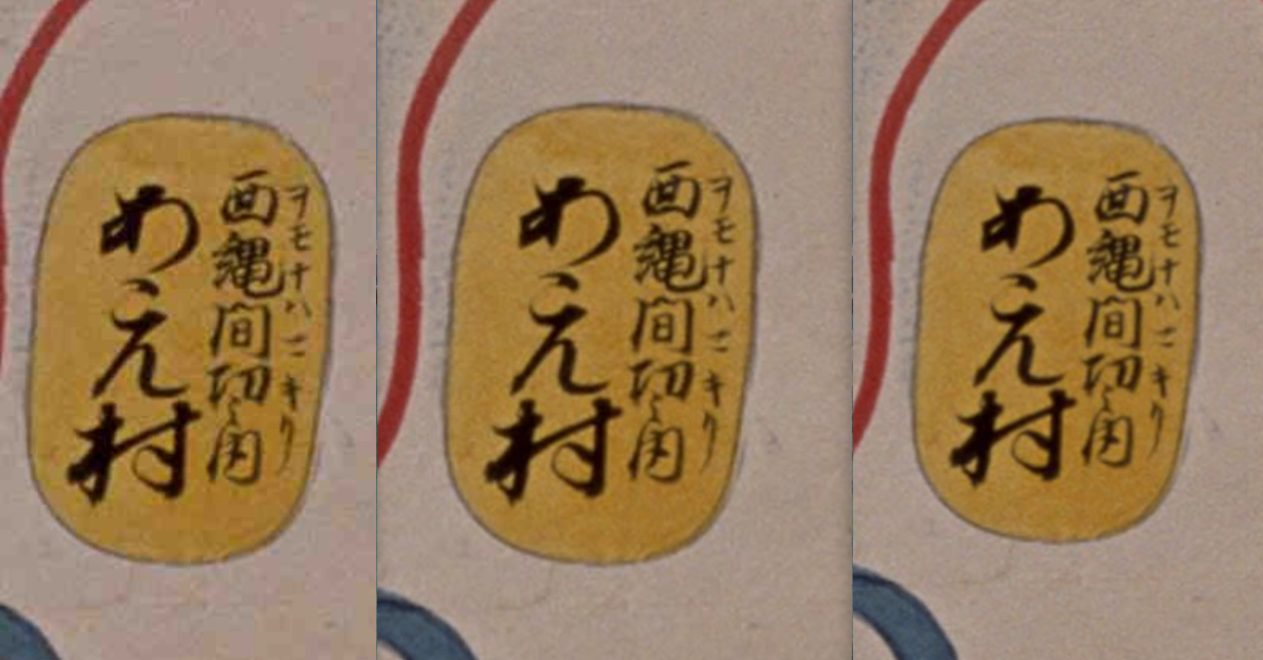
At Q=25, noise is visible around character outlines, but at Q=75 and above, degradation is barely noticeable.
Discussion
JPEG Compression
- Q=25: About 1/5 of the original file. JPEG-specific noise is visible in character outlines, etc. Suitable for preview purposes
- Q=75: About 60% of the original file. Good balance between quality and size, recommended for most use cases (vips default value)
- Q=100: Near-lossless, but file size is smaller than lossless compression
Lossless Compression
- Deflate: Most efficient among lossless compression methods (2.8GB)
- LZW: About 14% larger than Deflate (3.2GB)
- Uncompressed: Exceeds 4GB, requiring BigTIFF format
Comparison with JPEG2000
The original JPEG2000 file (274MB) achieves very efficient compression. JPEG2000 uses wavelet transform, which is a different algorithm from TIFF’s JPEG compression (DCT transform).
However, JPEG2000 is not supported for direct browser display and requires tile delivery via an IIIF server. Pyramidal TIFFs can be used directly with many IIIF servers (such as Cantaloupe).
Recommended Settings by Use Case
| Use Case | Recommended Setting | Reason |
|---|---|---|
| Archival storage | Deflate | Smallest lossless size |
| Web delivery (high quality) | JPEG Q=75-85 | Balance between quality and size |
| Web delivery (speed-focused) | JPEG Q=50-60 | Fast transfer |
| Print use | JPEG Q=90-100 | Maintaining high quality |
Summary
Using vips, you can efficiently create pyramidal tiled TIFFs from high-resolution images. The choice of compression method should be based on the use case, and JPEG Q=75 is generally recommended for web delivery.