Overview
In this article, I try out the following tool.
https://github.com/artefactual-labs/AIPscan
This tool is described as follows:
AIPscan was developed to provide a more in-depth reporting solution for Archivematica users. It crawls METS files from AIPs in the Archivematica Storage Service to generate tabular and visual reports about repository holdings. It is designed to run as a stand-alone add-on to Archivematica. It only needs a valid Storage Service API key to fetch source data.
It visualizes the contents of AIPs stored in Archivematica’s storage service.
This article explains how to use it.
Setup
The setup was completed by following the instructions below.
https://github.com/artefactual-labs/AIPscan?tab=readme-ov-file#installation
Trying It Out: Adding a Storage Service
Click the Archivematica Storage Services menu to access the following page. Click the New storage service button at the bottom of the screen.
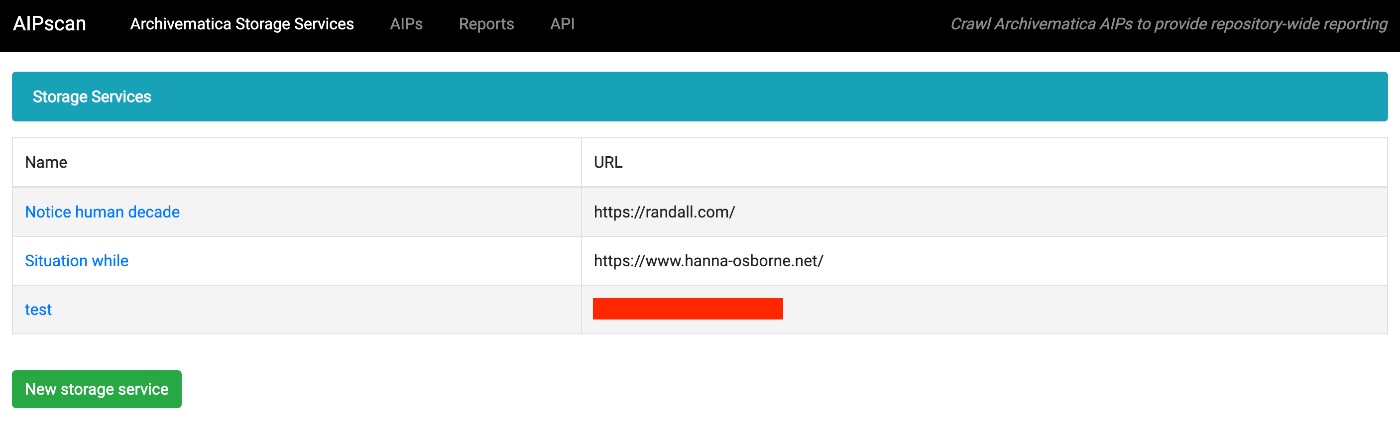
After entering the required information, a Storage Service is created. Then, clicking the New fetch job button at the bottom of the subsequent screen starts a fetch job for the registered Storage Service.

After the fetch job completes, the results are displayed as follows. In this example, 75 AIPs were added from 104 packages, and it took approximately 2 minutes and 50 seconds.

Trying It Out: Visualizing AIPs
The following shows a list of original files contained in an AIP. In this case, only one file was stored, so there is only one row.
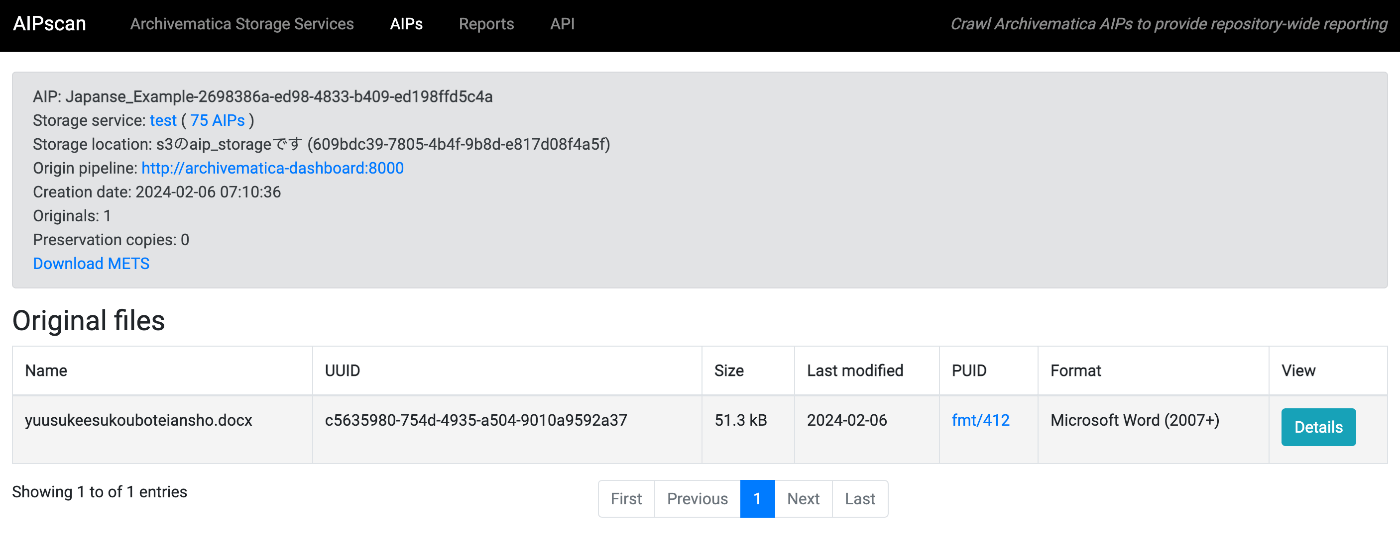
Clicking the Details button navigates to the following screen, where you can see an overview.

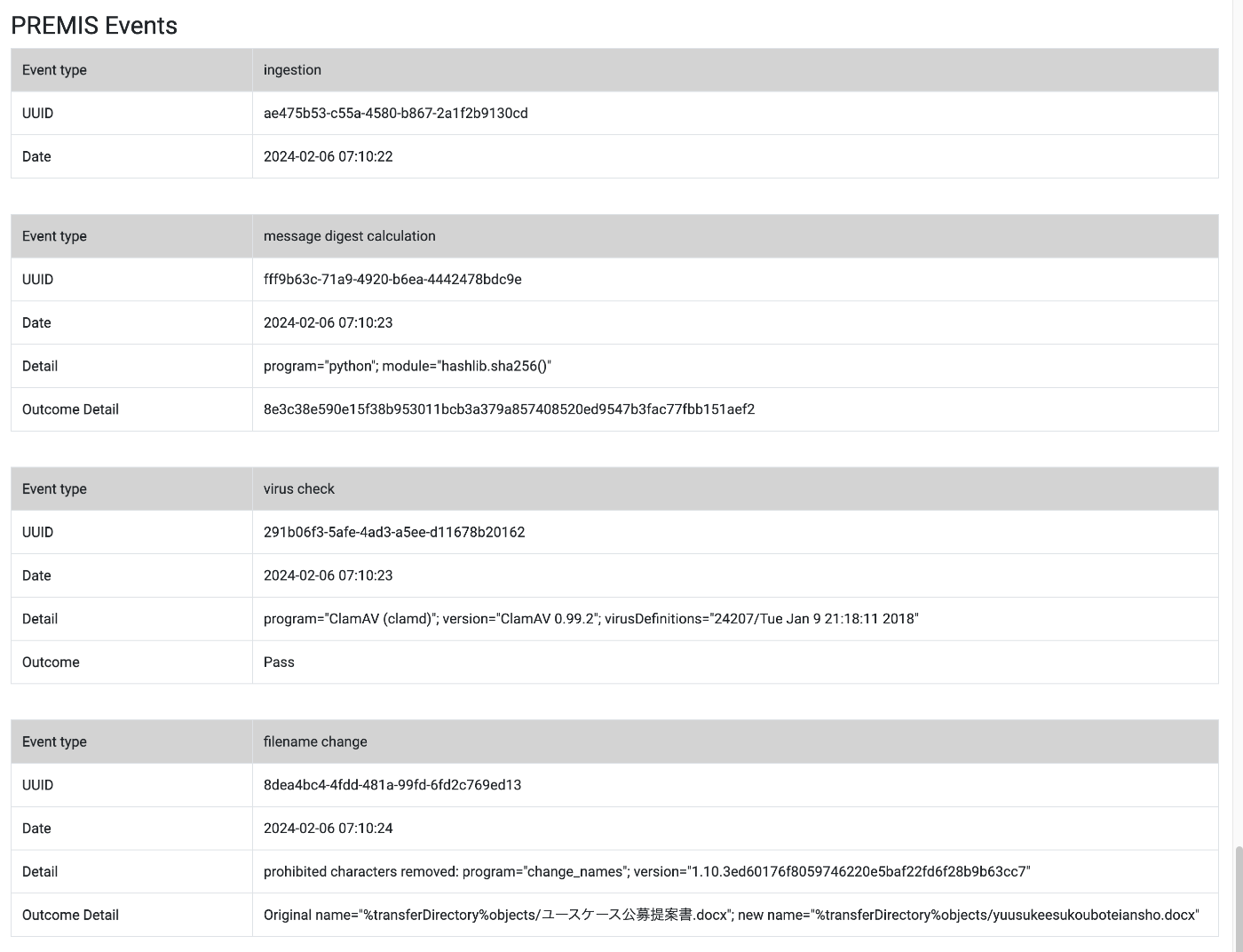
Below, you can see how file names were changed during processing, among other details.
Trying It Out: Reports
In Reports, you can create reports from multiple perspectives.

The following is an example of visualizing Storage locations in Time Series format.
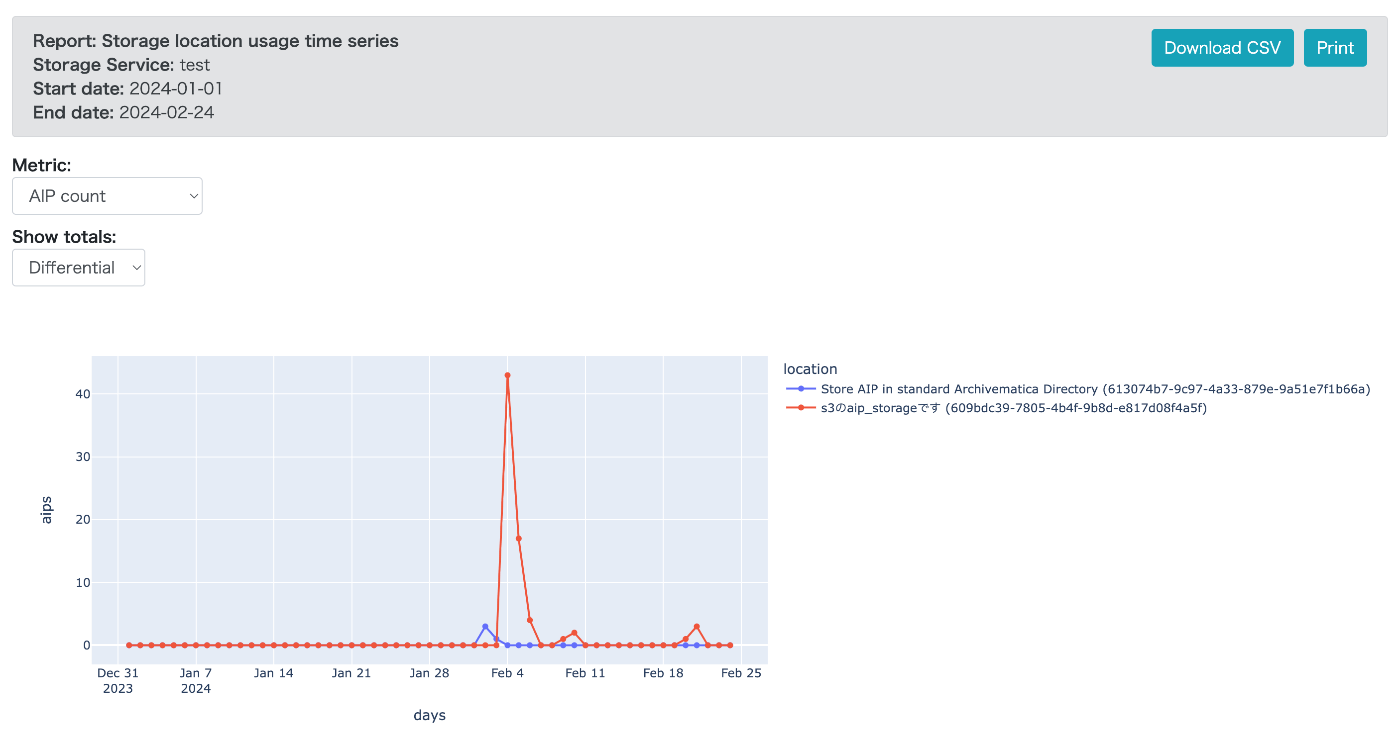
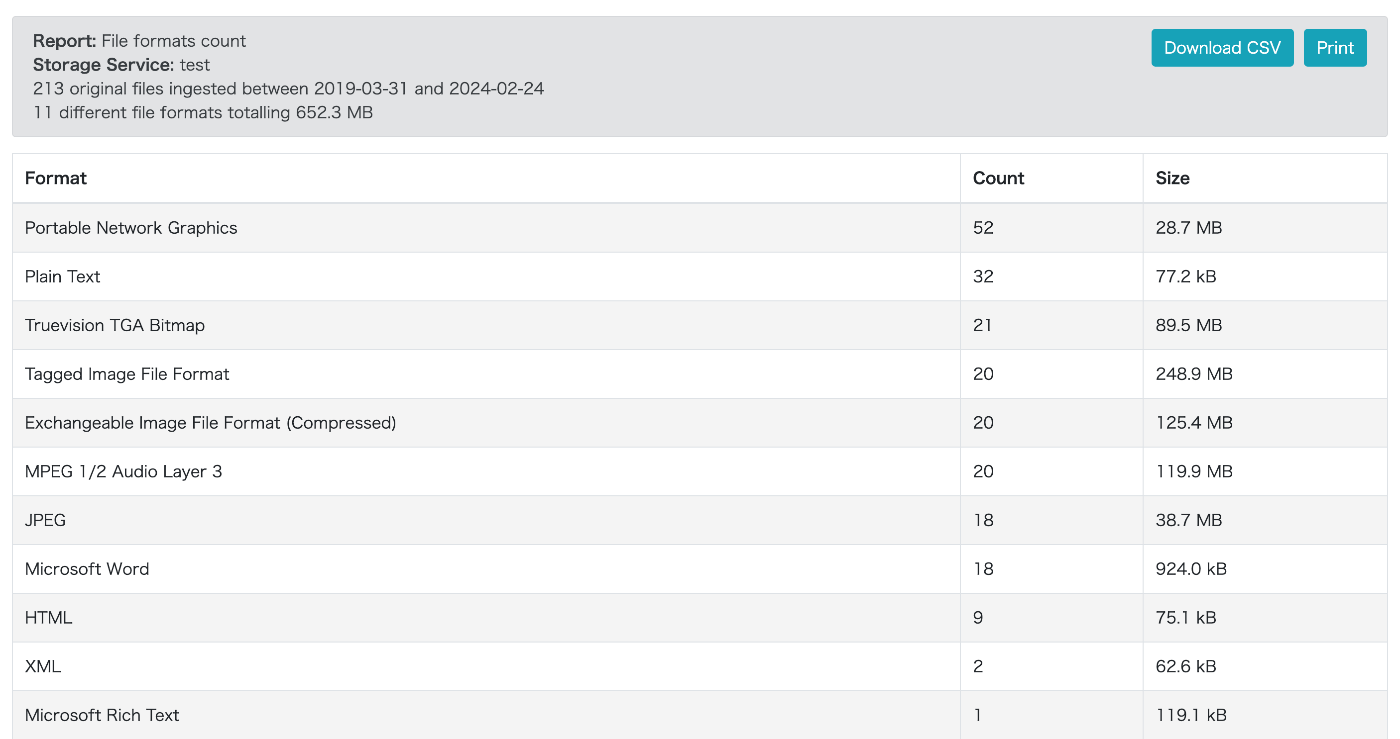
The following is a visualization example for File format count. In Tabular view, you can check the breakdown in table format.
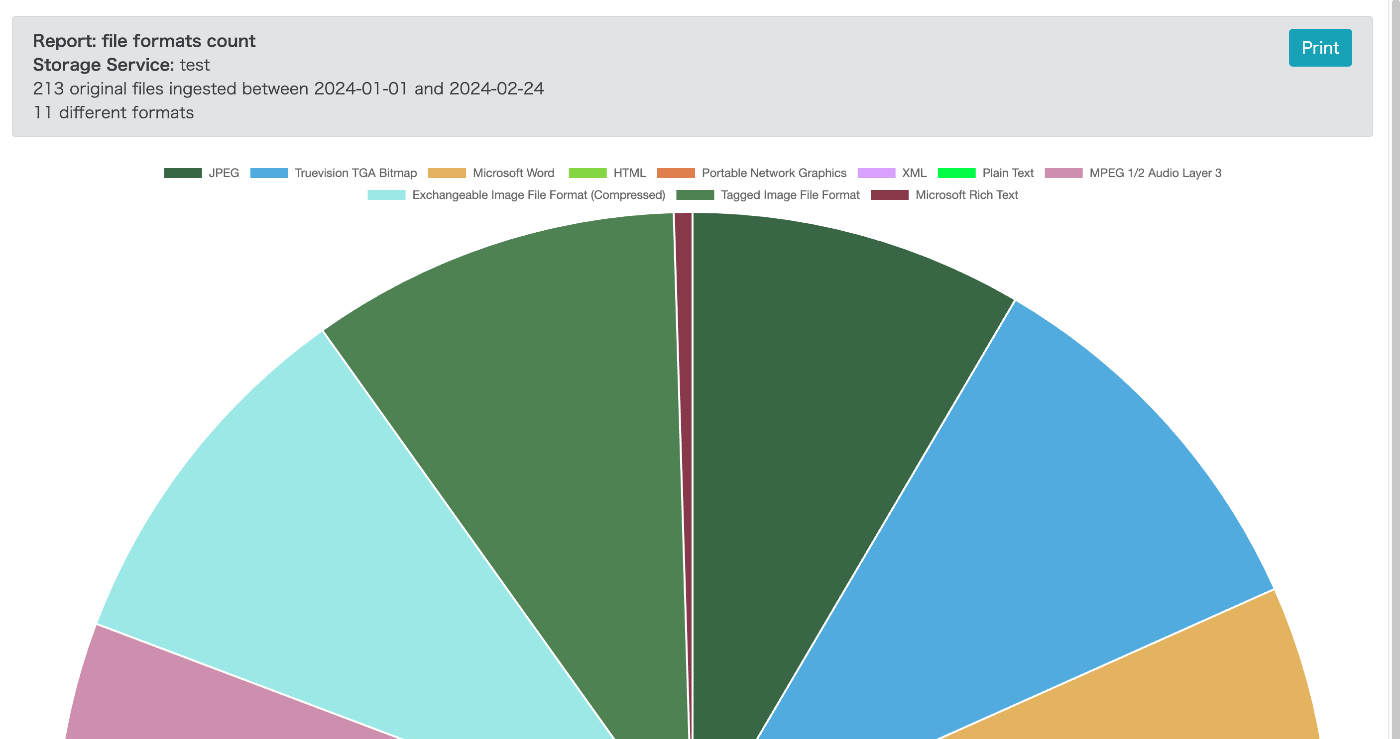
In Pie Chart view, you can create visualizations like the following.
Trying It Out: API
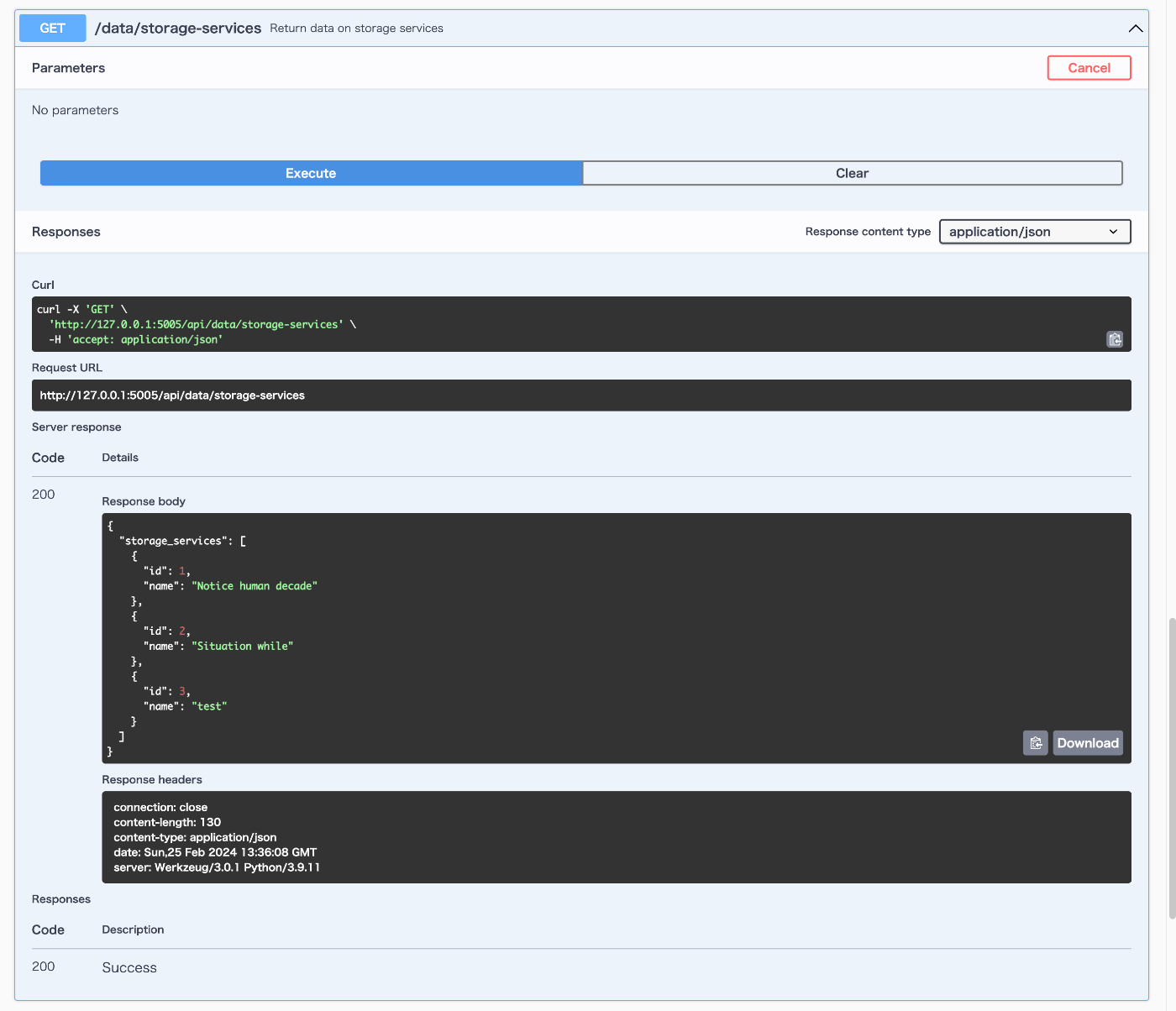
Clicking the API tab navigates to the following screen, which conforms to the OpenAPI specification.

For example, trying /data/storage-services returns a list of storage_services as shown below.
Summary
I have summarized how to use AIPscan. It also provides an API, and I felt it could be applied in various ways. I hope this serves as a helpful reference for utilizing AIPs and METS files.