Overview
This is a note on how to delete a feature store in Vertex AI on GCP (Google Cloud Platform).
I later noticed that official documentation was available at the following link.
https://cloud.google.com/vertex-ai/docs/featurestore/managing-featurestores#delete_a_featurestore
Method
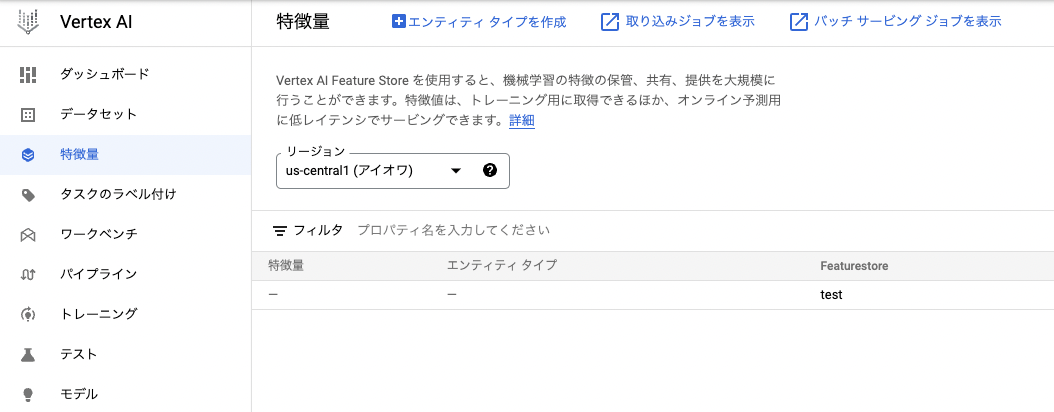
In this example, I will attempt to delete a feature store called test as shown below.
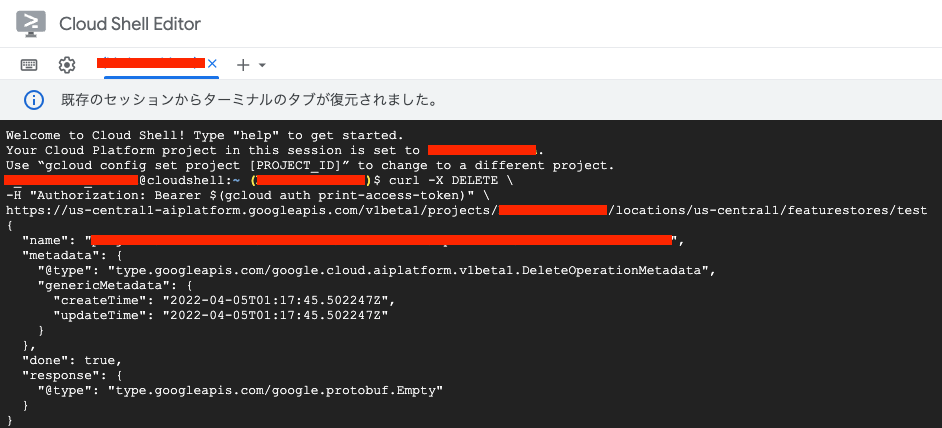
It could be deleted by executing the following command. (I was unable to find a way to delete it from the GUI.)
| Value | Description |
|---|---|
| LOCATION | The region where the feature store is located (e.g., us-central1). |
| PROJECT | The project ID or project number. |
| FEATURESTORE_ID | The ID of the feature store. |
This could be executed in Cloud Shell.
Summary
I hope this helps anyone experiencing the same issue.