Overview
In Archivematica, you can configure settings such as Normalization in Preservation Planning. This is a memo on verifying this behavior.
Configuration
Normalization-related settings can be checked at the following location.
/fpr/fprule/normalization/
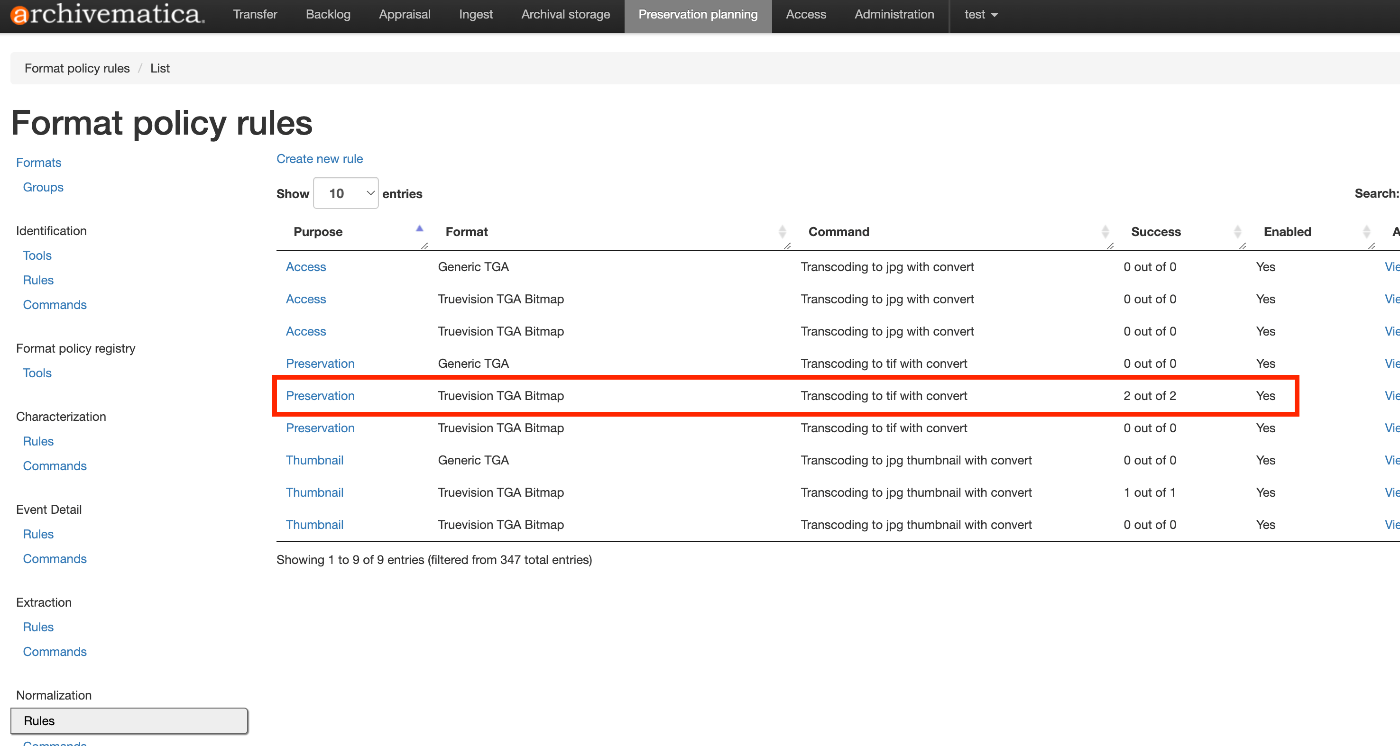
In the above, for items where Purpose is Preservation and Format is Truevision TGA Bitmap, it instructs to perform Transcoding to tif with convert as described in Command.
Execution Example
The following is used as the processing target.
https://github.com/artefactual/archivematica-sampledata/tree/master/SampleTransfers/CSVmetadata
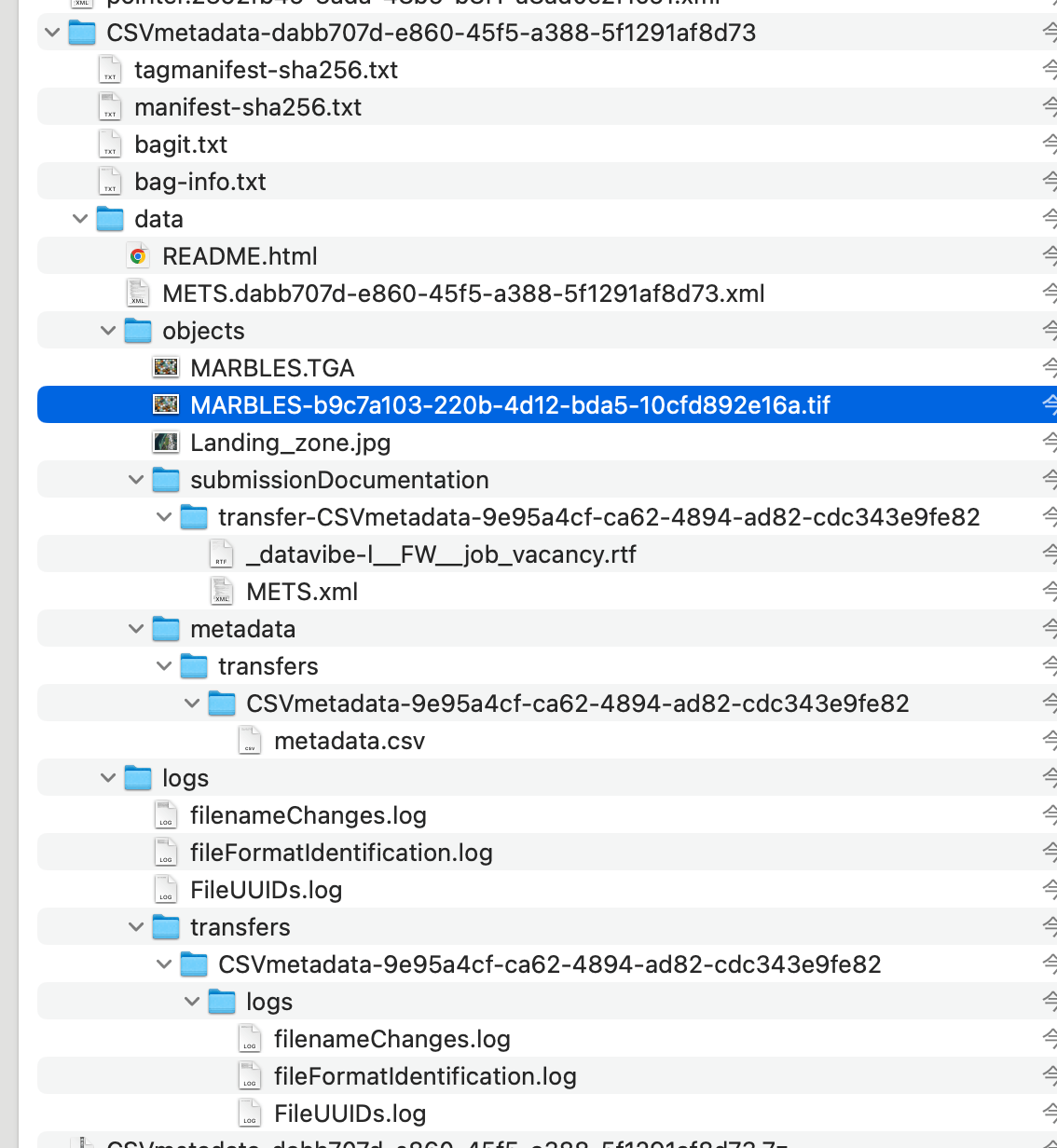
After actually creating an AIP, as shown below, the input file was MARBLES.TGA, but based on the above conversion rule, a normalized file converted to a TIF file named MARBLES-b9c7a103-220b-4d12-bda5-10cfd892e16a.tif was included.
Summary
I hope this serves as a helpful reference for using Archivematica.