Notice
2026-02-24
!
The notebooks provided on this page will no longer be updated.
For NDLOCR, “NDLOCR-Lite” has been released as a desktop application and command-line tool for easy use. Please use this going forward.
https://github.com/ndl-lab/ndlocr-lite
2025-04-02
There is currently a bug. Please refrain from using it until the fix is complete.
The bug has been fixed.
2025-03-21
For NDL Classical Japanese OCR, “NDL Classical Japanese OCR-Lite” has been released as a desktop application for easy use. Please use this going forward.
https://github.com/ndl-lab/ndlkotenocr-lite
Overview
I created notebooks using NDLOCR and NDL Classical Japanese OCR ver.2.
You can try each one from the following links.
- NDL OCR
https://colab.research.google.com/github/nakamura196/000_tools/blob/main/NDLOCR_v2の実行例.ipynb
- NDL Classical Japanese OCR
https://colab.research.google.com/github/nakamura196/000_tools/blob/main/NDL古典籍OCR_v2の実行例.ipynb
Although it differs from the latest notebook, please refer to the following video for instructions on how to use the notebooks.
Details are explained below.
Background
Ver.2 of NDLOCR and NDL Classical Japanese OCR was released in 2023. For the differences between ver.1 and ver.2, please refer to the following sites. In particular, the performance of assigning reading order to line-level recognized text has been improved.
https://lab.ndl.go.jp/data_set/r4ocr/r4_software/
https://lab.ndl.go.jp/data_set/r4_koten/
The notebooks created this time adopt these ver.2 OCR processing programs.
Input Methods
As with previous notebooks, the following options are provided.
- Images
- Specifying a URL for a single image file
- Uploading a single image file
- Targeting multiple already-downloaded image files
- PDF
- Specifying a URL for a single PDF file
- Uploading a single PDF file
- Targeting a single already-downloaded PDF file
- IIIF
- Specifying a URL for a IIIF manifest file (only Presentation API v2 at the time of writing)
Execution Results
After running each of the above options, a screen like the following is displayed.

Specifically, there are two types:
- A link to Google Drive (the “Output to the following location.” section)
- A link to a viewer for checking recognition results (the “Recognition results are as follows.” section)
Each is explained below.
Link to Google Drive
Four folders are created as follows.
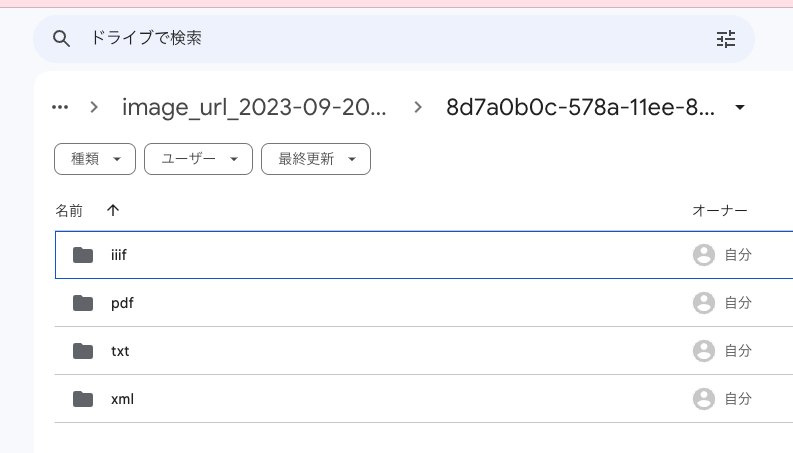
txt and xml are data output by parts of NDLOCR and NDL Classical Japanese OCR.
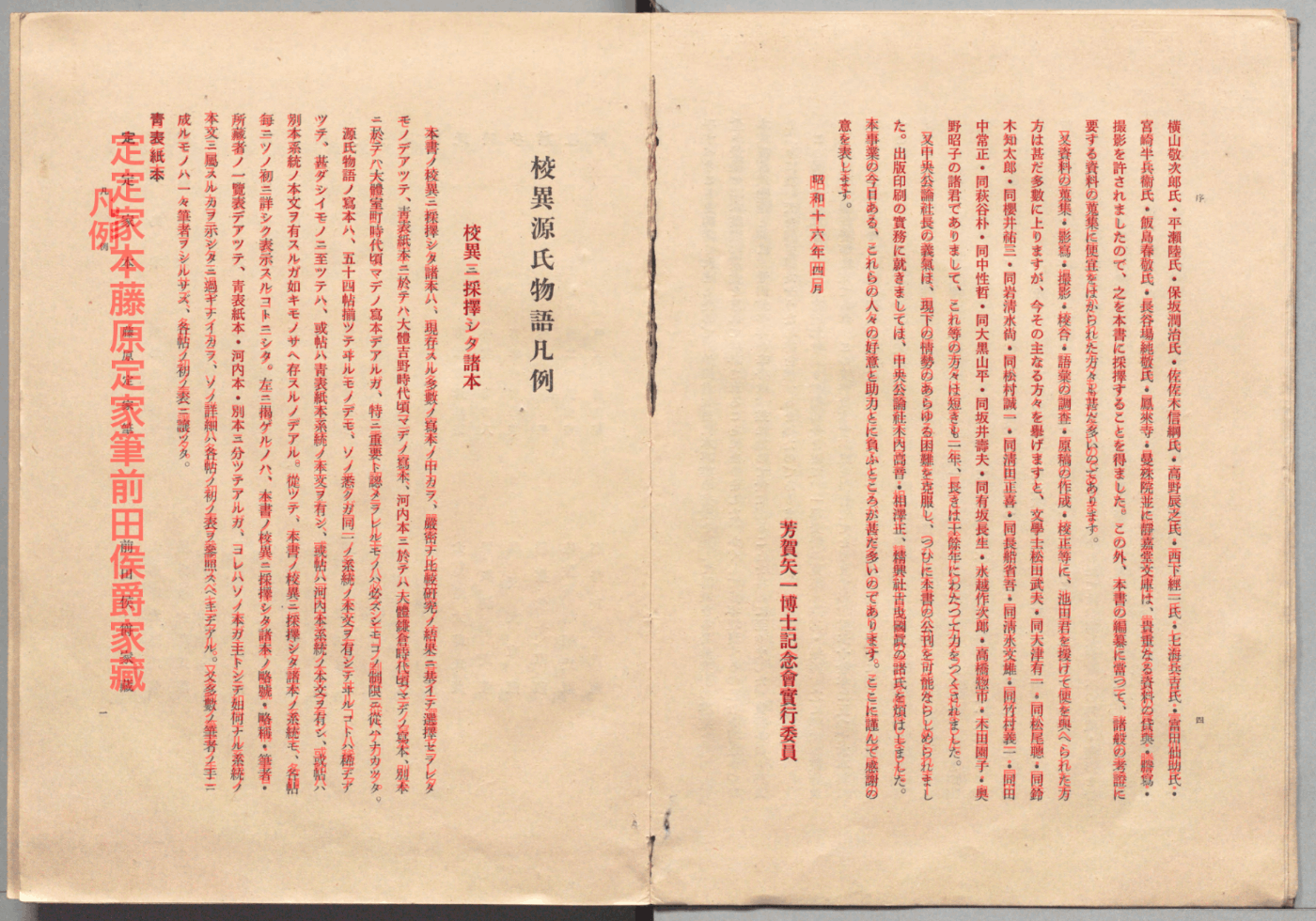
pdf outputs recognition results as PDFs with transparent text. Two types are output: one with _text at the end and one without. The PDF with _text displays text in red for verification purposes, as shown below.
iiif is data used by the viewer described below. It contains json and xml files, but this is primarily information for developers.
Link to Viewer for Checking Recognition Results
A viewer like the following is displayed. By overlaying the recognition result text on the image, you can check the accuracy of the OCR.

I would like to introduce the technical details of this viewer in a separate article.
Summary
I expect there may be bugs or missing features in the notebooks, so please feel free to contact me at any time.
I hope this is useful for utilizing NDLOCR and NDL Classical Japanese OCR.