This article introduces an example of building an object detection API using AWS App Runner and YOLOv5.
Amazon ECR
I registered the following repository, which publishes a YOLOv5 model using Flask, to the Amazon ECR (Elastic Container Registry) public registry.
https://github.com/robmarkcole/yolov5-flask
https://gallery.ecr.aws/b8m8i5m3/yolov5-flask
I made some modifications to the source code from the original repository. The forked repository is here:
https://github.com/ldasjp8/yolov5-flask
Below, I will explain how to use this image with App Runner as an example.
AWS App Runner
Access App Runner and click “Create service” in the upper right corner.

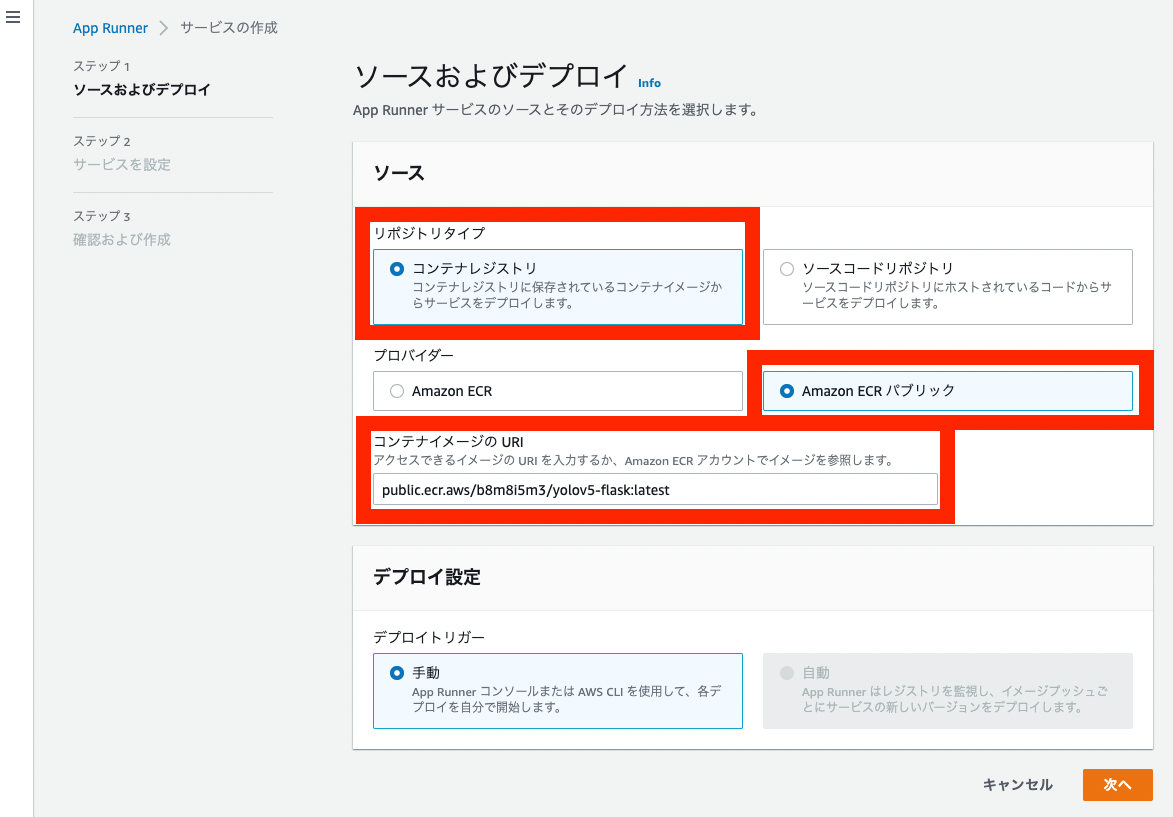
On the next “Source and deployment” screen, make the following selections. Enter the following for “Container image URI”:
public.ecr.aws/b8m8i5m3/yolov5-flask:latest
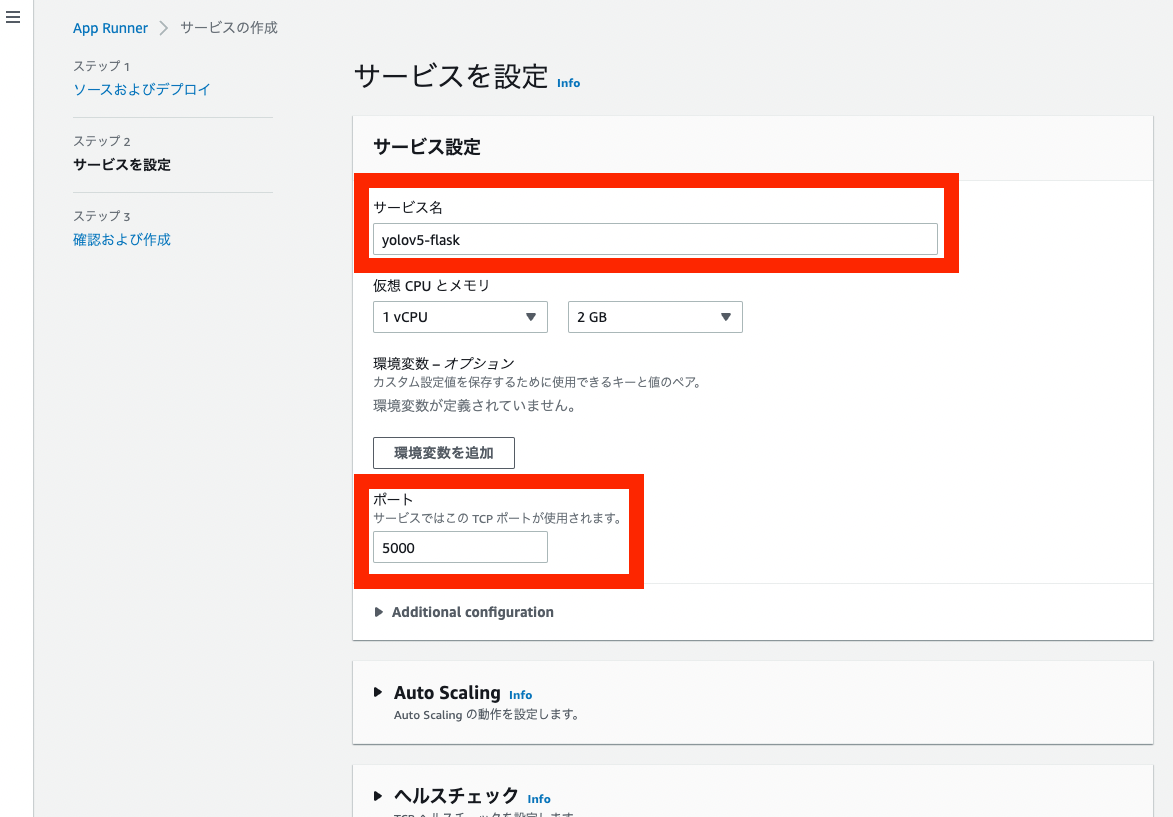
On the next “Configure service” screen, enter the service name and change the port to 5000.
Proceed with the default settings for the remaining configuration, and you will be taken to the following screen.
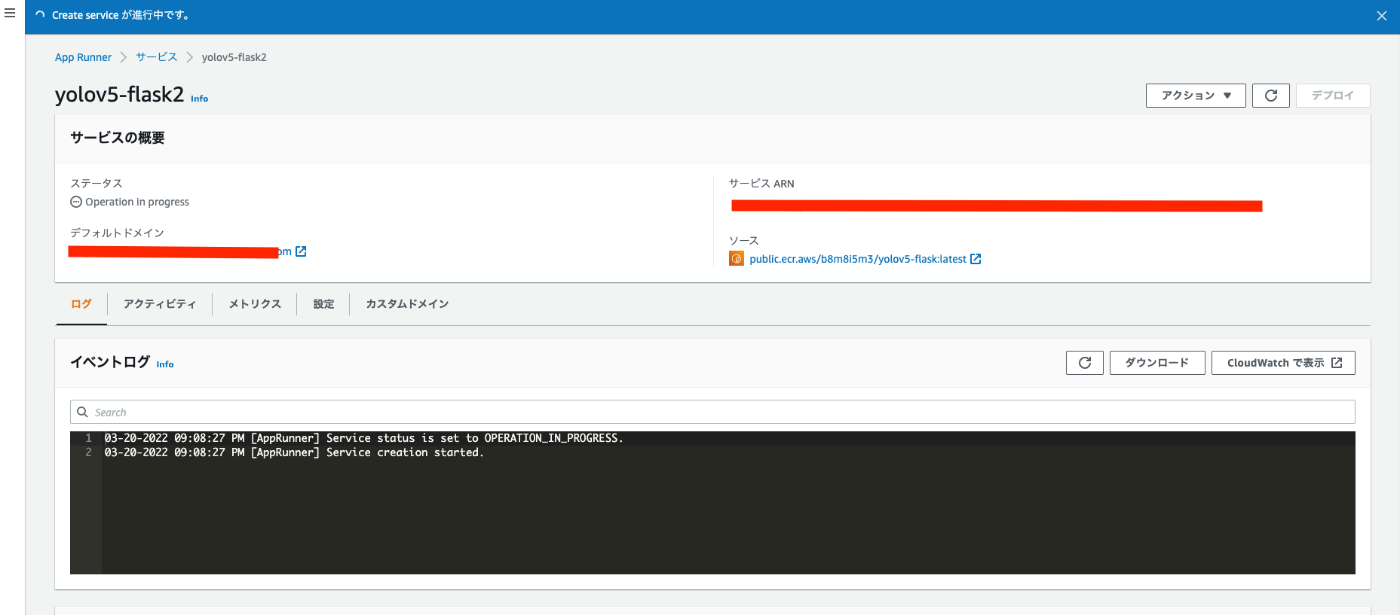
Wait about 5 to 10 minutes. Once the “Status” shows “Running”, the setup is successful.
Using the “Default domain” https://XXXX.us-east-1.awsapprunner.com/, access the following URL:

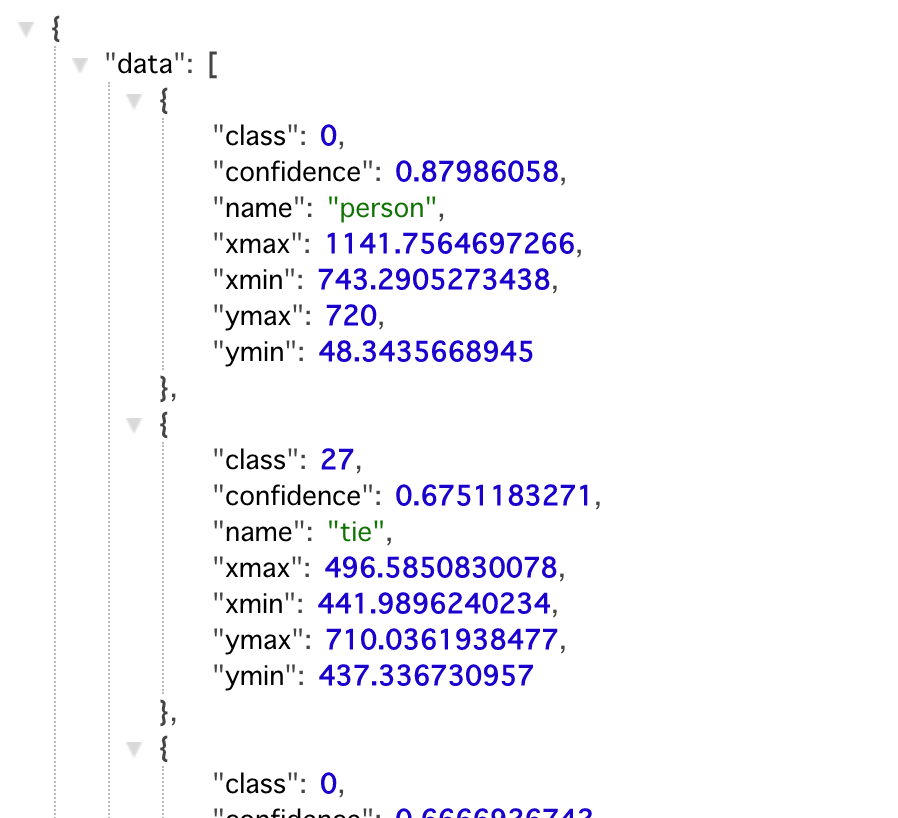
JSON data with object detection results like the following will be returned.
Summary
I was able to easily build an object detection API using YOLOv5 with AWS App Runner.
I hope this serves as a helpful reference for building APIs with App Runner.