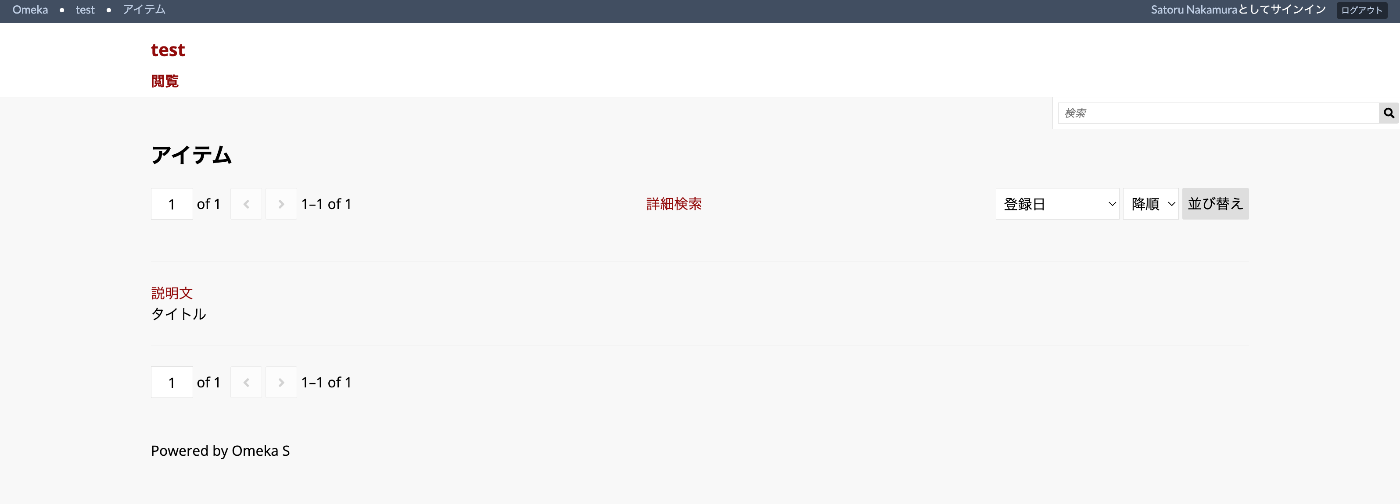
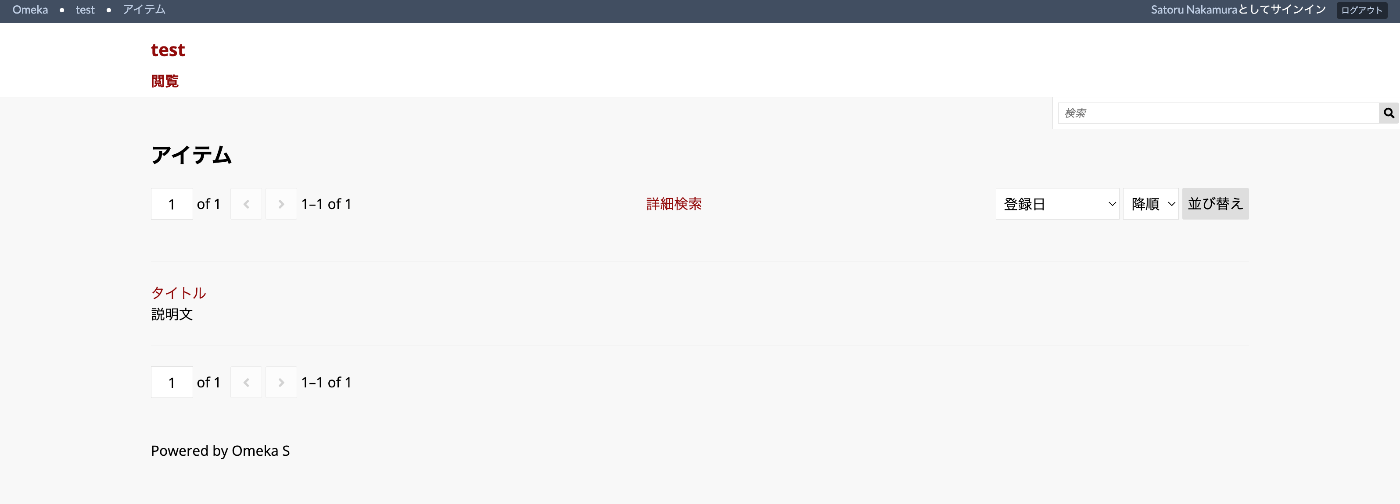
Overview# This article explains how to specify which items to display in search results, as shown below.
Configuration# In the default settings, the “Heading” displays the title (dcterms:title) and the “Body” displays the description (dcterms:description), as shown below.
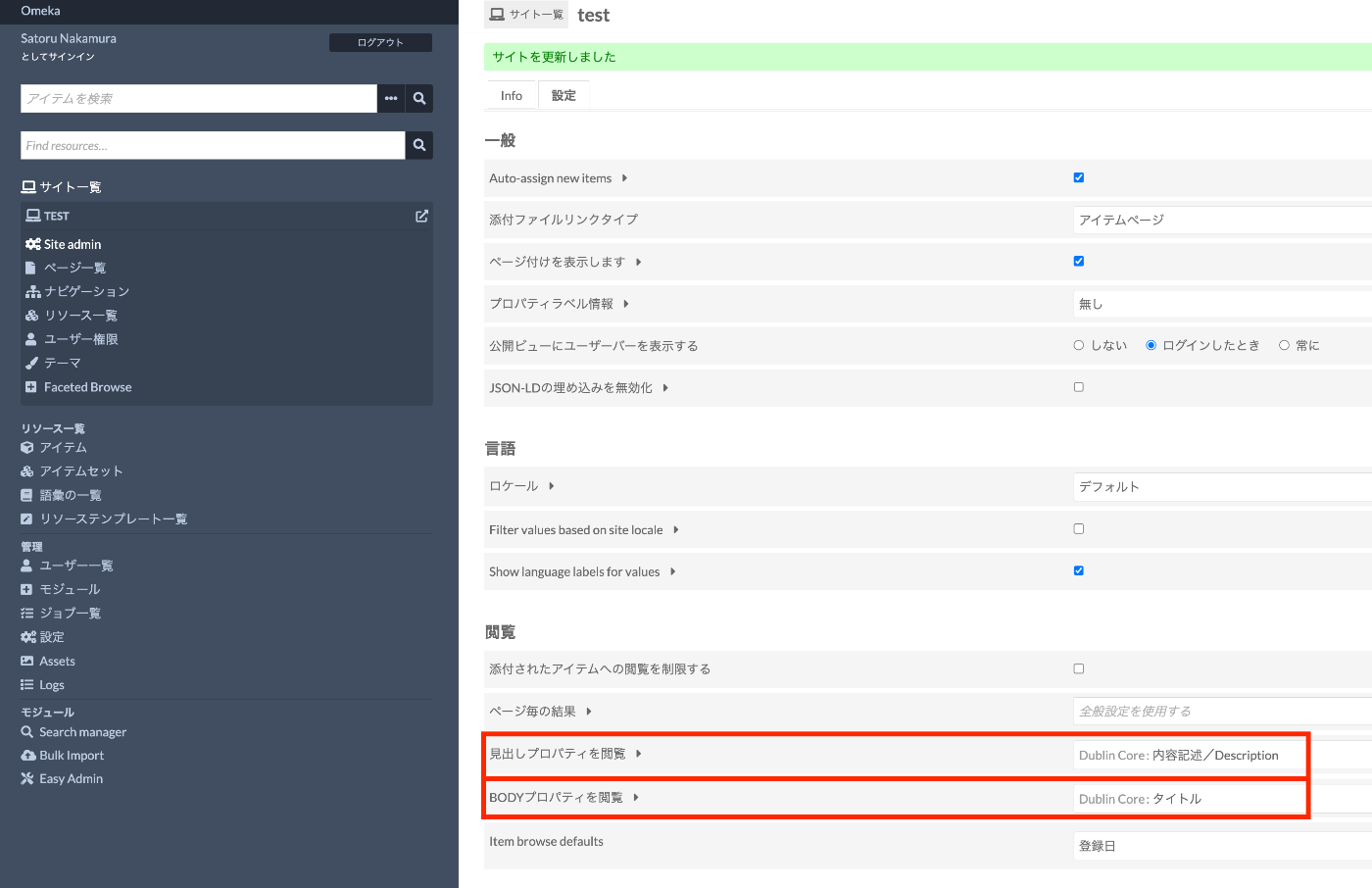
You can configure which items to display for “Heading” and “Body” respectively by changing the following section in the per-site settings screen.
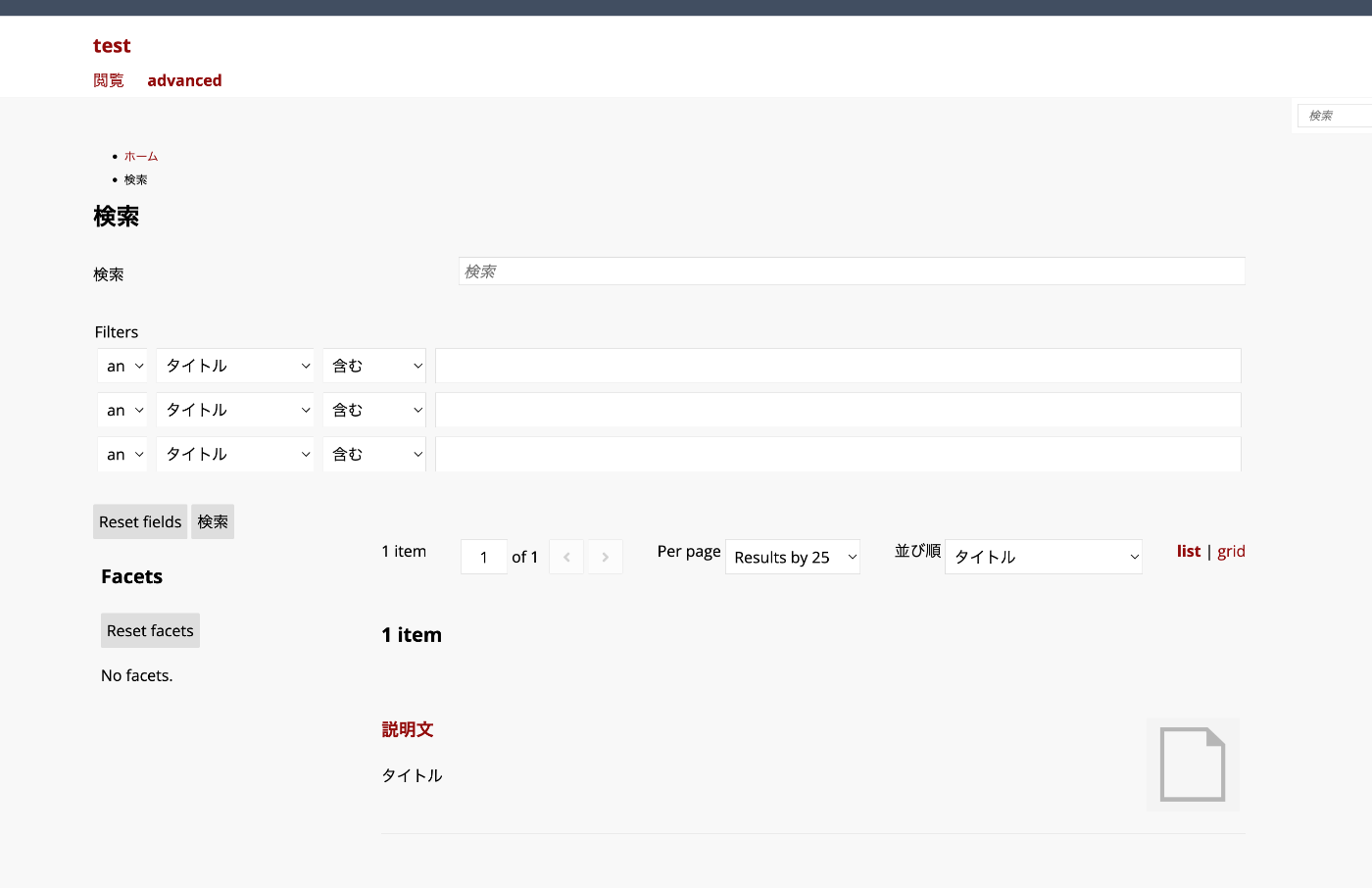
For Advanced Search# Even when using the Advanced Search module, these settings are inherited.
You can check the source code at the following link.
https://github.com/Daniel-KM/Omeka-S-module-AdvancedSearch/blob/master/view/search/resource-list.phtml
The display items are specified based on the browse_heading_property_term and browse_body_property_term settings.
< $ $ ? < < < < ? h b > ? h ? u / p e o p 3 p l u h a d h > h l p d y p < p c < f ? < < > i T ? l ? o > l / ? n e i = e a p r i l p g r f n s h e i h T m $ d s p a $ $ $ $ c < < > p e ( e i = c h h b b l d / d / r = $ s f " h e e o o a i d i d e m t c ; r a a d d s v i v i n $ i a e ( d d y y s < v < < d = s t p ? s $ i i = c ? > c h d / f e l e > o @ r n n = = " l = l 4 i d o $ t e ( u v e g g r a a > v i r s t ) $ r a s $ $ e s $ s < < v e e i : t c r o = = b b s s h s ? c ? > a t n i e u o o o = y = = l = c t g ? t - \ r $ $ d d u " p " a h i ( > l l O c h h y y r r e r $ s $ ; n ' e i m e e e T c e r e r s b g b ) s e s a a e ? e s l s e = o ? ( r t k d d r o i o s " d > ' o ? a a i i m $ < u n u o d y b w > s \ s n n b ? r k r u e r s < e A g g ? o = c - c r s ? o e / a p $ T d e > e c c > w _ h r i r e ? $ y $ - r - e r s b 3 c \ e r r - r t a m - i e o > h R s m $ e > e h w e > p _ d - e o h s a s u ( t l t h y r p u ? e o s o m $ a i i e _ e r r a u H u b r d n o a p s e c $ d r t r n e a k n d r u s e r i c m c a s t R " i o l e ) e n e l e i o a a > n p t n : s g - ( T l u " w g e s t o - > ) y " r > ( _ r - a u > v p > c $ p t l t r a a : e e h r y i i c s l T e o _ s o e H u $ ? h a p t t n - t e e > u d e e < \ > m ( s " m i r r ? A v l $ c > b n t m = b a ( b a n g y ' s l ) o p a ) _ ) $ t u d e i t ; g r e : y ( l ? e r a ( T $ , > r i c $ $ e r < m d t h e r e $ / ' L R e s m s r h ) i e a c , o e 4 ; s s d a u s > t o i p [ r o M u n e ' c u o r g ( l e r d c T $ a - c e e e r n > e E r e g d U = n m s ' i r = t , o s l = i u = p , t [ r > l ' y ' c a [ l R l e $ y ' i e a - l D c s p n > a e l t r g d n s a _ e ' i g c s o s s V r s n e = p a i ' l n > l l p y t a u t = ' a $ y e i > t l T ] o ? i a i ) n ' o n t ( r ' n g l : n e V e u s l $ a ( n l o i r l $ u l u s e u u l , r t s e n l c ' o ] t ; $ e u ) i l - : r t a l c : l n i ( e e g n $ n d ) k g u , ) ' r l ; ] i l $ ) d ; l L a ? i n > s g t ) M ) o ; d e = = = ' g r i d _ o n l y ' ? ' g r i d ' : ? > " > Summary# I hope this serves as a helpful reference for specifying items to display in Omeka S search results.