Overview
I had an opportunity to connect GakuNin RDM with Zotero, so here are my notes.
As shown below, you can link a specified Zotero collection and folder.

Method
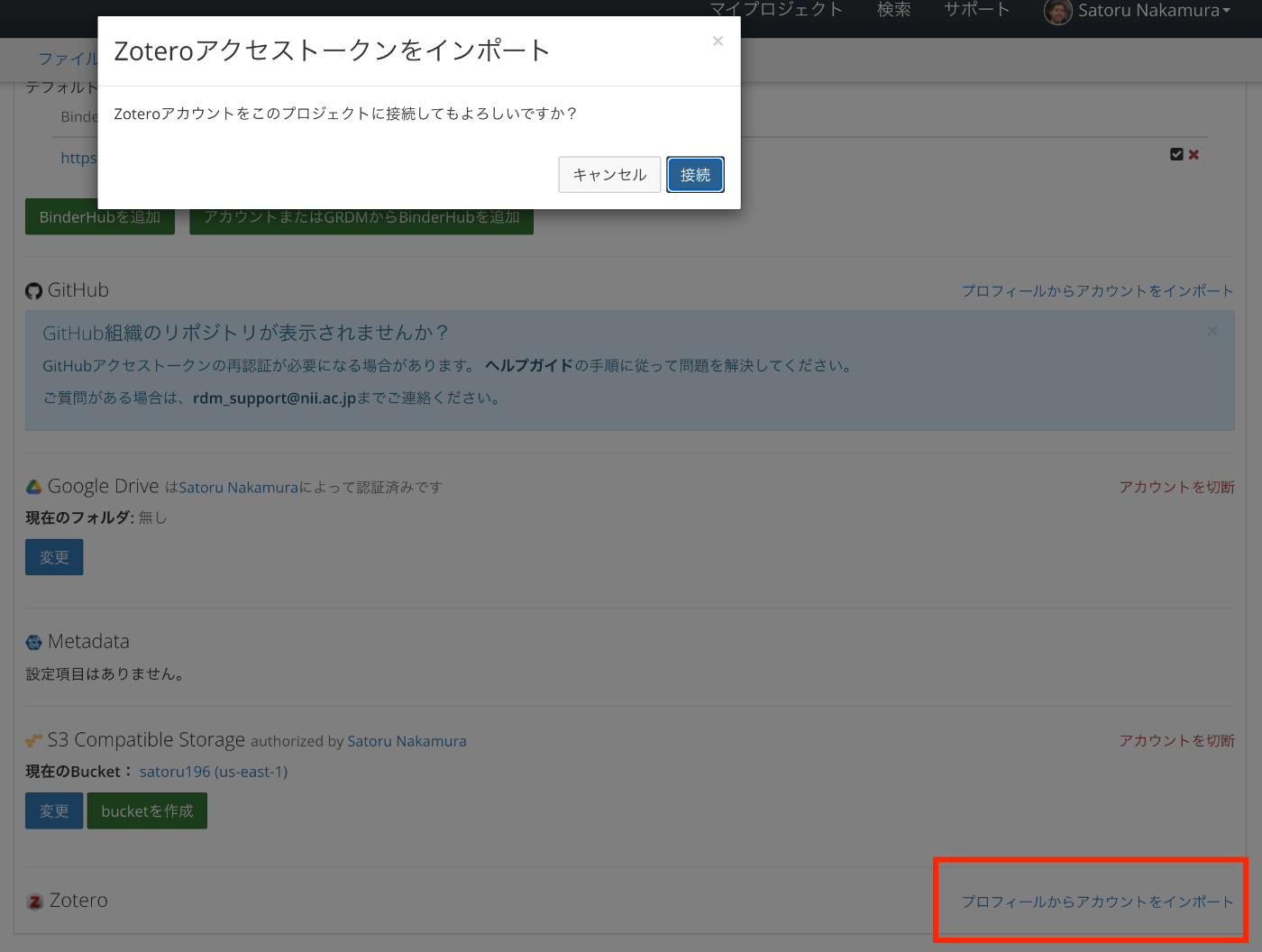
In GakuNin RDM’s /addons/, click the “Import Account from Profile” link for Zotero to connect the project with your Zotero account.
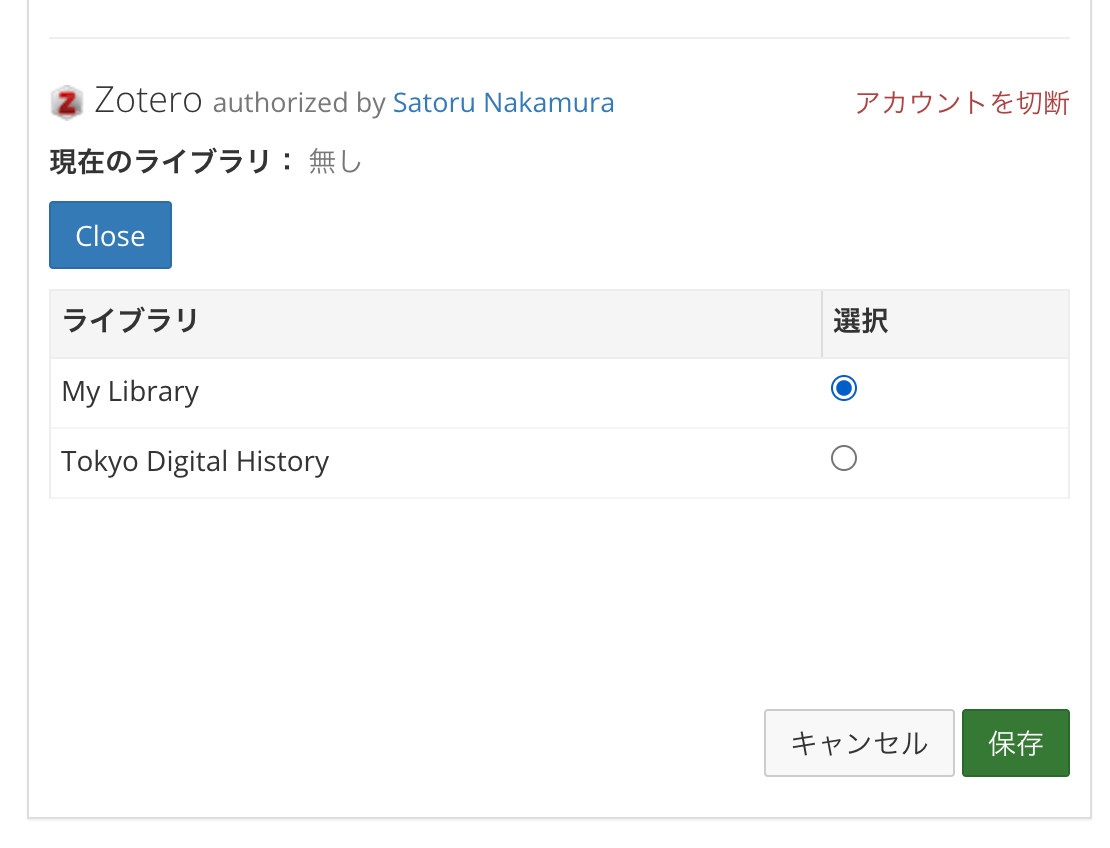
Then, first configure the settings for the library.
Next, specify the folder.
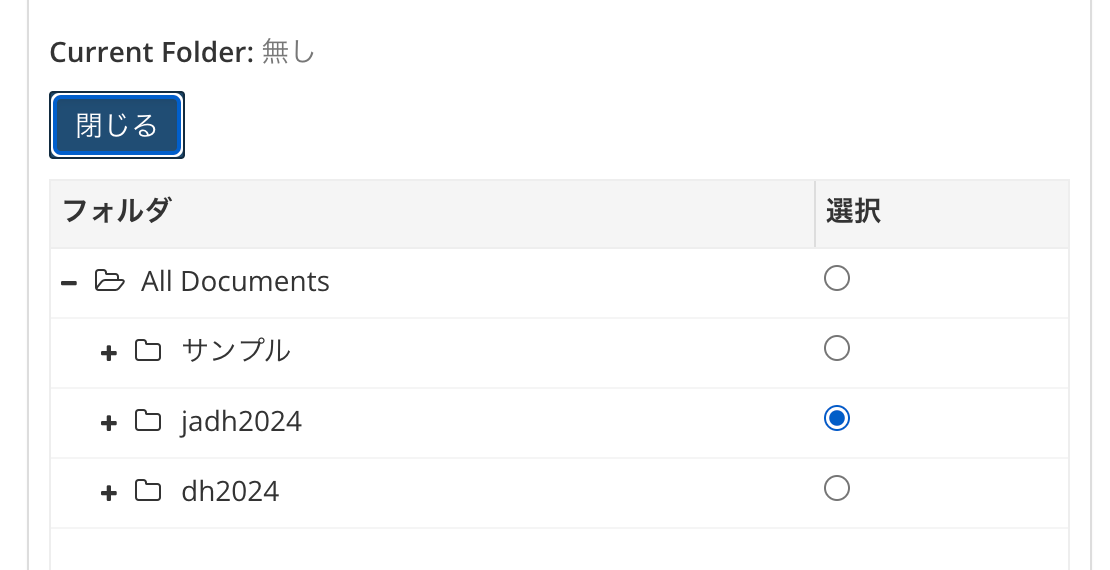
In the above steps, you need to press the “Change” button to configure each setting.
Summary
I hope this serves as a helpful reference for connecting GakuNin RDM with Zotero.