Overview
I will try the Drupal JSON Web Token Authentication module.
https://www.drupal.org/project/jwt
I referenced the following page.
https://preston.so/writing/decoupled-drupal-authentication-with-json-web-tokens/
Note that the following is a similar module.
https://www.drupal.org/project/rest_api_authentication
JWT authentication using the above module is described here.
https://www.drupal.org/docs/contributed-modules/api-authentication/jwt-authentication
However, as described in the following article, it appears that using JWT authentication with the above module requires a paid plan.
Therefore, this time I will try the jwt module instead.
Installation and Activation
jwt module
As a note, not only jwt but also jwt_auth_consumer and jwt_auth_issuer needed to be activated.
restui module
Configuration
Access the following to create a key.
/admin/config/system/keys
I selected JWT HMAC Key for Key type and SHA-256 for JWT Algorithm.
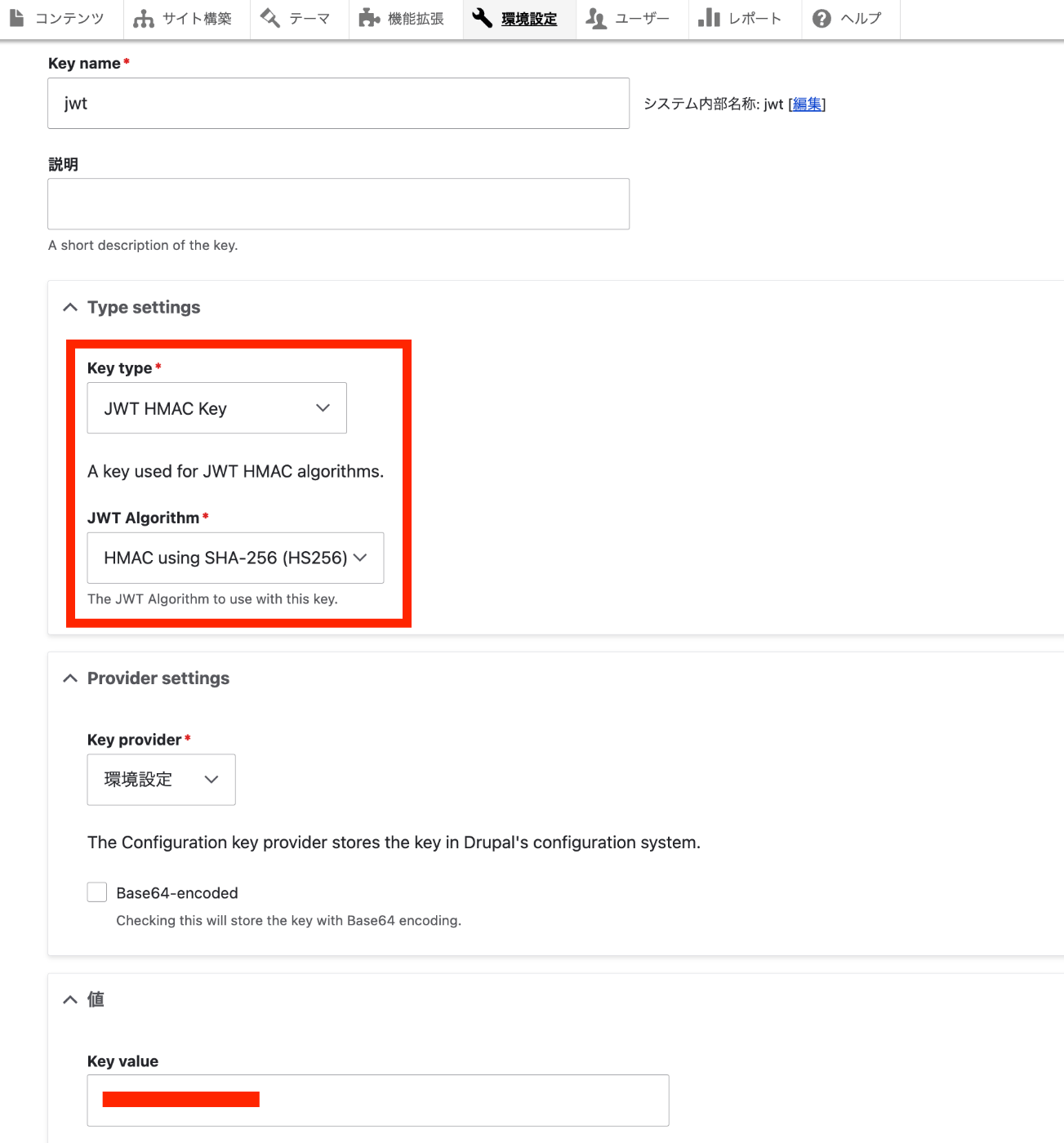
Next, access the following to configure JWT settings.
Select the default SHA-256 for Algorithm and select the key created earlier (here, jwt) for Secret.

Then, while logged in, access the following.
/jwt/token
A token like the following will be obtained.

For reference, let’s verify this token on jwt.io.
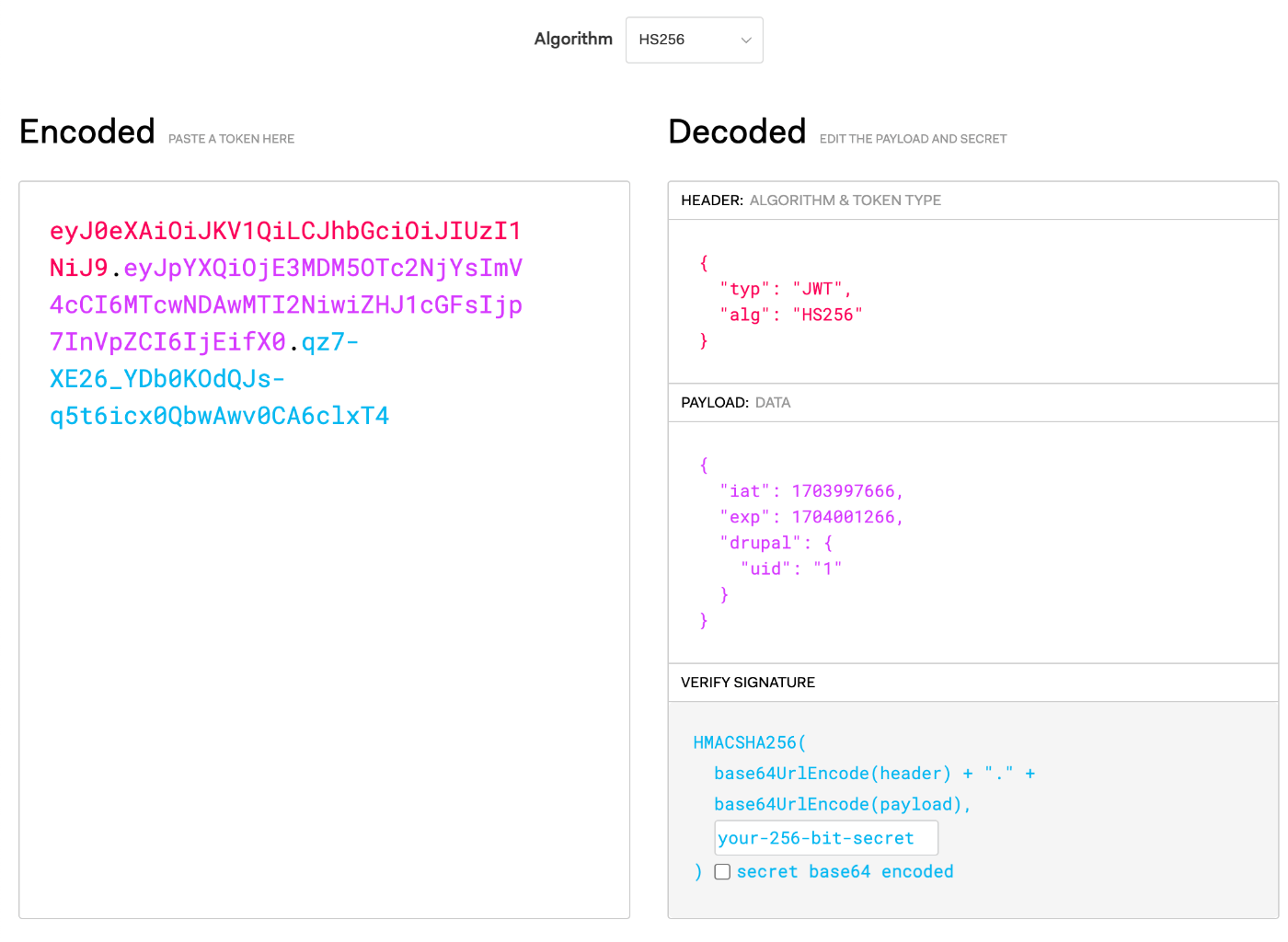
Looking at the PAYLOAD section, you can see iat (Issued At: the time the token was issued) and the Drupal “User ID.”
REST Resource Configuration
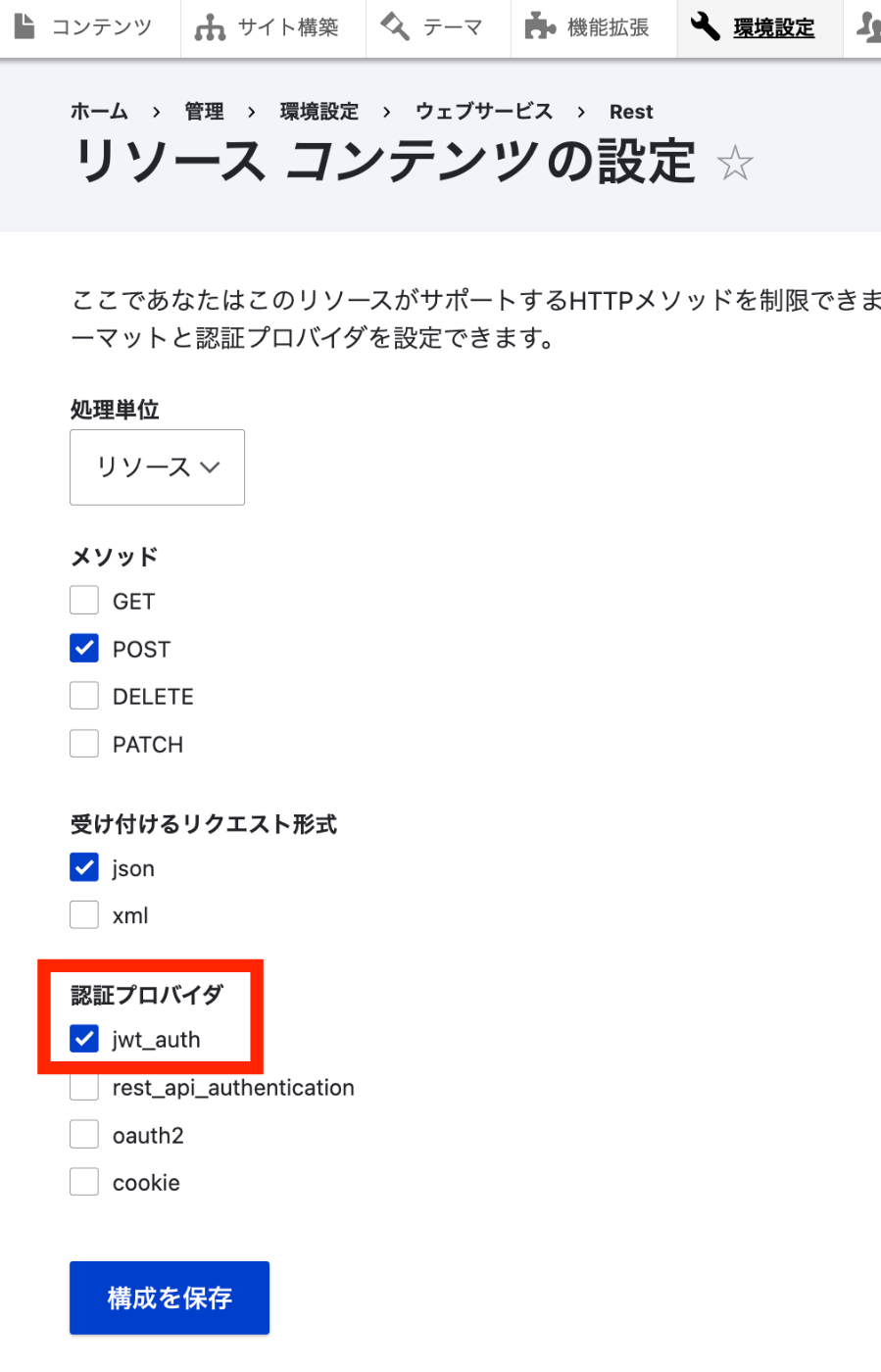
Access the following.
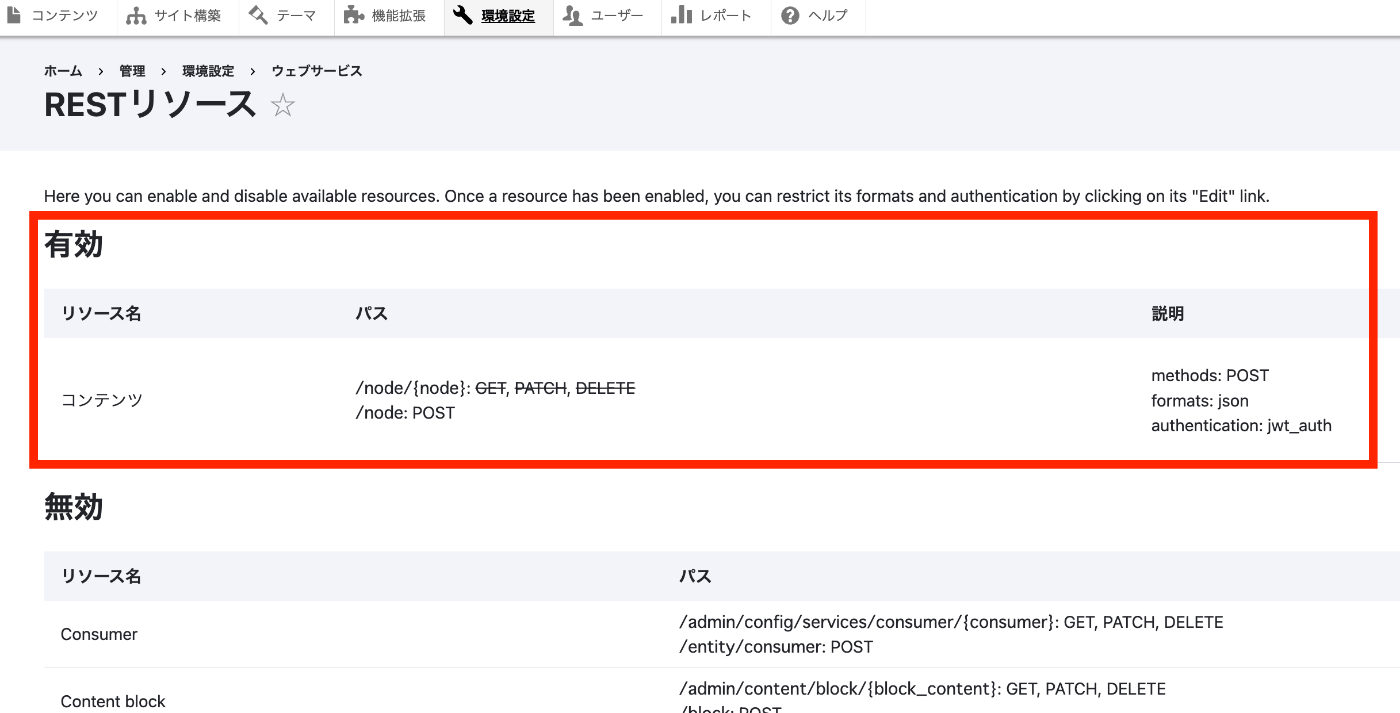
/admin/config/services/rest
Here, enable POST for Content and select jwt_auth as the authentication provider.
Postman
Let’s try creating content using Postman.
First, try creating content without specifying Authorization.
Select raw for Body and set the format to JSON. Try creating an article type content with the following minimal data.
The POST URL is:
{path where Drupal is installed}/node?_format=json

The following result is returned.
Next, select Bearer Token in Authorization, enter the token obtained earlier, and send the POST request.

As a result, content was successfully created as follows.
(Reference) Using JSON:API
Next, let’s also check the results when using JSON:API.
Configuration
First, enable JSON:API in web services.
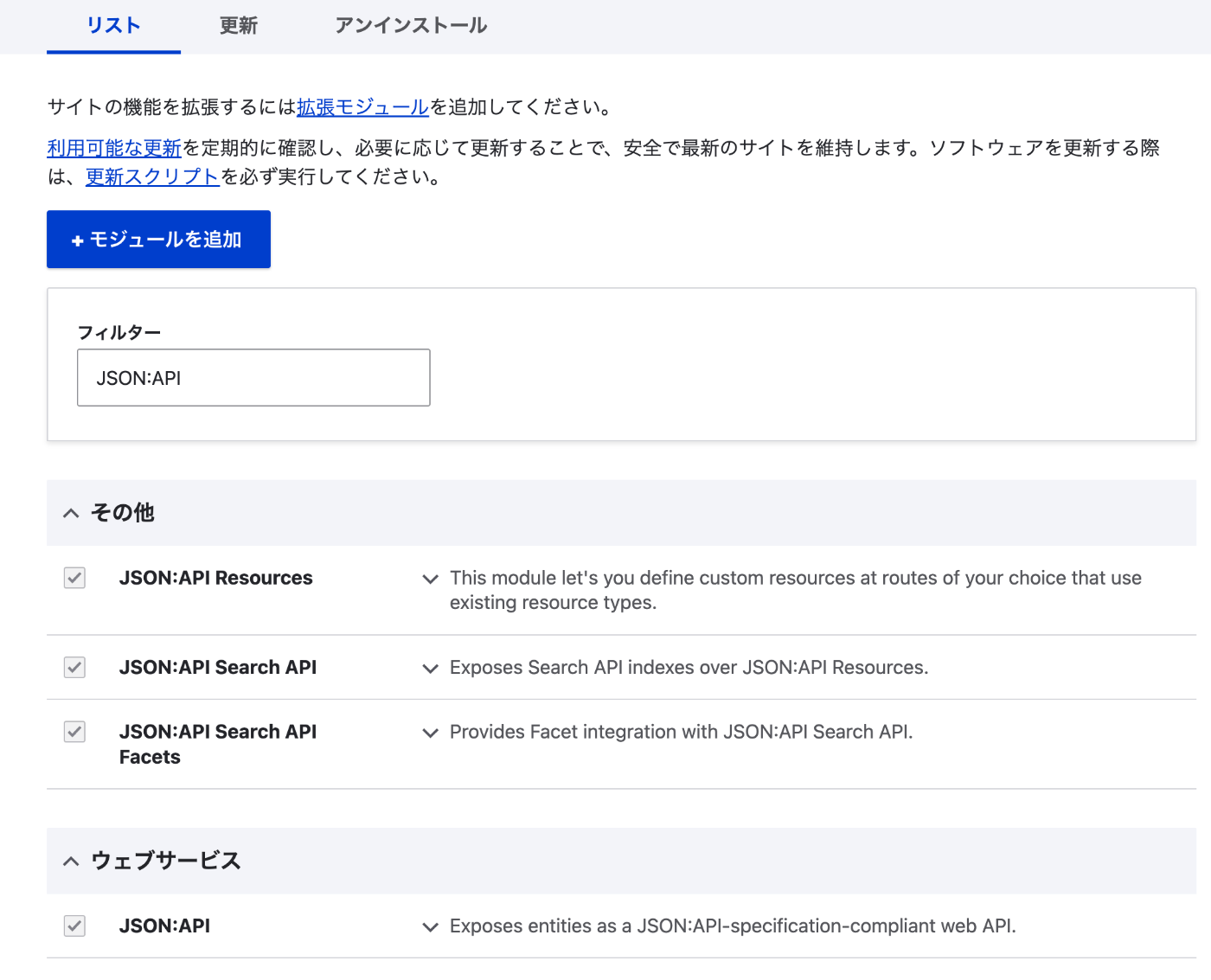
Next, access /admin/config/services/jsonapi and allow all operations.
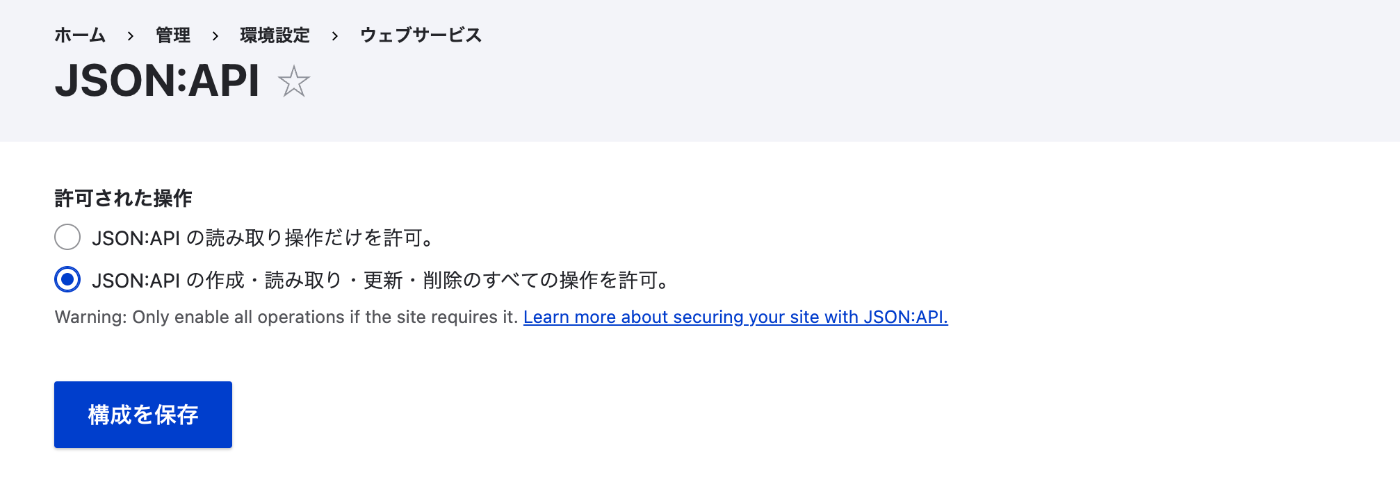
Note that if you attempt the POST described below without this configuration, the following error will be returned.
Postman
When using JSON:API, create content with JSON data like the following.
The POST URL for creating article type content is:
{path where Drupal is installed}/jsonapi/node/article
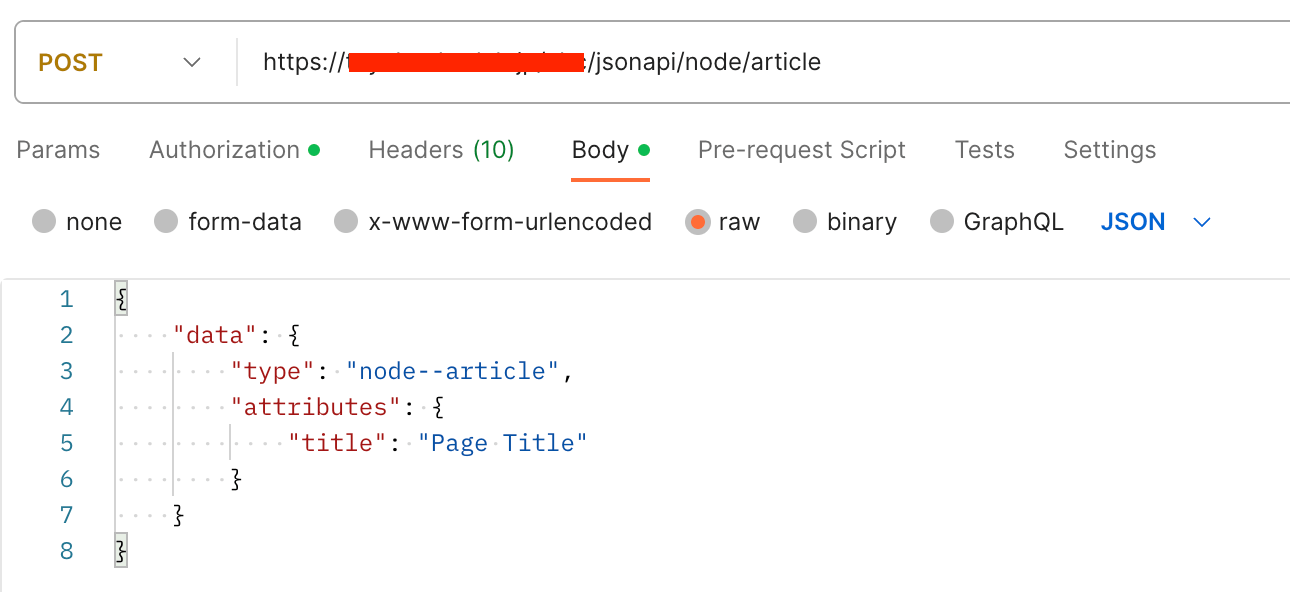
Attempting to create content without specifying Authorization yields the same result as before.
When Authorization is specified, content is created as follows.
Summary
I introduced an example of using an API with the Drupal JWT module.
There may be many aspects that have not been fully considered, but I hope this serves as a reference for using this module.