Overview
When using the desktop edition of Ontotext GraphDB,
https://www.ontotext.com/products/graphdb/
I encountered a situation where data imports and other operations could not be performed due to insufficient disk space:
File not loaded; Insufficient disk space to start a transaction for repository ‘xxx’ due to: The repository ‘abc’ is critically low on free disk space with 4.6% (xxx GB) free left
This article introduces one temporary workaround for this issue.
Documentation
Information was found in the following documentation:
https://graphdb.ontotext.com/documentation/11.0/low-disk-space-health-checks.html
Claude’s response was as follows:
GraphDB 11.0 has a new health check mechanism that overrides previous settings:
Fatal state: Triggered at 5% or below 1GB Current situation: At 4.6%, Fatal state is triggered Result: New transactions are completely blocked
Workaround
I created a new graphdb.properties file and added options to disable the health check mechanism:
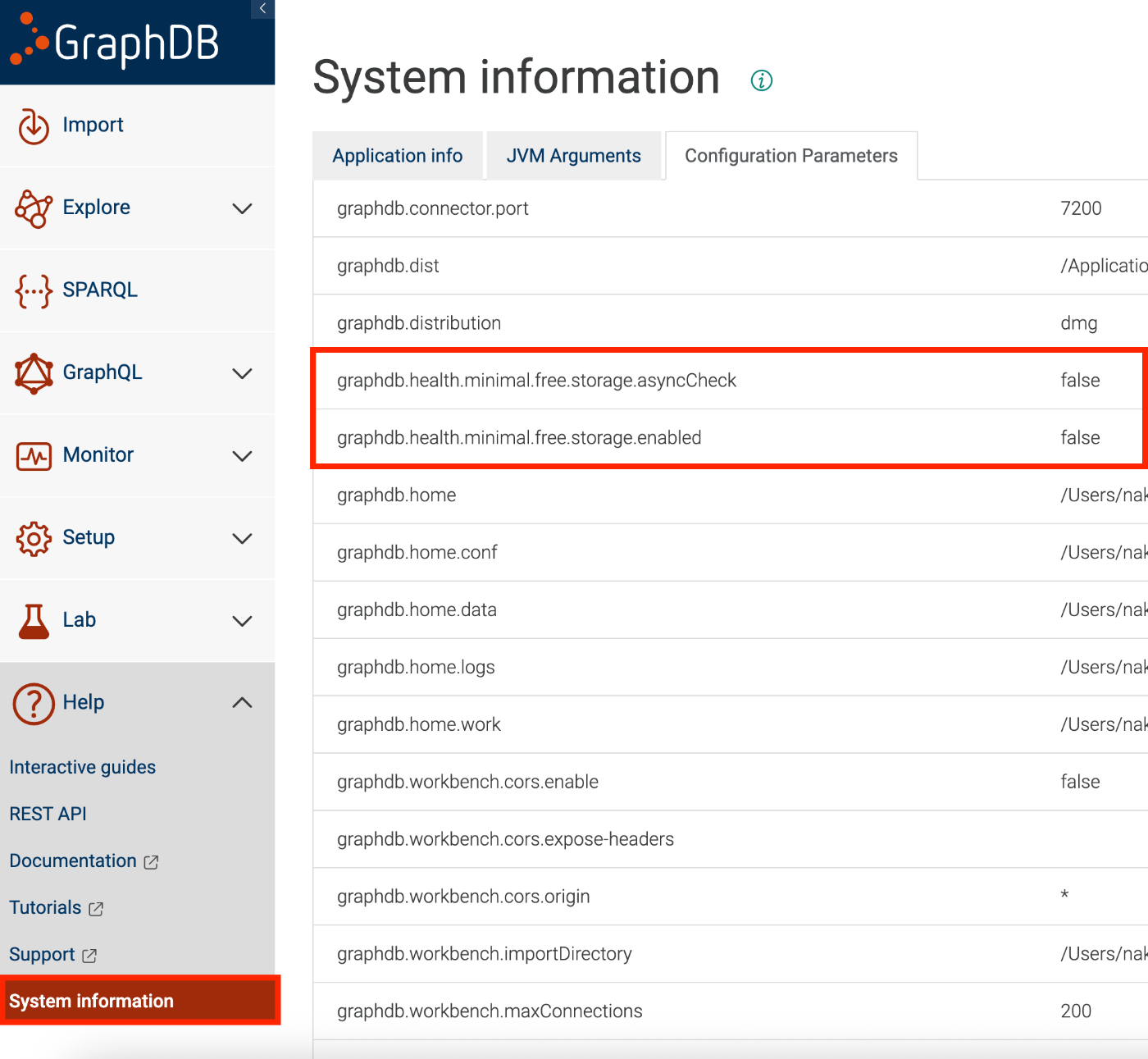
Then restart GraphDB. As a result, the settings were reflected in the System Information, and the error mentioned above was resolved.
Summary
While the root cause of the insufficient disk space should ideally be addressed, I hope this serves as a useful reference as a temporary workaround.