Overview
I created a page for visually browsing Omeka S themes.

The following site is convenient for searching Omeka S themes:
https://daniel-km.github.io/UpgradeToOmekaS/omeka_s_themes.html
However, I thought it would be even more convenient to be able to see the appearance of themes and their star counts in a list view. Using the source data from the site above, I created this new page:
https://github.com/Daniel-KM/UpgradeToOmekaS/blob/master/_data/omeka_s_themes.csv
How It Was Created
GitHub
I used the GitHub API to retrieve the last update date and star count for each repository. To use the GitHub API, I created a Personal Access Token (PAT):
Also, since the thumbnail image for Omeka S themes corresponds to a file called theme.jpg, I checked for its existence and retrieved it when available:
https://omeka.org/s/docs/developer/themes/theme_functions/
As a result, I created JSON data like the following:
Notion
I used Notion for creating the web page:
https://www.notion.so/ja-jp/help/public-pages-and-web-publishing
Using the REST API, I updated the database based on the JSON data above:
https://developers.notion.com/docs/working-with-databases
To use the API, I needed to create an API secret:
https://developers.notion.com/docs/create-a-notion-integration
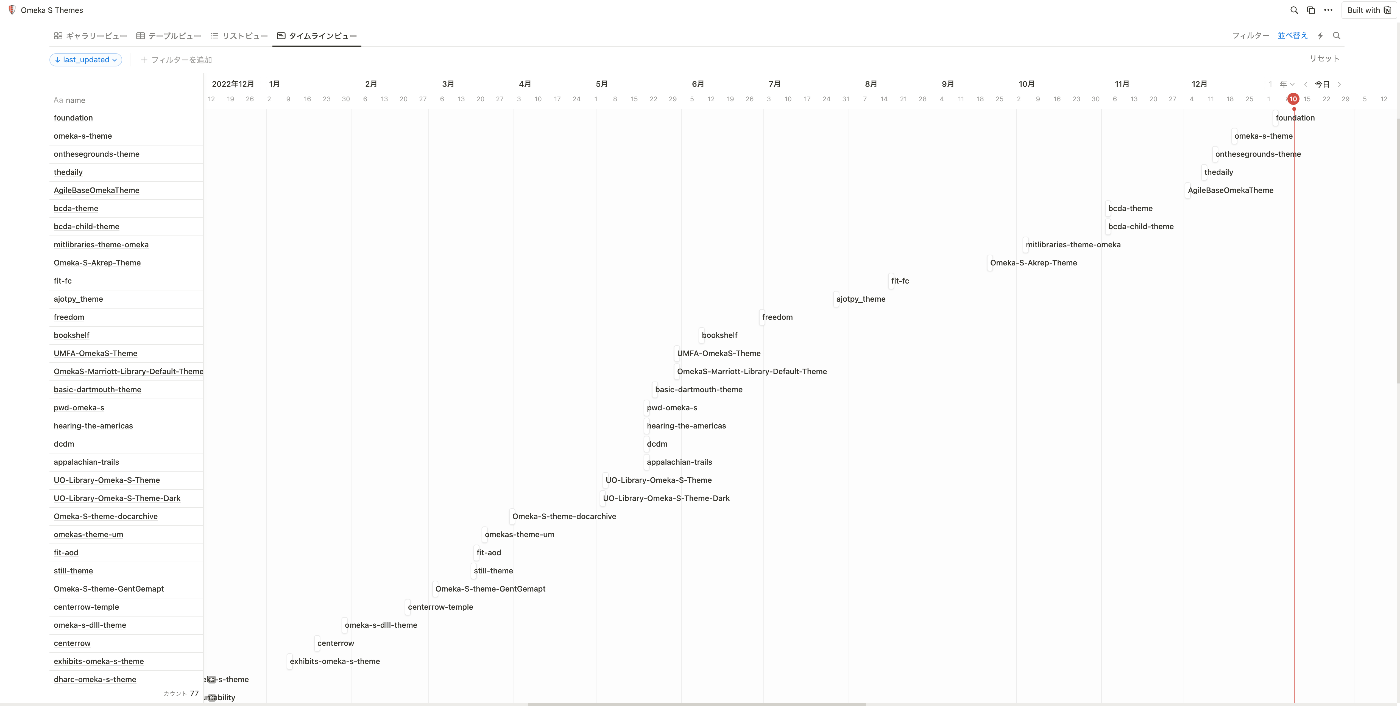
The database features like filtering, sorting, and layout switching were very convenient. Below is an example using the timeline view to display the last update date of each theme (repository):
Future Plans
Periodic Updates
I would like to use GitHub Actions to perform periodic updates:
https://docs.github.com/ja/actions/using-workflows/events-that-trigger-workflows#schedule
STUDIO
I would like to try displaying the database information on a site built with STUDIO:
https://blog.studio.design/ja/posts/api-integration
Summary
I hope this serves as a useful reference for finding Omeka S themes.