Overview
An extension that enables TEI editing in MediaWiki has been developed:
https://www.mediawiki.org/wiki/Extension:TEI
An example of the editing screen is shown below:
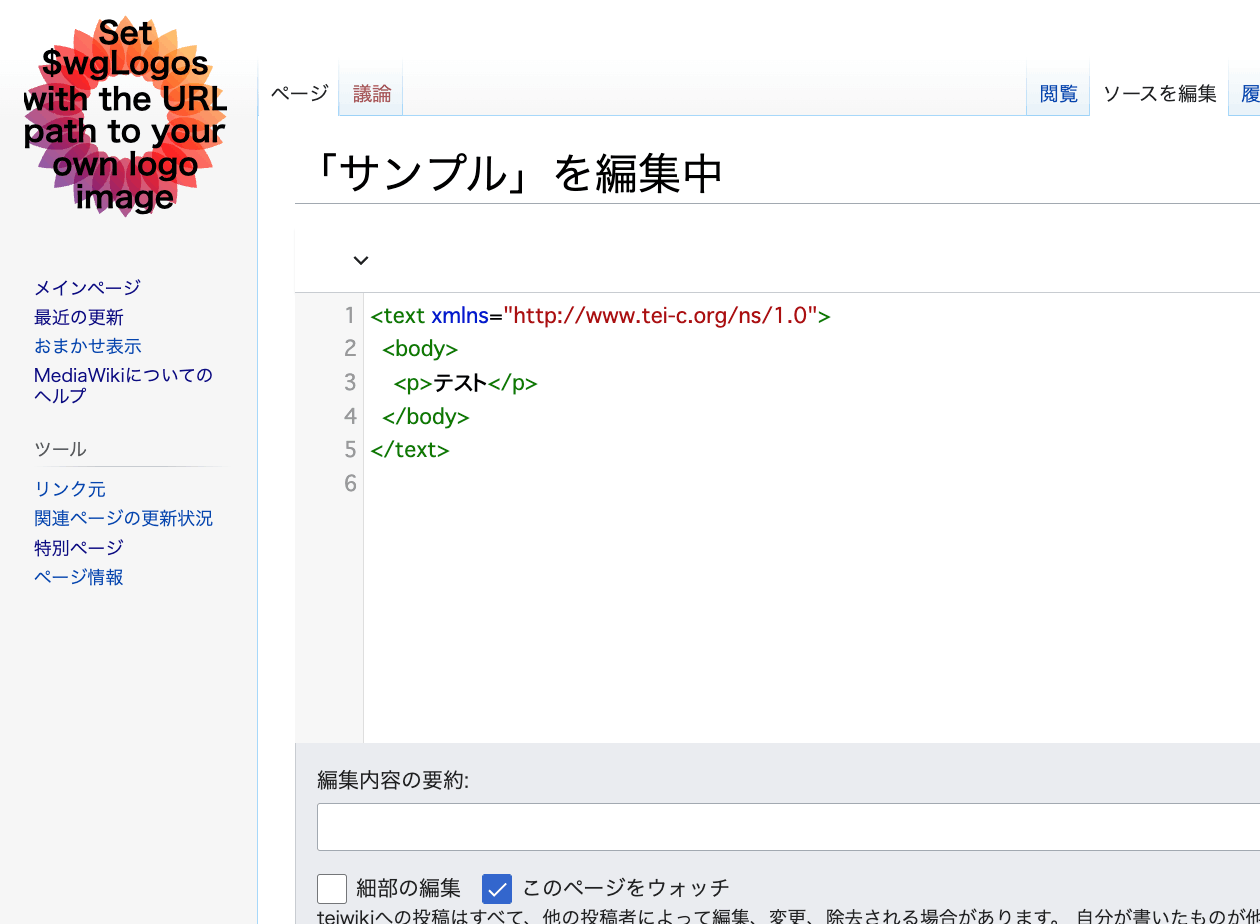
Scripto, the transcription support module for Omeka S, enables transcription of image data registered in Omeka S by linking Omeka S with MediaWiki:
https://omeka.org/s/modules/Scripto/
I tried combining the TEI extension mentioned above with this environment to see if TEI-compliant transcription would be possible. However, I was unable to get the TEI extension to work properly.
Below are my notes on this effort.
As a reference, the following is an online tool for editing TEI:
https://digital-editing.fas.harvard.edu/editor/
Setting Up MediaWiki
I installed MediaWiki on a LAMP environment created using AWS Lightsail. Since there are many existing articles about installation methods, including the official documentation, I will defer to those:
https://www.mediawiki.org/wiki/Manual:Installing_MediaWiki/ja
Installing the TEI Extension
Add the extension by following the Installation section on the following page:
https://www.mediawiki.org/wiki/Extension:TEI
Here is a translation of the steps:
- Download the files and place them in a directory within the extensions/ folder.
- Add the following code to the bottom of
LocalSettings.php:
- Done – Navigate to Special:Version on your wiki to verify that the extension was installed successfully.
The Special:Version page can be accessed via the following URL when set to Japanese:
/index.php?title=特別:バージョン情報
The following screen will be displayed:


Then add the following to LocalSettings.php:
Additional Steps
After completing the above steps, TEI was not yet enabled. The following additional work was required.
Adding CodeMirror
The following extension was needed:
https://www.mediawiki.org/wiki/Extension:CodeMirror
After installing it, add the following to LocalSettings.php:
In the above, in addition to CodeMirror, the default-installed Math and VisualEditor extensions are also enabled.
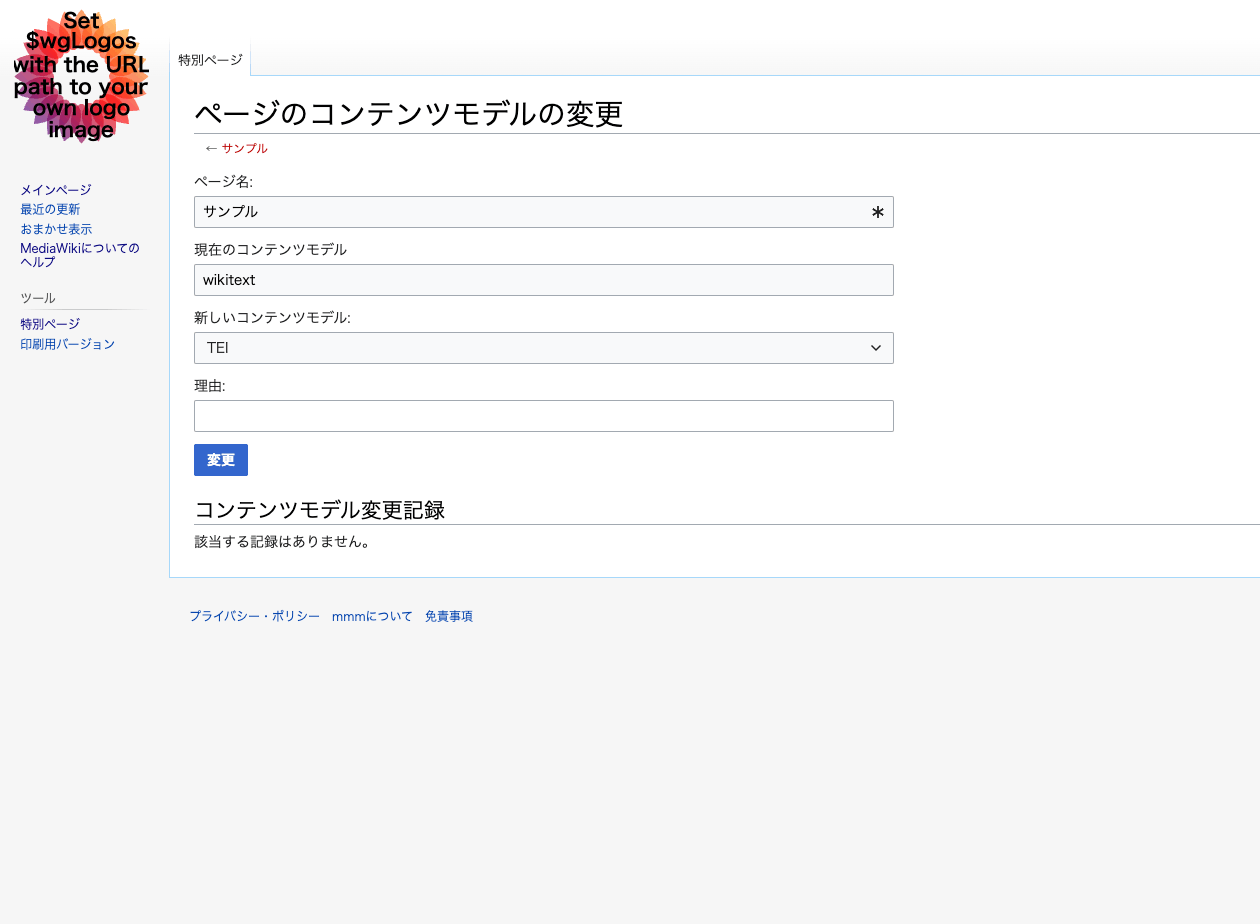
Changing the Content Model from wikitext to TEI
Access the following page:
/index.php?title=特別:ChangeContentModel
Enter the title of the target page (here, “Sample”).
The following page appears, instructing you to change the content model from wikitext to TEI. Click the “Change” button:
As a result, XML editing became possible as shown below:
However, for example, inserting two p tags caused an error, and the intended editing did not work properly:
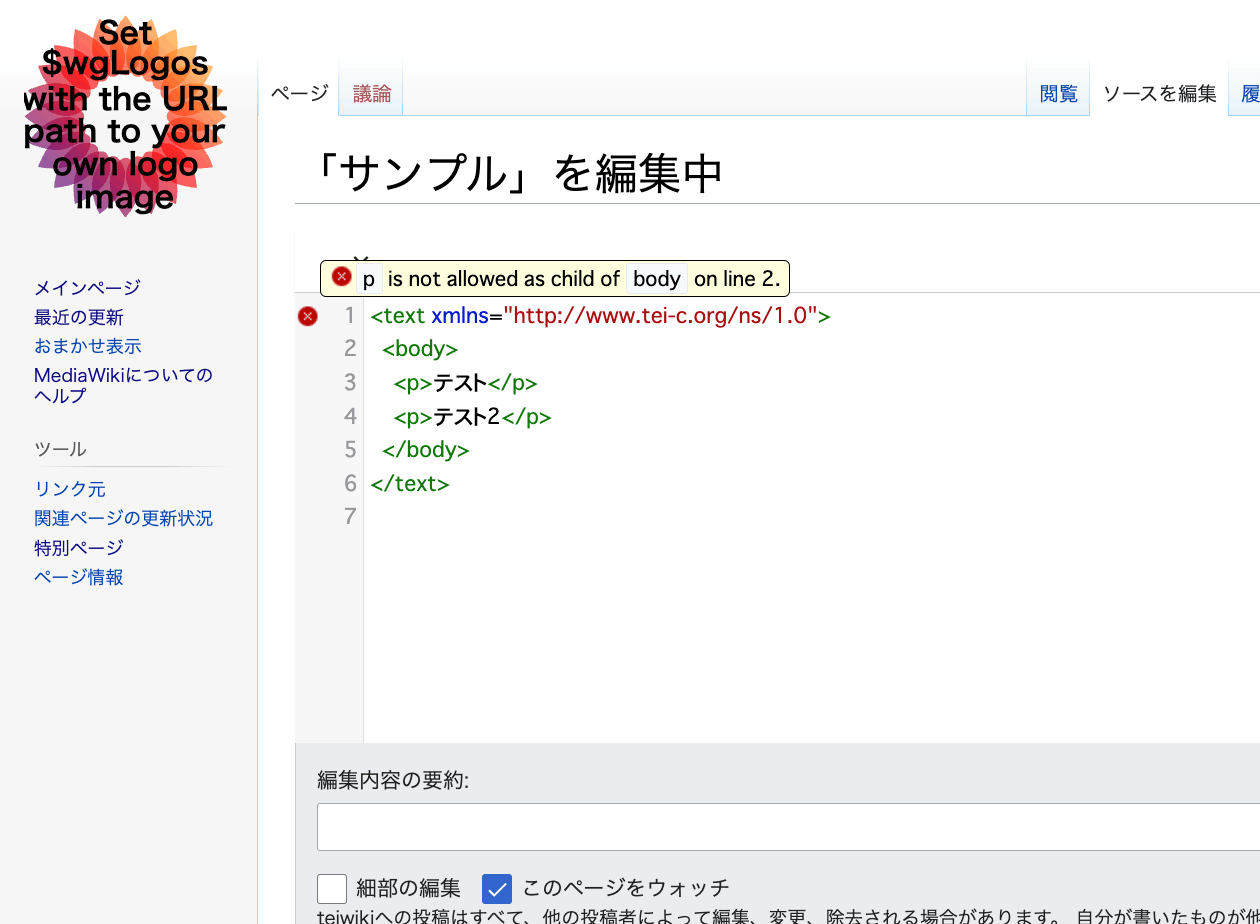
Further investigation was needed to determine whether this was a version-related bug or whether TEI ODD customization was required.
Summary
I tried the extension that enables TEI editing in MediaWiki. While this attempt did not succeed, an environment for creating TEI/XML using wiki mechanisms could be very useful, so I plan to continue investigating.
Additional information about this extension is available at: