Overview
I created a web application that displays information in a calendar format. Below is a display example targeting a list of Hatena Blog articles.
https://static.ldas.jp/calendar/?u=https://nakamura196.github.io/json/calendar.json

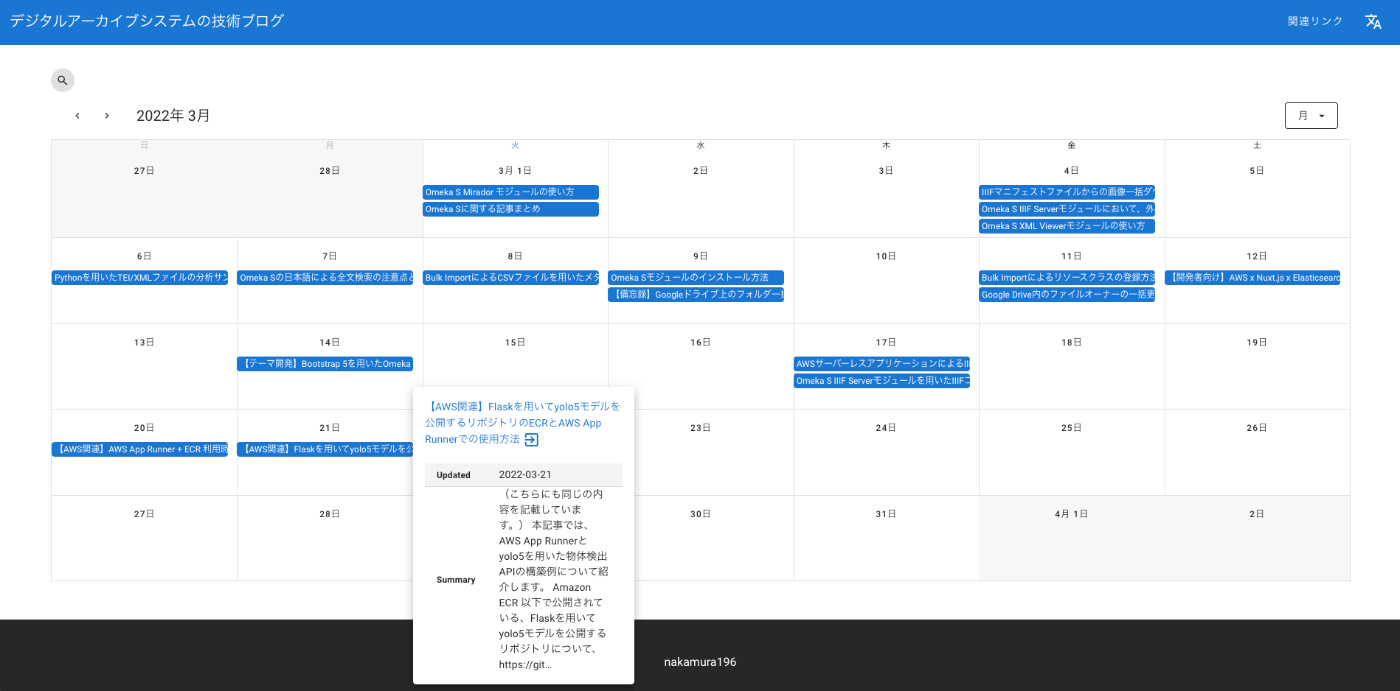

https://github.com/ldasjp8/calendar
You can check the display example by accessing the following URL and clicking the “Example” button, then the “Add” button.
https://static.ldas.jp/calendar/
You specify the URL of a JSON file in the following format as a parameter.
https://nakamura196.github.io/json/calendar.json
Below, I will explain how to create the JSON file from an Excel file as one example method.
How to Create the JSON File
Creating the Excel File
Create an Excel file as shown below. Prepare two sheets: “metadata” and “items”.
https://docs.google.com/spreadsheets/d/14myDqZTxocwOT0Mw3ZzKLO81E6r15R-49oUh2dG9Rbo/edit?usp=sharing
Sheet “metadata”
This sheet has “description”, “header”, “footer”, and “link” in column A. These correspond to the following screen.
For “link”, column B “literal” is the display text and column C “uri” is the URL. Multiple rows can be entered.

Sheet “items”
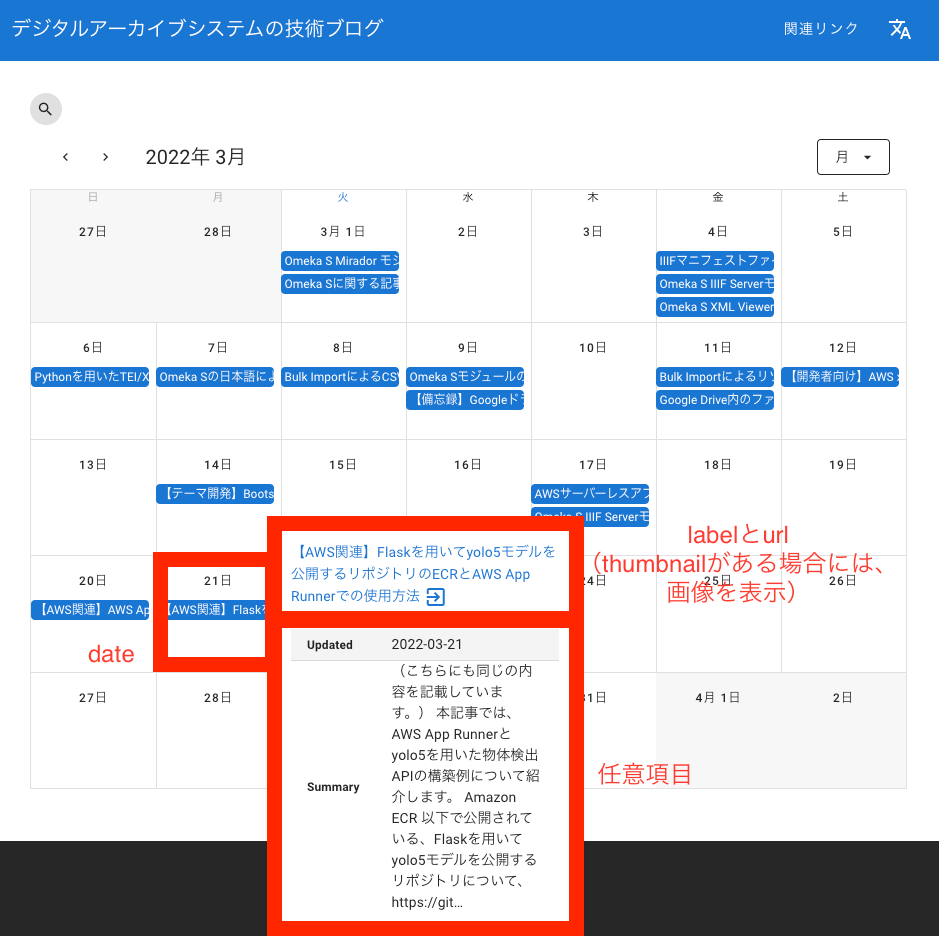
The following columns in this sheet are reserved items. “collections” and “date” are used for the search form.
- collections
- date
- label
- thumbnail
- url
- description
Items from column G onward, such as “Updated”, are optional.
The above items correspond as follows. If you want to enter multiple values within a cell, separate them with “|” (pipe).
Converting to JSON File
Use the following Google Colab to upload the prepared Excel file and convert it to a JSON file.
https://colab.research.google.com/drive/1aJKbJjK9Gu4SwDp6IfGCHNuhTH3pJ3hp
After running the above program, upload the downloaded JSON file to GitHub Pages, Gist, a rental server, etc., and enter that URL into the following calendar display app.
https://static.ldas.jp/calendar/
(Reference) Usage Example Targeting Hatena Blog Articles
As a usage example targeting Hatena Blog articles, I created a program that generates the above-mentioned Excel file using Hatena Blog’s AtomPub API. Please refer to the following article.