Overview
I will try the Drupal Social Auth GitHub module.
https://www.drupal.org/project/social_auth_github/
This module is described as follows:
Social Auth GitHub allows users to register and login to your Drupal site with their GitHub account.
The goal is to enable login using a GitHub account as shown below.

Installation
The above installation also enables social_auth and social_api.
Configuration
Follow the configuration instructions on the following page.
https://www.drupal.org/project/social_auth_github/
Drupal
Access the following:
/admin/config/social-api/social-auth

Then access the following:
/admin/config/social-api/social-auth/github
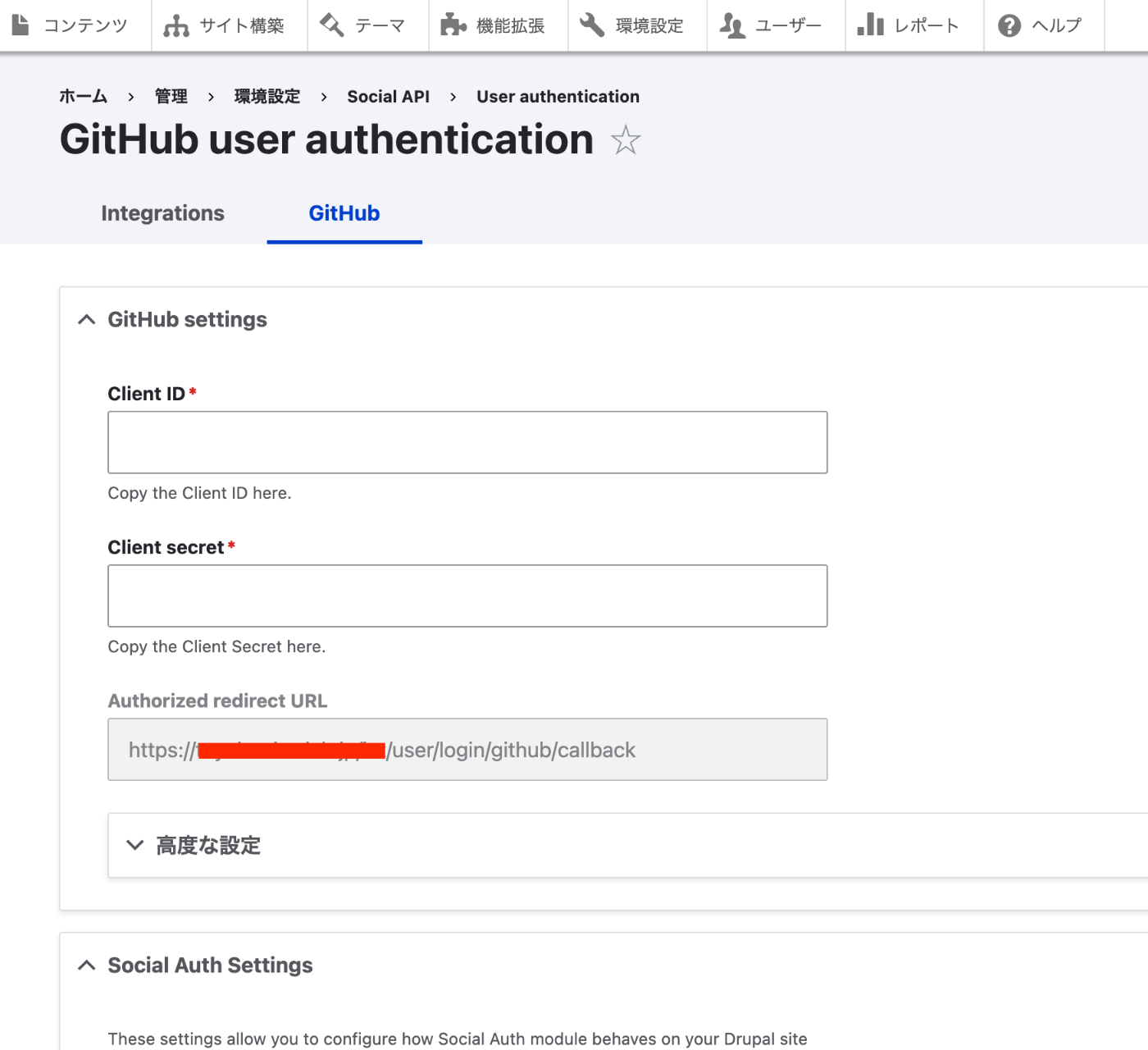
Copy the value of Authorized redirect URL.
GitHub
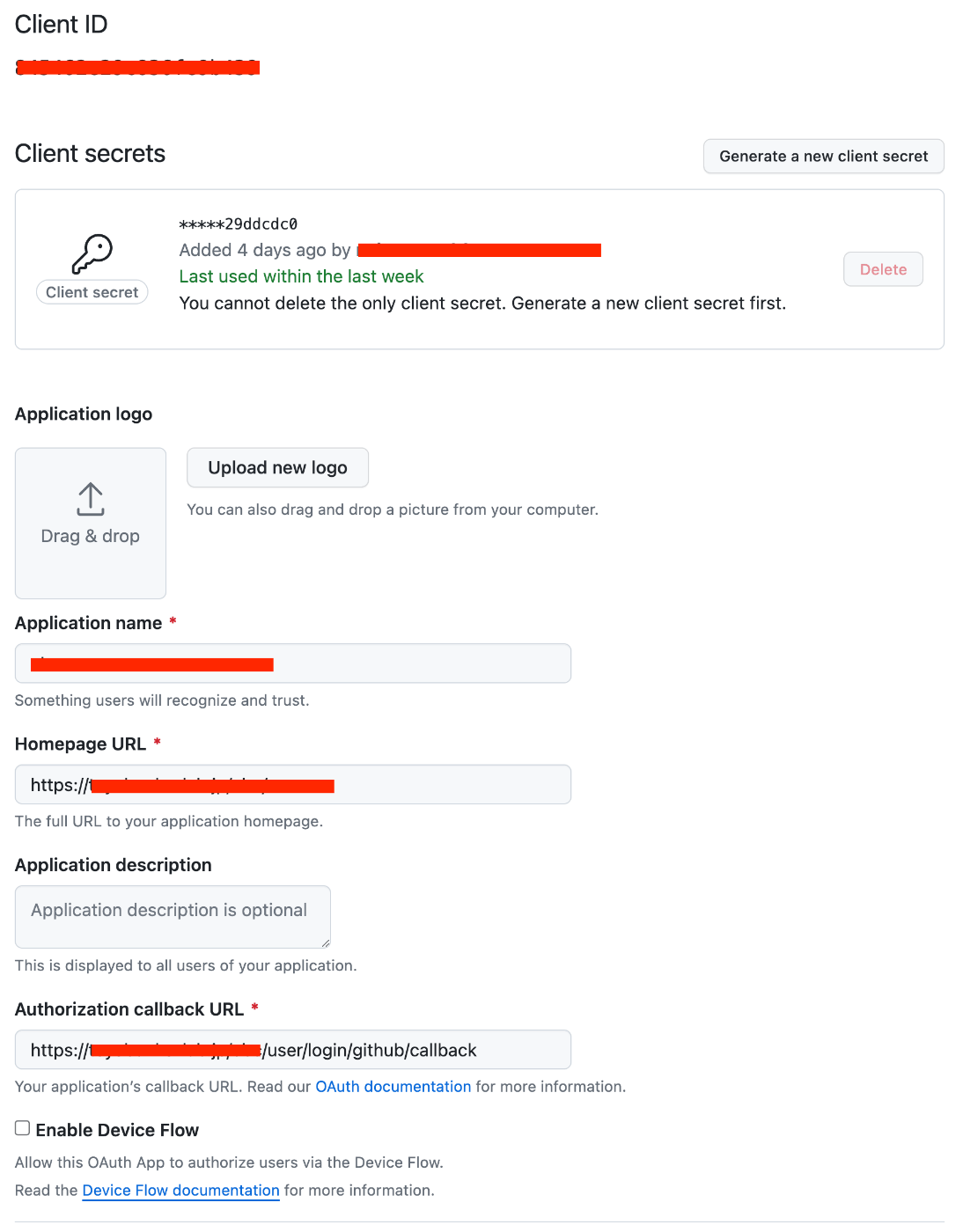
Create an OAuth App. Enter information as follows.
Drupal
Return to the following and enter the Client ID and Client secret.
/admin/config/social-api/social-auth/github
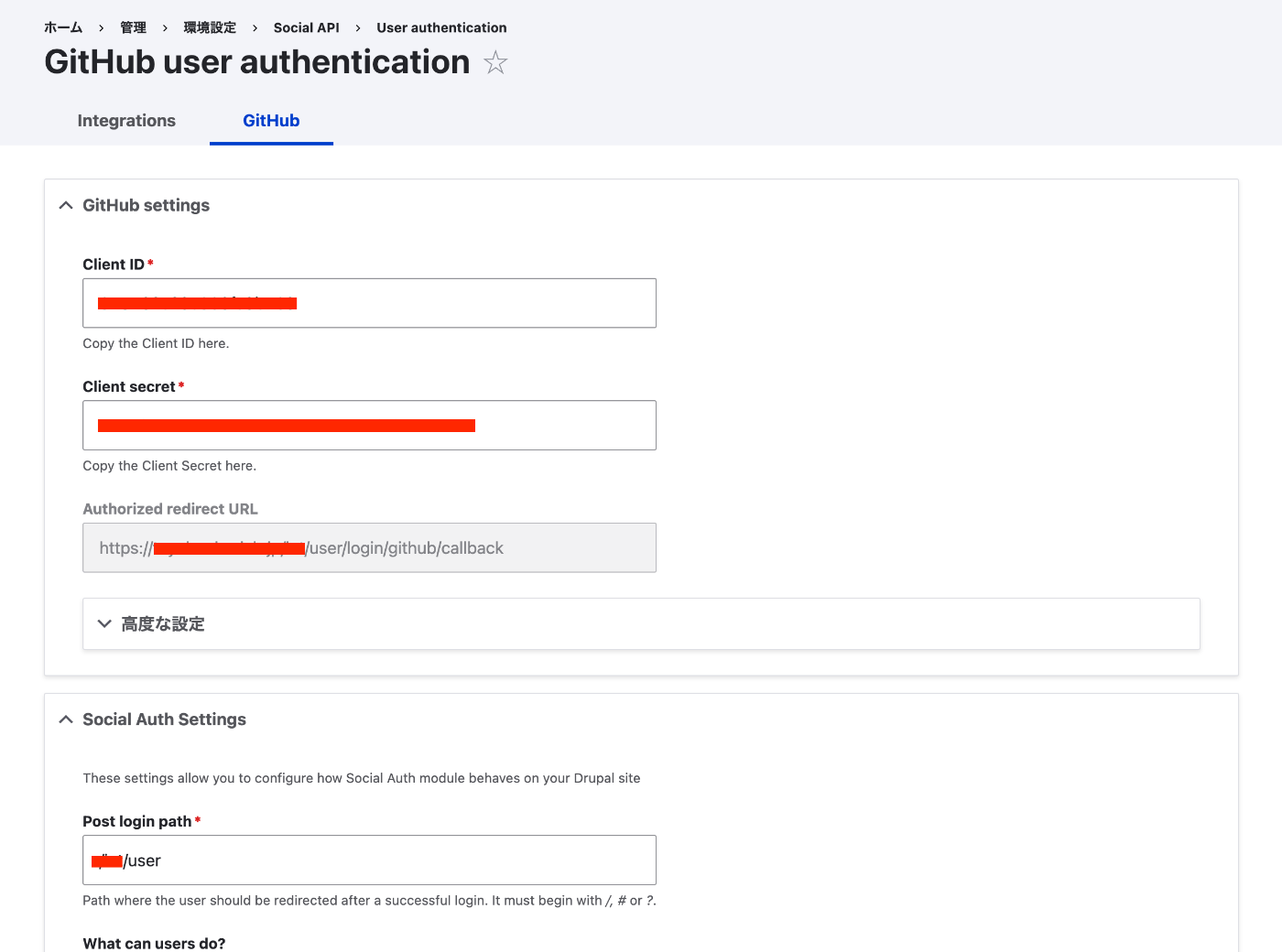
As a result, accessing /user/login/github displays the GitHub login screen, and upon success, you are returned to the page specified in Post login path.
(Reference) Adding a Block
Let’s place a GitHub login block on the login screen as shown below.
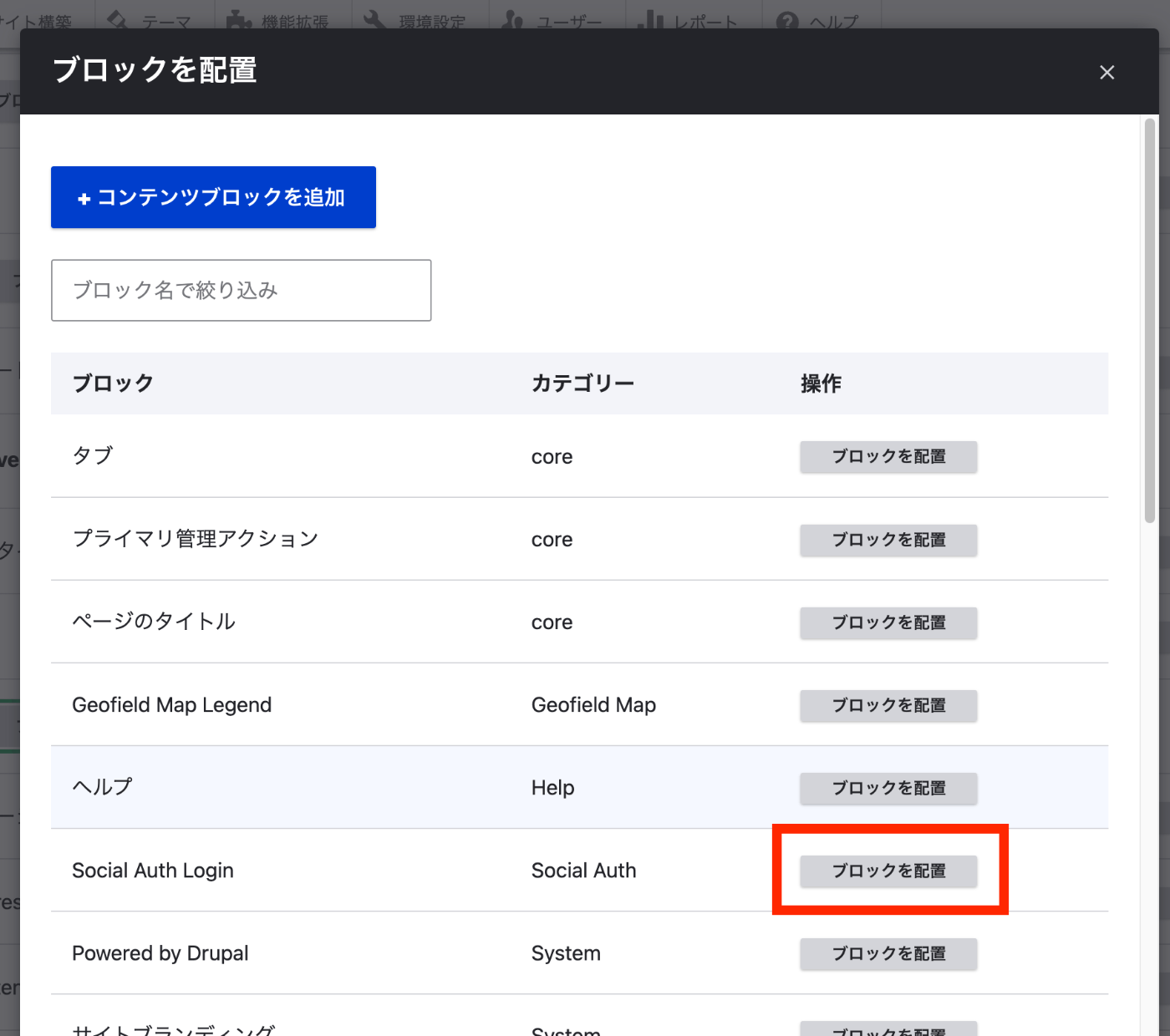
Access /admin/structure/block and click “Place block”.
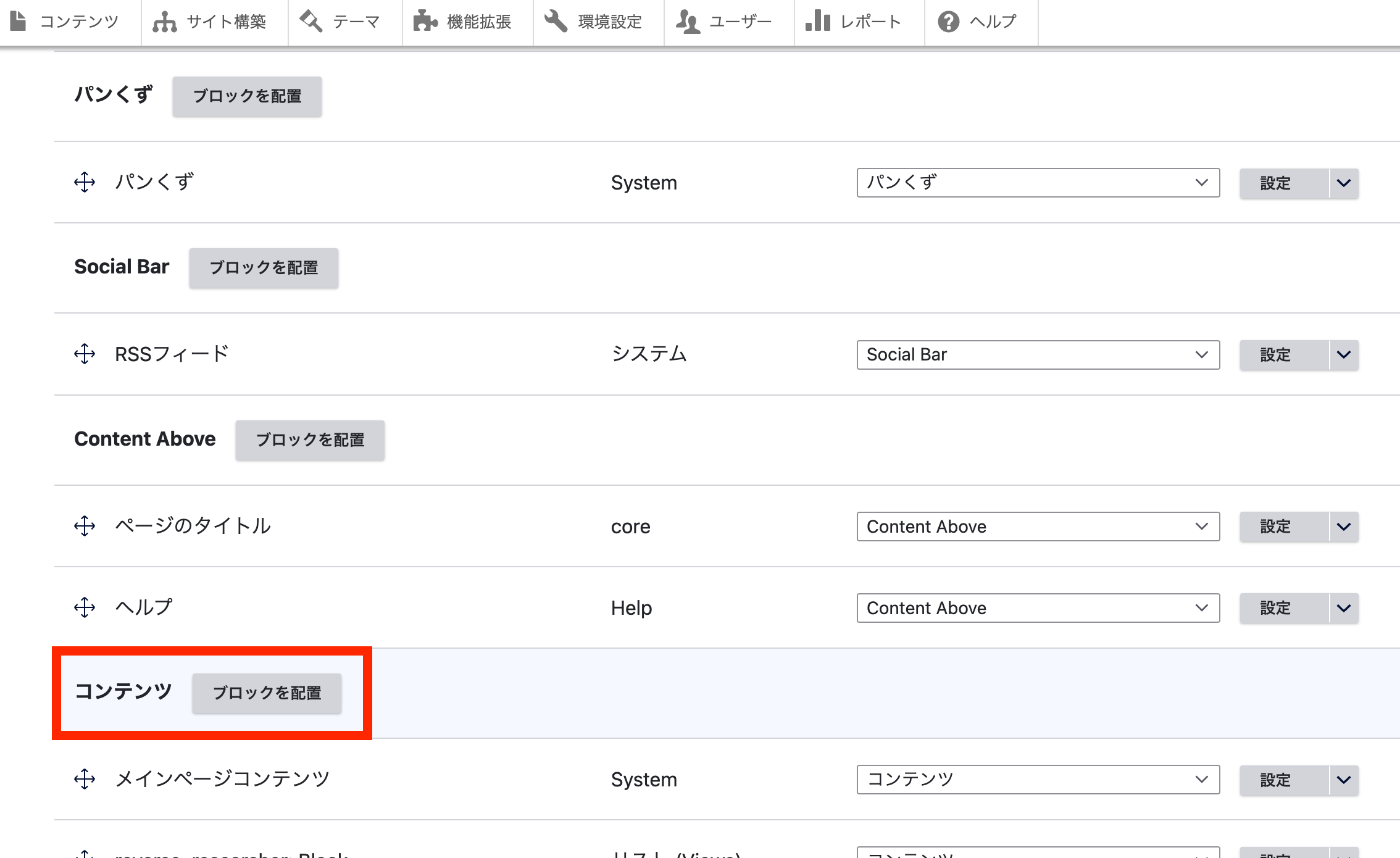
Click “Place block” for “Social Auth Login”.
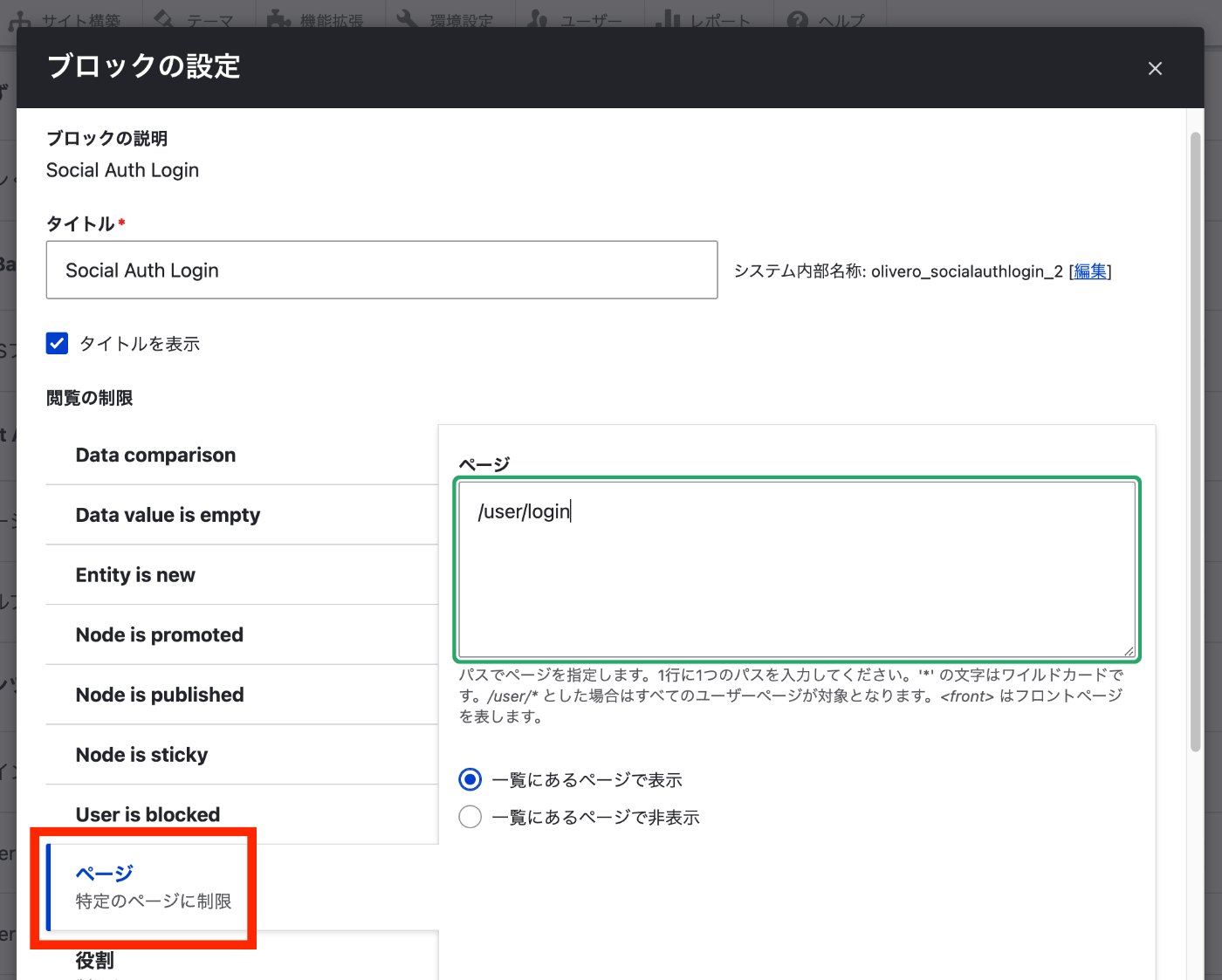
To display only on the /user/login page, click “Pages” and specify the path.
As a result, a “Social Auth Login” button is displayed on the login page.
Supplement
The Social Auth module used this time can also add authentication using Facebook, Google, and others as listed below.
https://www.drupal.org/project/social_auth
Additionally, similar functionality could be achieved with the following module.
https://www.drupal.org/project/oauth_login_oauth2
I plan to continue investigating the differences between modules, including those beyond the above.
Summary
I hope this serves as a useful reference for implementing login with GitHub accounts and similar services.