Overview
gcv2hocr is a repository that converts Google Cloud Vision OCR output to hOCR format and creates searchable PDFs.
https://github.com/dinosauria123/gcv2hocr
I created a notebook to run the above repository on Google Colab.
https://colab.research.google.com/github/nakamura196/ndl_ocr/blob/main/gcv2hocrの実行サンプル.ipynb
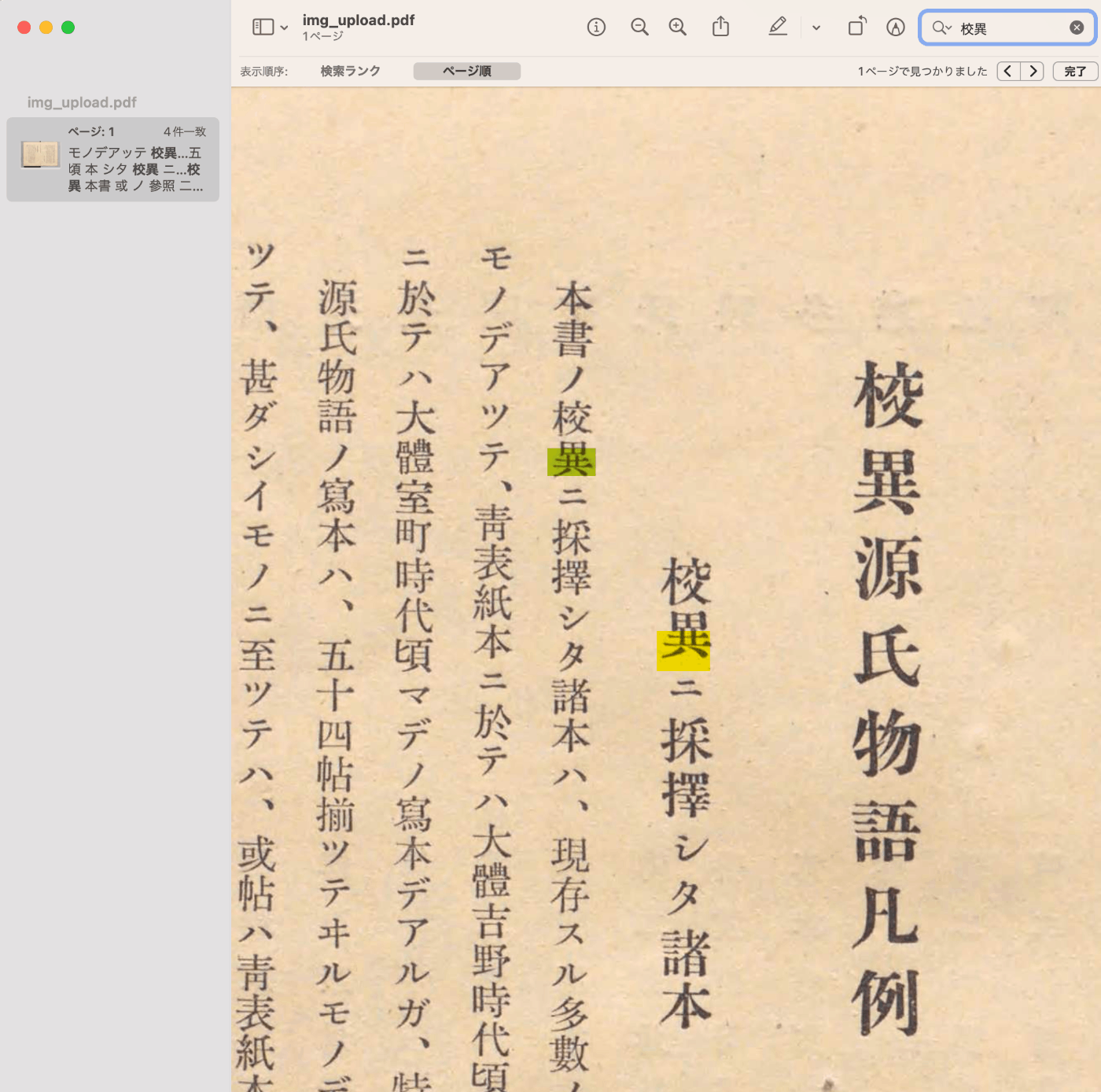
As shown below, you can create searchable PDF files.
How to Use
Access the following notebook.
https://colab.research.google.com/github/nakamura196/ndl_ocr/blob/main/gcv2hocrの実行サンプル.ipynb
First, obtain an API key to use the Google Cloud Vision API. The following article may be helpful.
https://zenn.dev/tmitsuoka0423/articles/get-gcp-api-key
After entering the API key, press the three play buttons for the initial setup shown below.
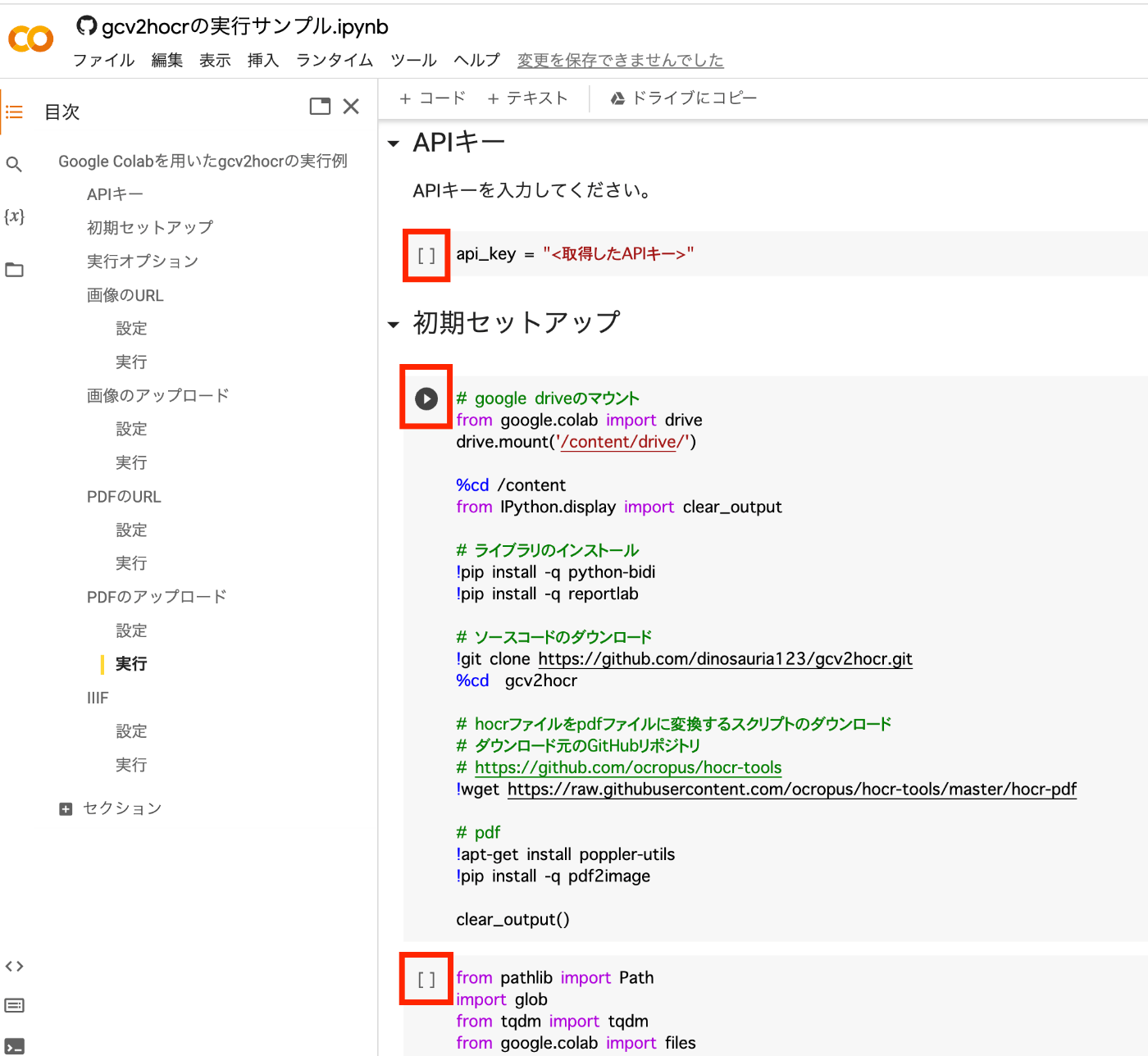
Then, select the appropriate option from the execution options shown below.
- Image
- Image URL
- Image Upload
- PDF
- PDF URL
- PDF Upload
- IIIF
- IIIF
For example, to specify an “Image URL,” press the two play buttons labeled “Settings” and “Run” shown below.

After execution, the PDF file will be downloaded. The path where the recognition results and other outputs are saved will also be displayed.
Summary
I would like to thank the developers of useful tools such as gcv2hocr and hocr-tools.