Overview
This is a note on how to connect GakuNin RDM with Amazon S3 and process files with Archivematica.
https://rcos.nii.ac.jp/service/rdm/
Background
In the following article, I described how to use Amazon S3 as a processing target in Archivematica.
This allows you to upload files and folders to a specified bucket and use them as processing targets in Archivematica to create AIPs and DIPs.
However, this approach required creating an IAM user for each project member.
Using GakuNin RDM
In this case, all members were registered as members of the GakuNin RDM project.
So I tried connecting Amazon S3 to the project and enabling file uploads from GakuNin RDM to S3.

This eliminates the need for IAM user management.
Configuration Method
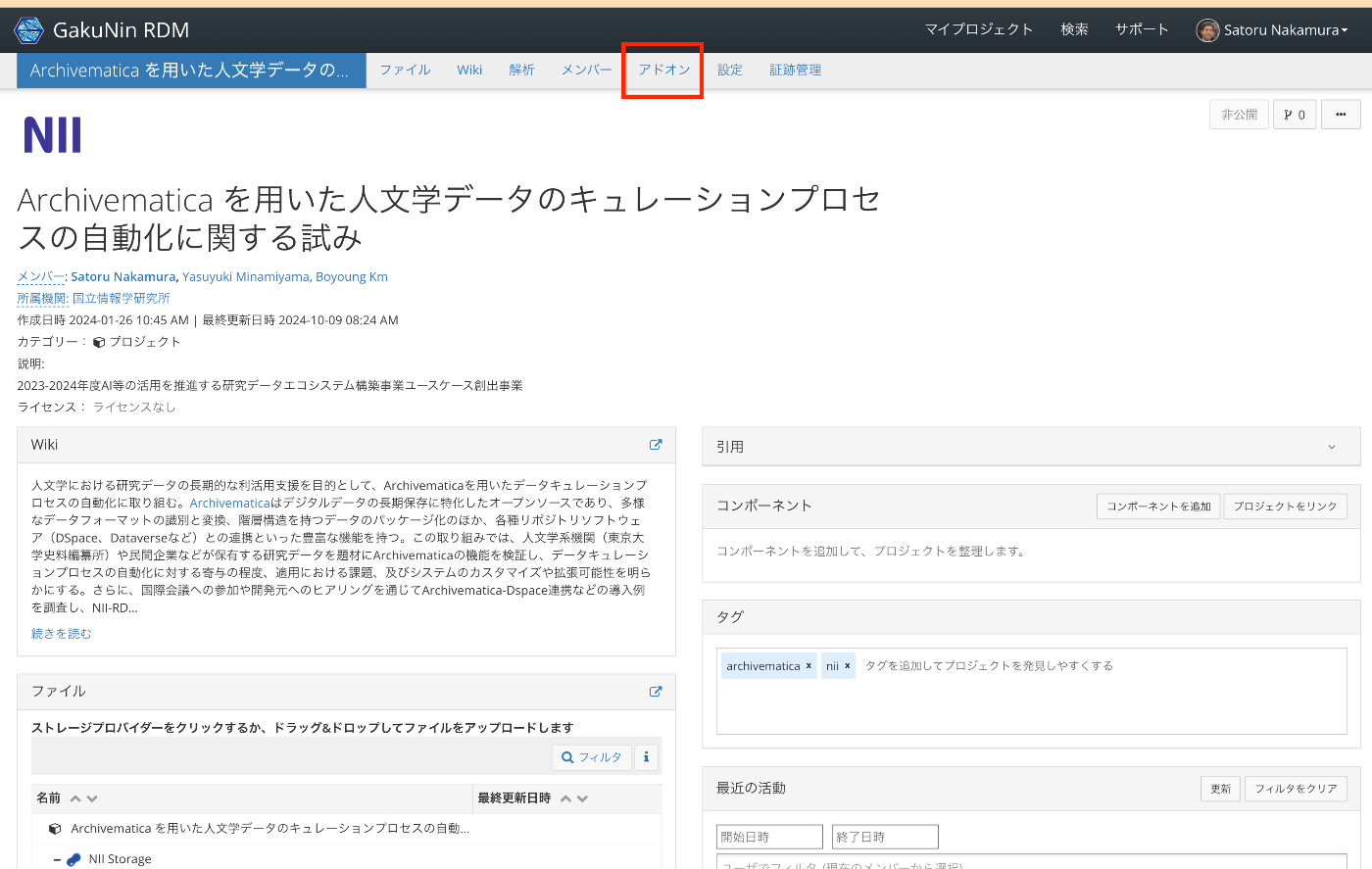
Select Add-ons.
Enable Amazon S3.

By entering the access key ID and secret access key created for the IAM user, a list of buckets will be displayed.
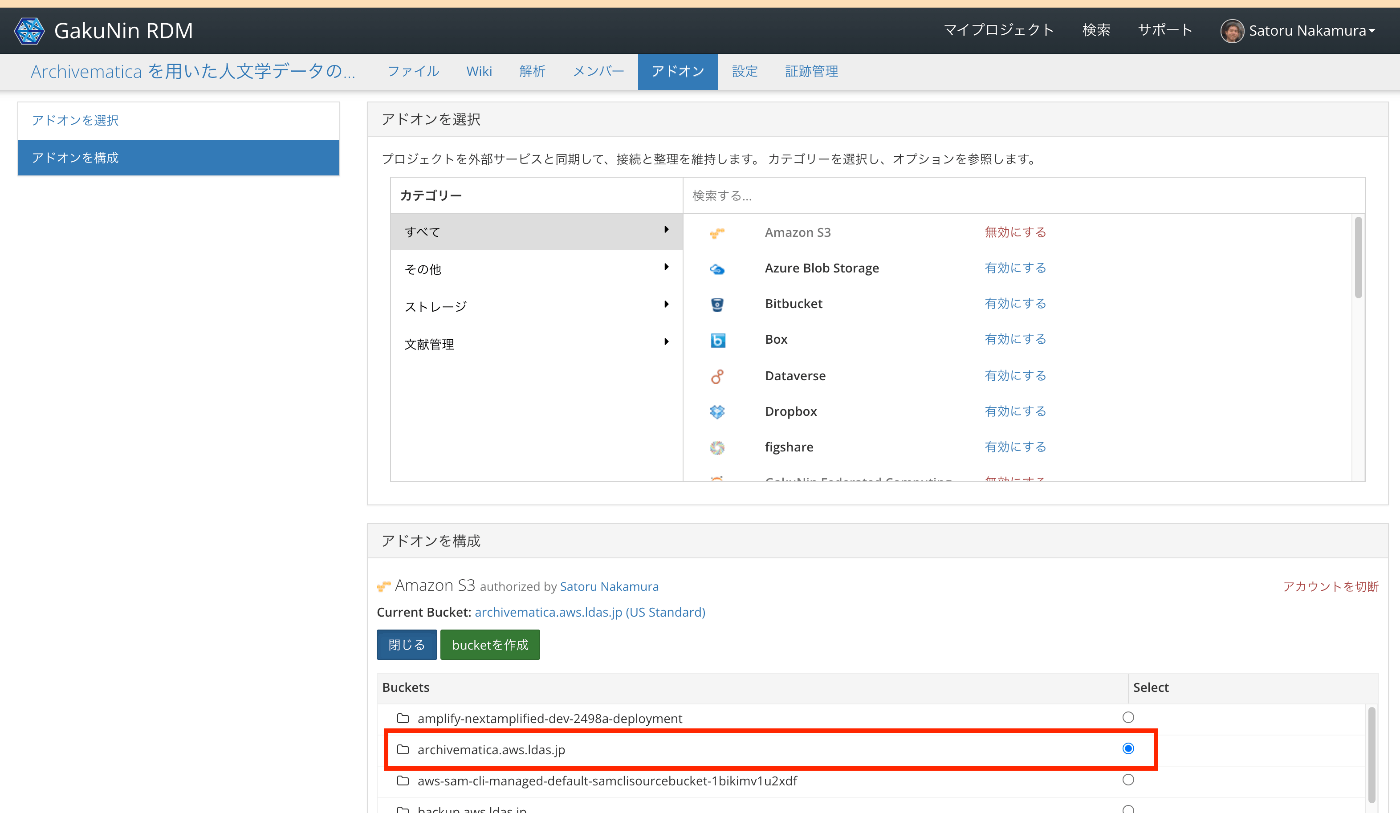
As a result, files can now be uploaded from GakuNin RDM to Amazon S3.

Since the same bucket can be referenced from Archivematica as shown below, AIPs and other outputs can be created from here.

Summary
This is limited to those who can use GakuNin RDM, but I hope it serves as a useful reference.