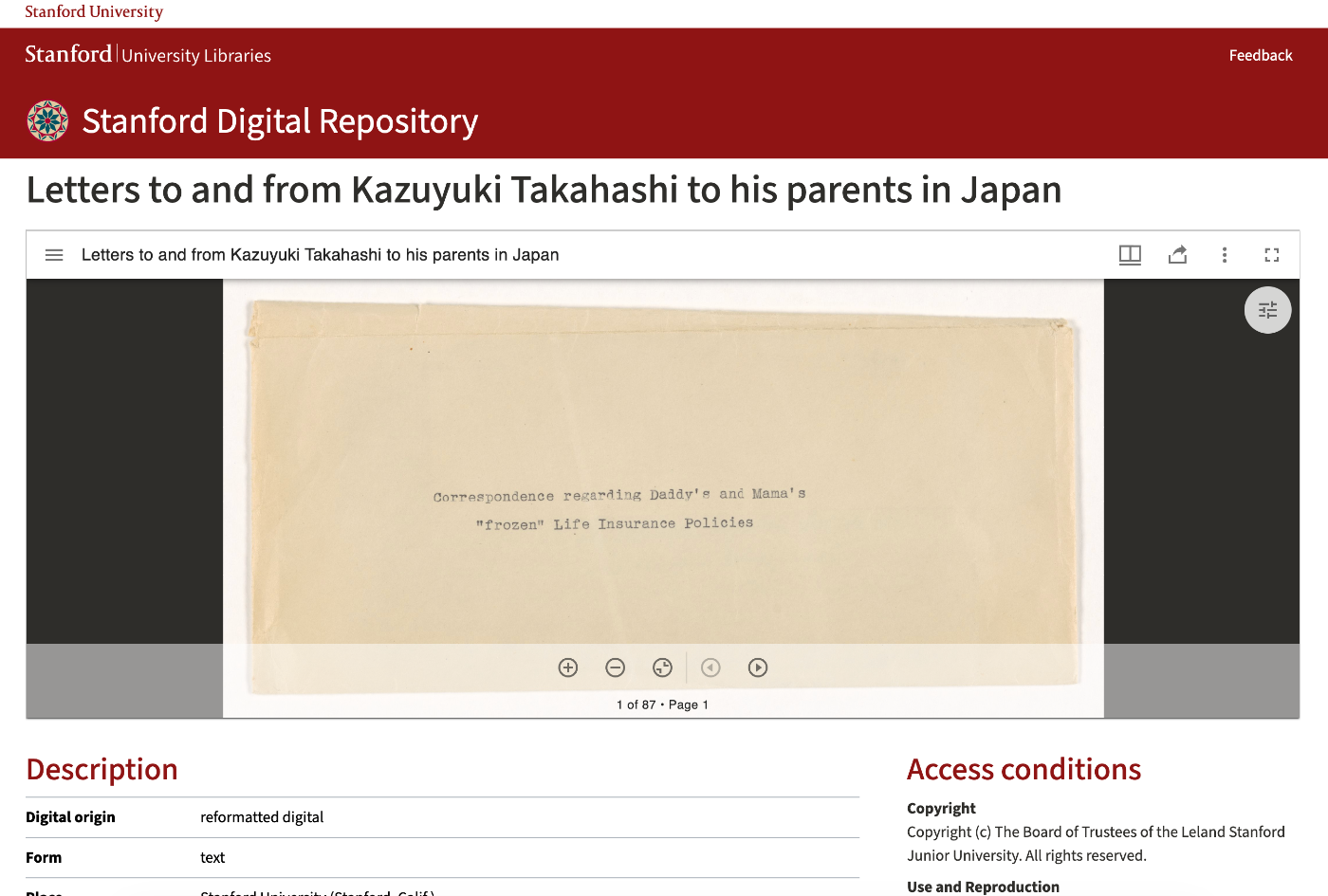
This article explains how to use the Mirador viewer for displaying IIIF images.
Reference Implementation# The embedding approach is based on Stanford University Libraries’ Stanford Digital Repository . The viewer is embedded above bibliographic information, allowing metadata and images to be viewed on the same page.
File Structure# a ├ │ ├ │ └ p ─ ─ ─ p ─ ─ ─ s / p └ s └ . w u ─ r ─ e e b ─ c ─ n b l / v / i i c M . c n o i l / d m r o m e p a c i x o d a r . n o l a h e r d t n V o m t i r l s e / / w i e t r e . m t / s x # # # M E E i m n r b v a e i d d r o d o r i n n m v g e i n e c t w o e m v r p a o r n i e a n b t l e s e t t i n g s
URL Parameters# /mirador/index.html accepts the following URL parameters:
Parameter Description Example manifestIIIF manifest URL (required). Multiple can be specified separated by semicolons https://example.com/iiif/manifest.jsonembedEmbed mode (true hides the close button and left menu) truethemeTheme (dark or light) darklangLanguage code (default: ja) ja, encanvasCanvas ID for initial display - annotationStateAnnotation display mode (true opens sidebar) true
Usage Example# / m i r a d o r / i n d e x . h t m l ? m a n i f e s t = h t t p s : / / e x a m p l e . c o m / i i i f / m a n i f e s t . j s o n & e m b e d = t r u e & t h e m e = d a r k & l a n g = j a
Mirador Configuration Details# index.html Structure# < < ! h / D t < < h O m h / b / t C l e < < < < h o < < < b m T a m m t l e d d s s o l Y l d e e i i a y i c c s d > P a > t t t n d > v r r c y E n a a l k > i i r > g e i p p C i h = c n > r d t t o p t " h a M e = > n t m j a m i l " s f > l a r e r = m r i > " s = a " i c g > e " d s r = u t v o t a " r = i r y d h a " e < l o t t u w / e r t i t p t s " p o f o i h s n - r t e s : 8 t l e t / s " " e t y / c > " l u r c e n i o h = p p n r " k t t e p g e f o . n = s c t " i o = h t m " t i w t m i p n i d s : r t : a h / a d = / b o d f s r e o o @ v n l l i t u a c s t t e . e e - g ; s w o t i o t d g d t l p i h e : s , a t p 0 / i i ; m n s i i . b r t c o a i o t d a m t o l / o r - c m . s s : m c s i a ? 0 n l f ; . e a j = m l s 1 i e " , l f > y t < s = : / h R s r o 0 c i b ; r n o i k t r p - o i t t : g > o 3 h - 0 t f 0 : i , t 4 0 = 0 " n 0 > o , < " 5 / 0 d 0 i " v > URL Parameter Parsing# v v f } a a o r r r v v i v i a a f a f v p r r r a a v ( ( r r a k k k v k s a r e e e a e m y y y l y = i S S = e = e = ! { = a a = } l r " r p ; o 0 c " c a " c ; h ; h r " a a ) t i = ! m i = [ v o < p i a n a - ] r . p r 1 . s s a a ) s [ e r m l k a a [ k i e r m i e c y c . ] y e ] h l . ( . e s = p = s n e a u g a p r d b t r a a e s h c r m c t ; h a [ o r ( m i d i i [ ] e n = i . U g / ] i R ( ) . n I 1 ; s d ( ) { l e v . i x a s c O l p e f ) l ( ( ; i 0 " t , = ( " " k , & e " y 0 ) S ) ; e a + r c 1 h ) ) ; ; Window Configuration# v i } a f r v v f } a a o w v r r r v v } i } w i a a a ; f i n r m a r r m t o n d s a r v a h b d o [ n r a m o n u v j o w " i a r a b i m a . w s m f y n j f b r c s a e i i e n s a . = n s = f = s a [ n p i t = e t i " v u [ f s m s { I l c a s ] e a 0 t d N a s h ; s = n ; : a n I ( t i = v v d o " v f i m i a b ] a e d a g s = j ) r s < e n a " ) s t c i t ] v ; { [ s a o f i ) a " . r d e o r m s r e s n { s a p a U t P [ n l y R , o " i i . I s c f t l C i a e ( e o t n s " n m i v t ; g p o a " " t o n s ] ) h n : " ; ; ; e ] n " ; i t f + ( a + a r ) r - S r r p { a i I l y g n i [ h i t i t t ] " i m ) , a u ; l l t d i i p s l D p e i l s a m p y a l n a c i y a f n e t v s h a t u s s m b b n y a i s l e s m i o c n o l t o h n e f a r r i g h t Window Behavior Settings# v } i } i } a f f r a a w w w w w l l A i i i E i i w l l n v n n n m v n n i o o n a d d d b a d d n w w o r o o o e r o o d C F t s w w w d s w w o l u a [ S S S [ S S w o l t " e e e m " e e S s l i a t t t o e t t e e s o n t t t d m t t t : c n n i i i e b i i t r o n n n : e n n i t e m t g g g d g g n r e o a s s s S " s s g u n d t . . . i ] . . s e : e i h s d m a a , o i i e p = l l = t n g d f l = l l r S h e a i = o o { u t l B u f w w e a i a l y " C M , t g r t t l a e h O S U r o x " t p i I u s i ] A e d e e m ) l n e " i l B ) = z { A = a e S S n r { f h h n t P a = o o o r a l w w t u n s f a e e e a c f t ; l ; l l u i s o l o = e s l n ; e s s ' c a b r = n u e n t e t o t n r t o u a n b e t u ; i t o t n o s n ' ; Workspace Control Panel# Display control for the left menu (manifest addition, workspace management, etc.):
v a r w o r k s p a c e C o n t r o l P a n e l E n a b l e d = v a r s [ " e m b e d " ] ! = = " t r u e " ;
Normal mode: true (displayed) Embed mode: false (hidden) Theme Settings# Mirador provides two themes, light and dark:
v M } a i ) r r s ; a e i d l s o e D r c a . t r v e k i d M e T o w h d e e e r m ( e = { : v i a s r D s a [ r " k t M h o e d m e e " ? ] " = d = a = r k " " d a : r k " " l ; i g h t " , To add a custom theme, use the themes option:
M } i ) r s t } ; a e h , d l e c } o e m u , r c e s p } . t s t a , v e : o l t p } i d m e y r , e T { : t p i m w h t e m a e e { e : a i r m : r n ( e ' y : { : { d : a ' ' r { # c k 8 u ' 0 s , 1 t 0 o 4 m E ' ' , ,
Language Settings# v M } a i ) r r l ; a a l d n a o g n r u g . a u v g a i e g e : e w e l = r a ( n v { g a u r a s g [ e " , l a n g " ] " j a " ; D e f a u l t : J a p a n e s e Languages supported by Mirador: ar, de, en, fr, ja, lt, nl, pt-BR, vi, zh-CN, zh-TW, etc.
Complete Initialization Code# / m i r a d o r / i n d e x . h t m l ? m a n i f e s t = h t t p s : / / e x a m p l e . c o m / i i i f / m a n i f e s t . j s o n & e m b e d = t r u e & t h e m e = d a r k & l a n g = j a
0
React Component (MiradorViewer.tsx)# Dark Mode Detection# / m i r a d o r / i n d e x . h t m l ? m a n i f e s t = h t t p s : / / e x a m p l e . c o m / i i i f / m a n i f e s t . j s o n & e m b e d = t r u e & t h e m e = d a r k & l a n g = j a
1
Language Setting Retrieval# / m i r a d o r / i n d e x . h t m l ? m a n i f e s t = h t t p s : / / e x a m p l e . c o m / i i i f / m a n i f e s t . j s o n & e m b e d = t r u e & t h e m e = d a r k & l a n g = j a
2
URL Generation# / m i r a d o r / i n d e x . h t m l ? m a n i f e s t = h t t p s : / / e x a m p l e . c o m / i i i f / m a n i f e s t . j s o n & e m b e d = t r u e & t h e m e = d a r k & l a n g = j a
3
iframe Embedding# Set the allow="fullscreen" and allowFullScreen attributes to allow fullscreen display:
/ m i r a d o r / i n d e x . h t m l ? m a n i f e s t = h t t p s : / / e x a m p l e . c o m / i i i f / m a n i f e s t . j s o n & e m b e d = t r u e & t h e m e = d a r k & l a n g = j a
4
Environment Variables# Variable Name Description Default NEXT_PUBLIC_MIRADOR_PATHBase path for Mirador /mirador/
Development and Production Environments# / m i r a d o r / i n d e x . h t m l ? m a n i f e s t = h t t p s : / / e x a m p l e . c o m / i i i f / m a n i f e s t . j s o n & e m b e d = t r u e & t h e m e = d a r k & l a n g = j a
5