Overview
I had the opportunity to share a private site in Omeka S, so this is a personal note for future reference.
Related Modules
First, I checked the following module.
https://omeka.org/s/modules/Guest/
The above also introduces the Guest Private module, and I asked ChatGPT about how to differentiate between them.
Here is an explanation of the differences between the Guest module and the Guest Private module in Omeka S.
1. Guest Module
- Adds the
guestrole, allowing users to register as guest users. - No access to the admin panel.
- Login, logout, registration, password update, etc. are possible via API.
- Only public sites are viewable (private sites and private pages cannot be seen).
- Use case: Register general users on a public site and provide login functionality.
2. Guest Private Module
Adding this module provides two additional roles:
(1) guest_private_site
- Can view public sites + private sites (however, private pages and private resources cannot be seen).
- Use case: When you want to make the entire site private while granting specific users permission to view the site.
(2) guest_private
- Can view public sites + private sites + private pages + private resources.
- Use case: When you want to show specific content, including private resources, only to authorized guest users.
Question: I want to allow only specified users to view a private site
Solution
Install the Guest Private module -> The standard Guest module does not allow viewing of private sites, so Guest Private is needed.
Assign the
guest_private_siteorguest_privaterole to users- Site viewing permission only ->
guest_private_site - Also want to show private pages and resources ->
guest_private
- Site viewing permission only ->
Site settings
- Set the site to “private” in Omeka S site settings.
- General
guestusers will no longer be able to access it. - Only users with
guest_private_siteorguest_privateroles will be able to view it.
Summary
| Role | Public sites | Private sites | Private pages/resources |
|---|---|---|---|
guest | ✅ | ❌ | ❌ |
guest_private_site | ✅ | ✅ | ❌ |
guest_private | ✅ | ✅ | ✅ |
If you want to “allow only specific users to access a private site”, it is best to use guest_private_site or guest_private.
Application
Following the above, I installed the Guest Private module.
https://github.com/Daniel-KM/Omeka-S-module-GuestPrivate
Then, I added a user as shown below. The guest_private_site role is assigned.
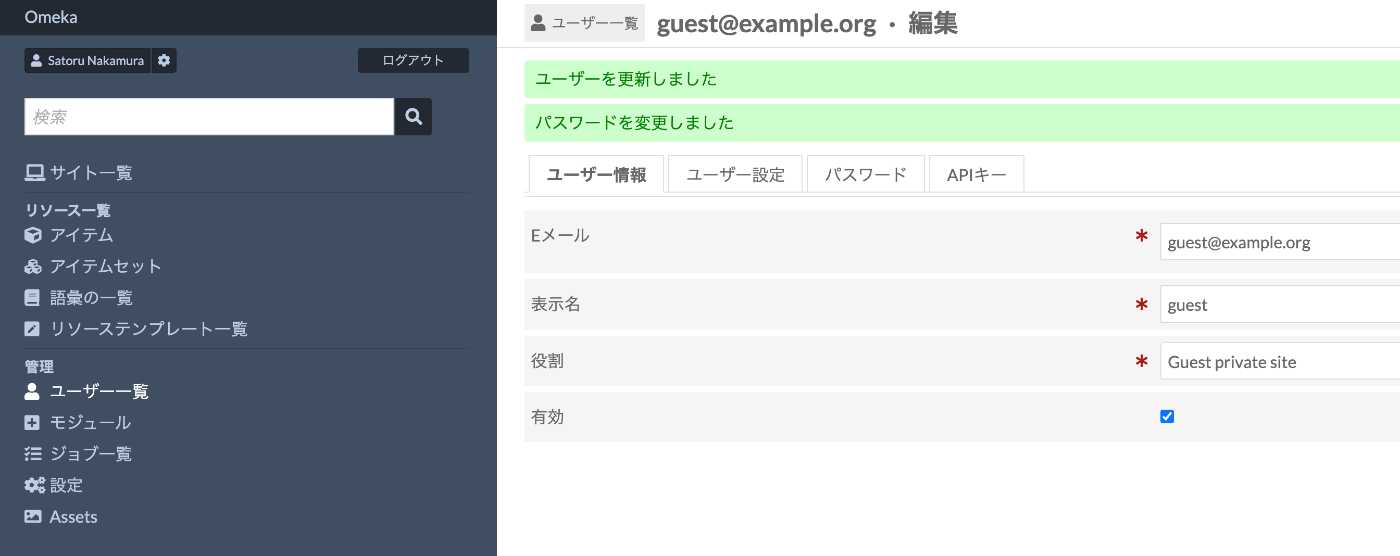
As a result, I was able to create an environment where only the private site is accessible and the admin panel is not. This enables building private sites that are viewable only by specified users.
Summary
I hope this serves as a useful reference for using Omeka S.