Overview
This article introduces one approach for finding themes compatible with the Advanced Search module in Omeka S.
Background
By using the Advanced Search module for Omeka S, you can customize the search interface as introduced in the following article:
In particular, the ability to add facets is a notable advantage.
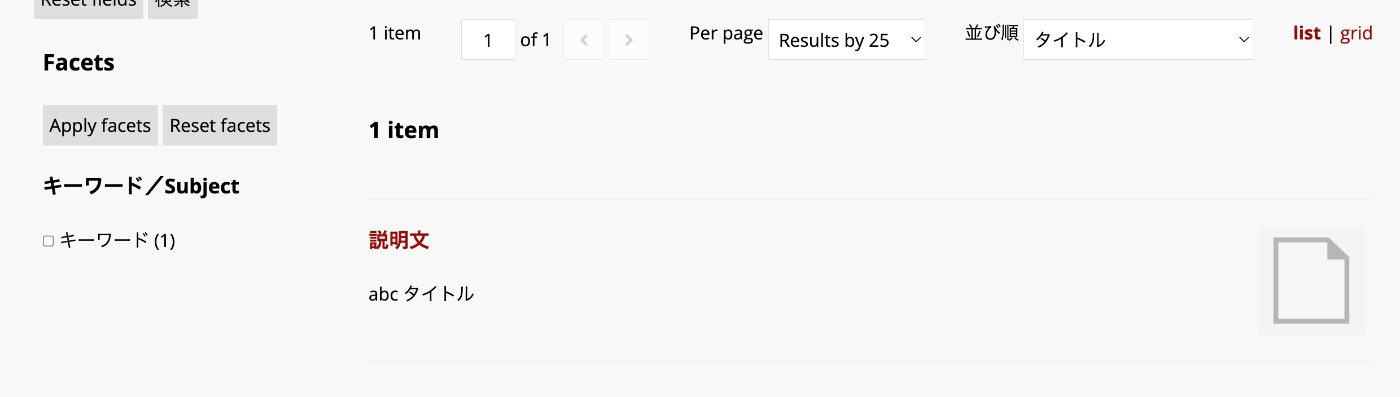
However, if the theme you are using does not support the Advanced Search module, the display may break in some cases. One way to check whether a theme supports the Advanced Search module is to look for an “advanced-search” directory under the theme’s “view/common” folder, as shown below:
https://github.com/omeka-s-themes/freedom/tree/master/view/common/advanced-search
Based on this approach, I will introduce a method for finding themes published on GitHub that support the Advanced Search module.
Method
We will use the site introduced in the following article:
The URL is as follows:
Specifically, for the purpose of this article, I added a flag indicating “whether each theme supports the Advanced Search module.” Additionally, I added information about the repository owner so you can see who provides each theme.
More specifically, as shown in the figure below, you can sort by star count in descending order and then filter to show only themes with “has_advanced_search” checked.
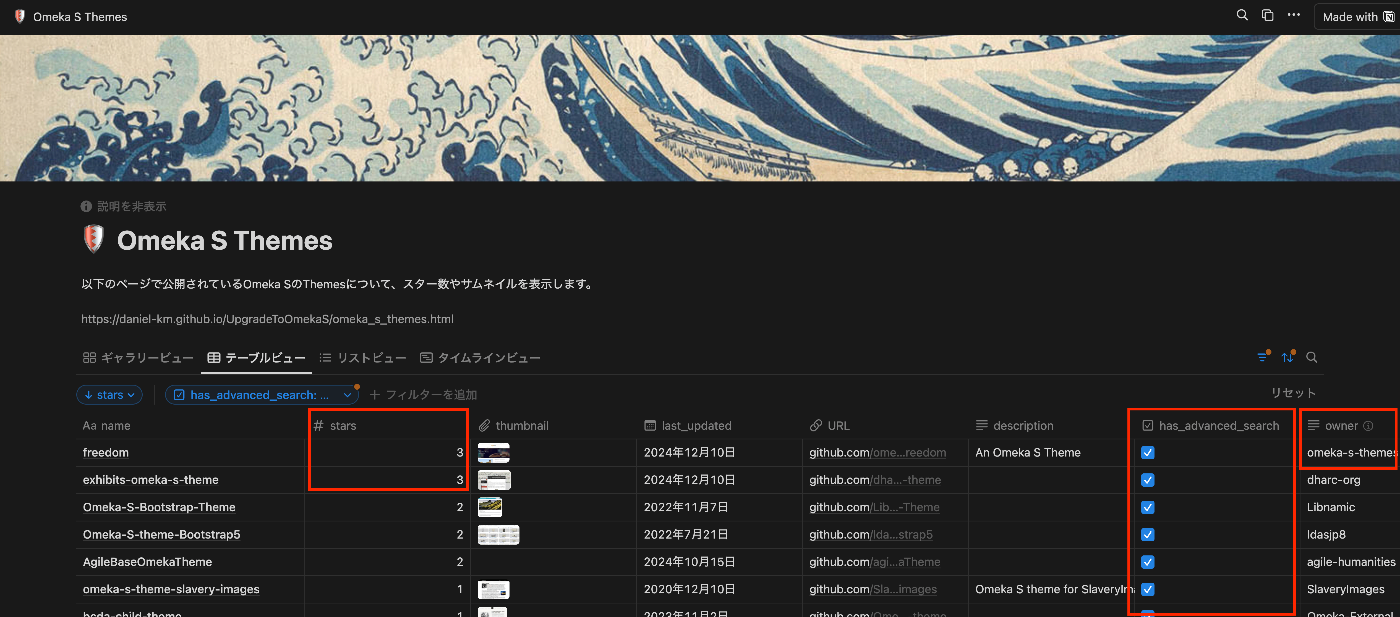
As a result, you can see that the “freedom” theme is provided by the official Omeka team “omeka-s-themes,” has a relatively high star count, and supports the Advanced Search module.
https://github.com/omeka-s-themes/freedom
Summary
This article introduced one approach for finding Omeka S themes. I hope this serves as a useful reference for working with Omeka S.