Overview
In the following article, I introduced how to create annotated IIIF manifest files and TEI/XML files using NDL Classical Book OCR-Lite.
Since the explanation above was insufficient in many areas, I will re-introduce how to use it.
Supplement
Along with writing this article, the following improvements were made.
- Process 1: Creating IIIF Manifest Files
- Added support for IIIF Presentation API v3.
- Process 2: Creating TEI/XML Files
- Added a form that accepts string input, considering the connection with Process 1.
Usage
Process 1: Creating IIIF Manifest Files
Access the following.
https://nakamura196-ndlkotenocr-lite-iiif.hf.space/
This time, we will target the “Tohoku University Comprehensive Knowledge Digital Archive,” which publishes manifest files using IIIF Presentation API v3. We will use “Genji Monogatari Kogetsu-sho with Motoori Norinaga’s Autograph Notes and Insertions” as the target.
https://touda.tohoku.ac.jp/portal/item/10010030012489
The IIIF manifest file URL is as follows.
https://touda.tohoku.ac.jp/collection/iiif/0/metadata/10010030012489/manifest.json
Enter the information as shown below. Note that you should set “Image Width” to -1. This will download images at maximum pixel resolution. (The default value of 1200 pixels will cause an error.)
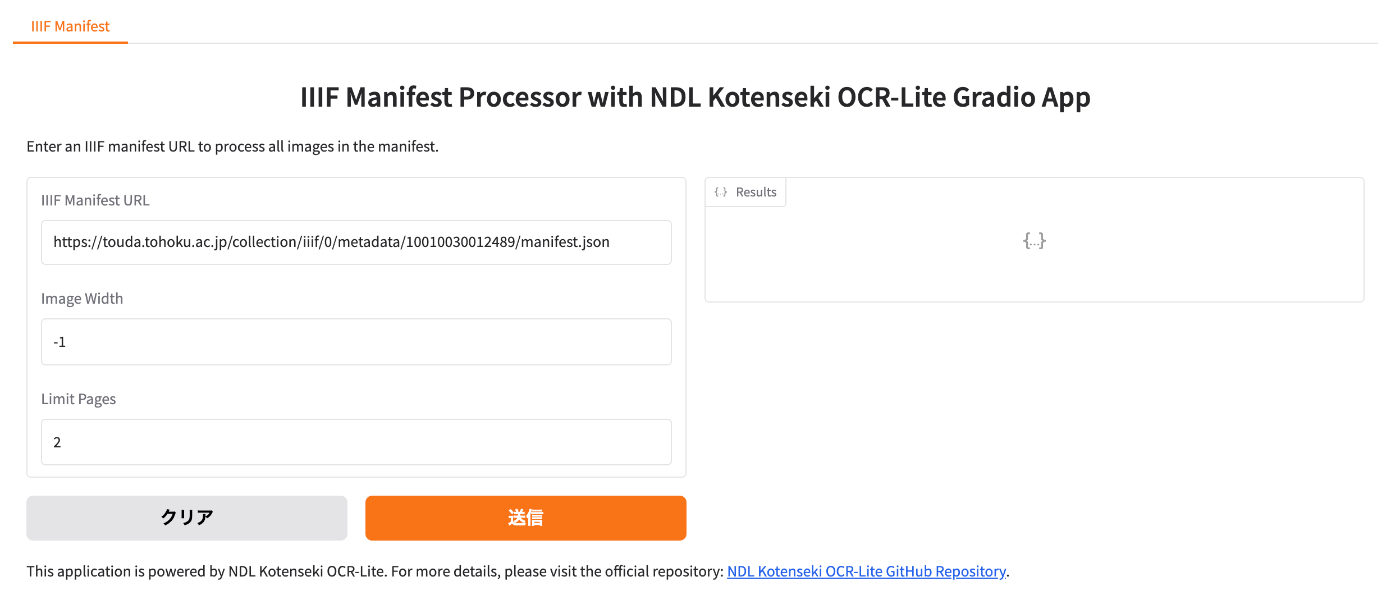
As a result, the JSON string of the IIIF manifest file containing OCR text as annotations is displayed on the right side of the screen. Press the copy button shown in red below to copy the string.

Process 2: Creating TEI/XML Files
Access the following.
https://iiif-tei-monorepo-web.vercel.app/
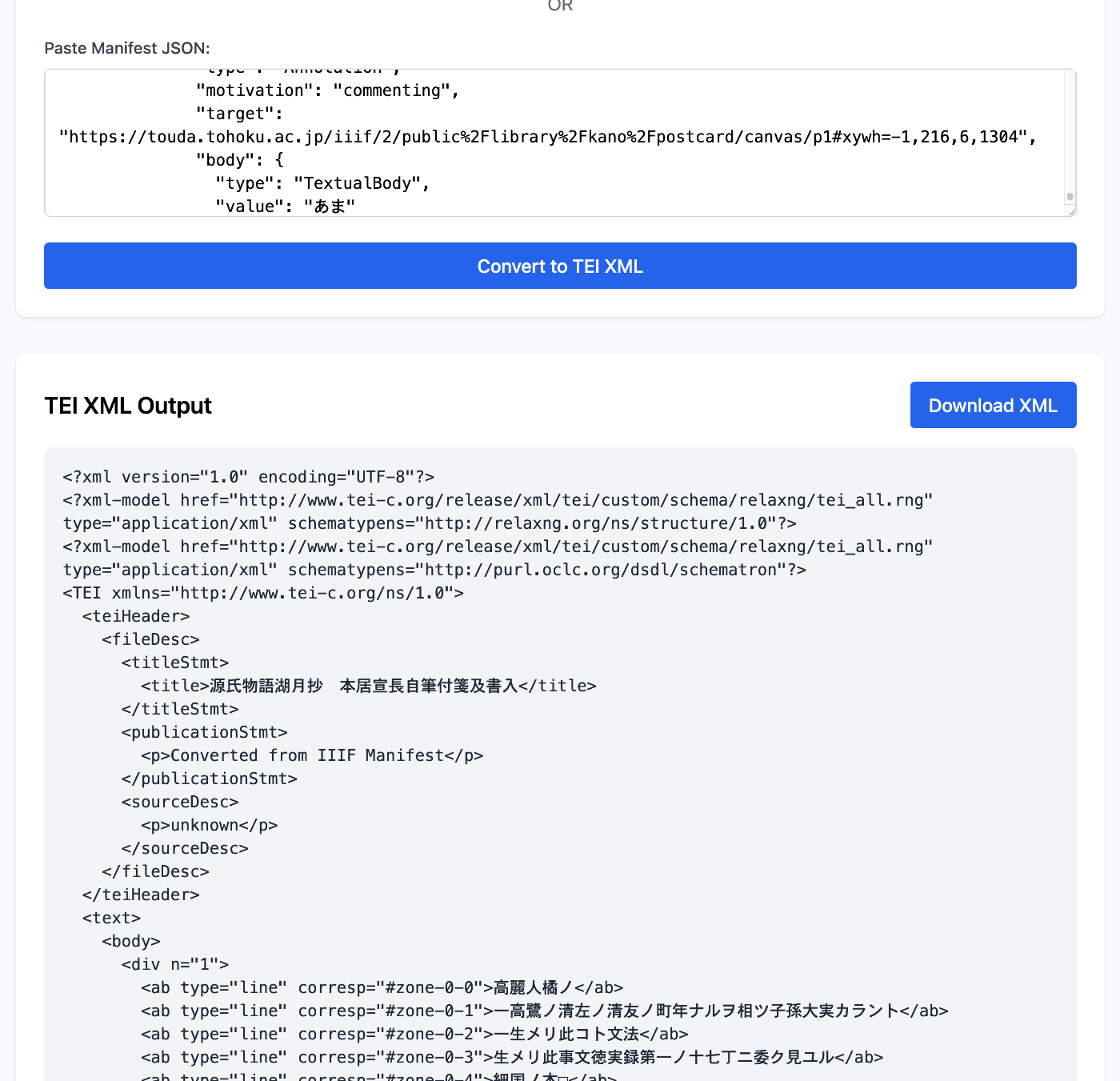
Paste the copied JSON string into the “Paste Manifest JSON” form and press the Convert to TEI XML button.
As a result, the data is converted to TEI, and you can download the XML file.
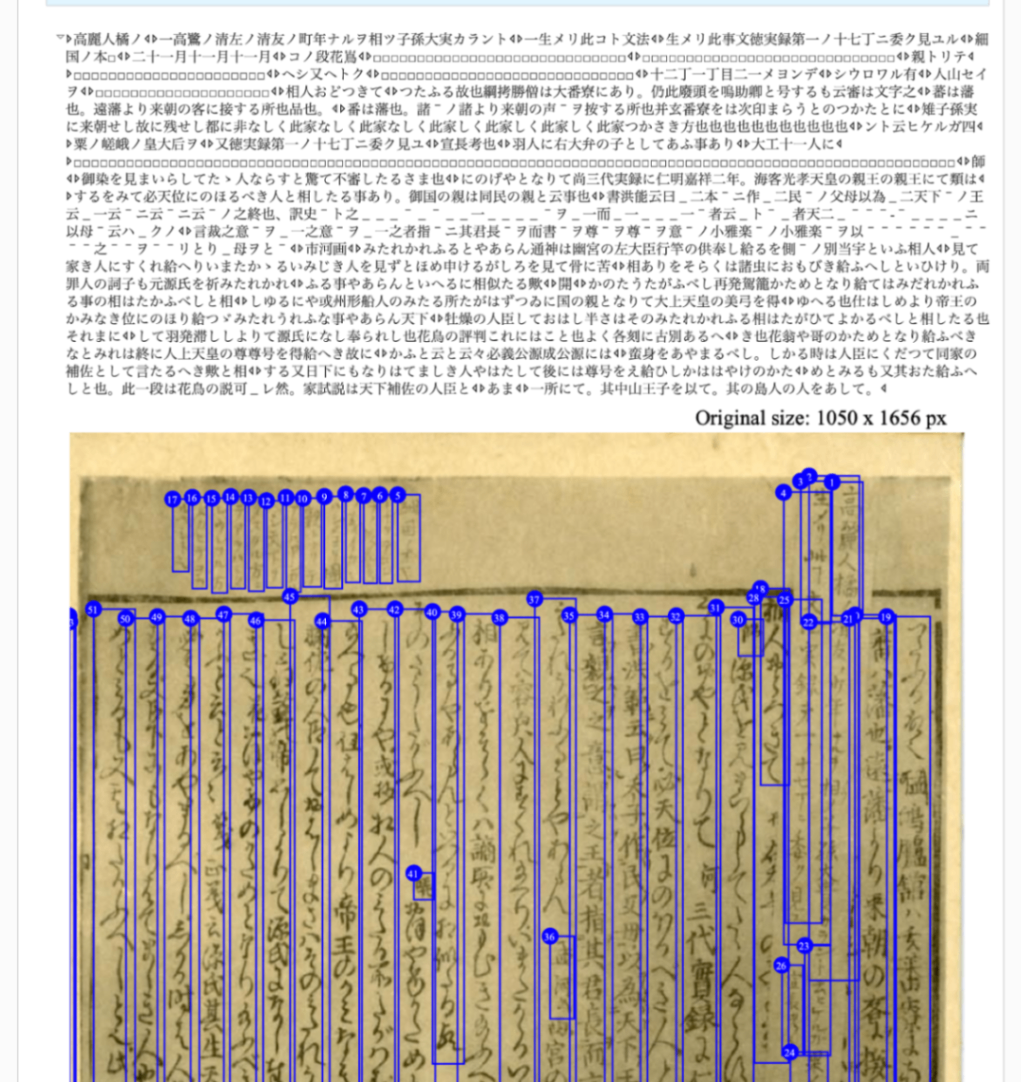
Here is an example displayed in Oxygen XML Editor’s Author mode.
Summary
There may be aspects that are not user-friendly, but I hope this is helpful as a reference for applying OCR with IIIF and TEI.