Overview
Omeka S and Omeka Classic are very useful tools for building digital archives and for humanities (informatics) research.
They come with a REST API as standard and have high extensibility through the addition of modules and plugins. Various existing assets can also be used, including IIIF-related tools, transcription support tools, and tools for handling spatiotemporal information.
On the other hand, I (personally) feel that theme development for changing the appearance of sites requires knowledge of PHP and Omeka, making it relatively difficult. On this point, the Headless CMS approach, where the backend and frontend are separated, has been gaining popularity in recent years.
Therefore, I tried using Omeka Classic as a Headless CMS and developing a frontend using Nuxt 3. I hope this serves as an example of how to use Omeka.
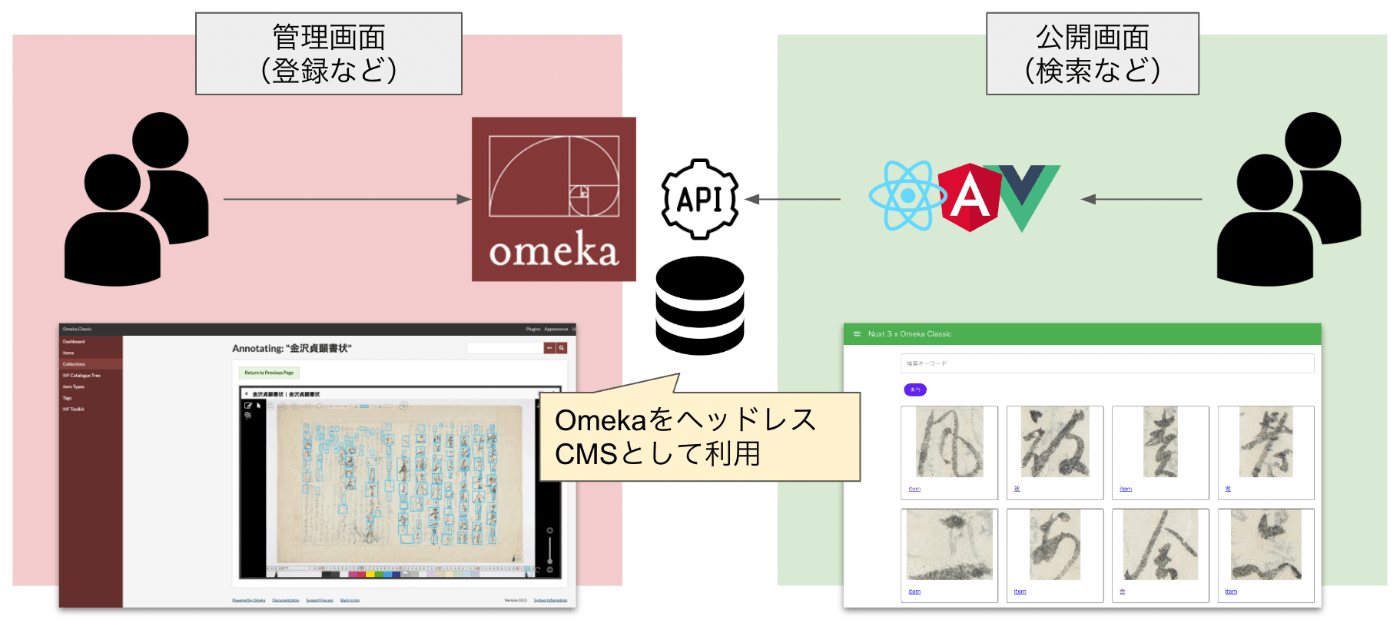
Preparing Omeka Classic
Enabling the API
Enable the API by following the instructions below.
https://omeka.org/classic/docs/Admin/Settings/API_Settings/
Adding the Access-Control-Allow-Origin Header
Add the Access-Control-Allow-Origin header to the .htaccess file.
Omeka Classic API
The API is documented on the following page.
https://omeka.readthedocs.io/en/latest/Reference/api/index.html
For example, a simple search on items is possible from URLs like the following. (It appears that detailed searches are not available in Omeka Classic. For serious use, it seems necessary to use Omeka S.)
https://omeka.aws.ldas.jp/api/items?search=被
Frontend Development
This time, as a learning exercise, I tried using Nuxt 3 and Vuetify 3. As of 2022-07-08, the app’s completeness is very low, but I was able to confirm that Omeka Classic can be used as a Headless CMS.
Summary
I hope this is helpful as an example of system development using Omeka (both S and Classic).