Overview
I prepared a demo page where you can try the Mirador 3 annotations plugin with an IIIF manifest specified via URL parameters.
https://mirador-annotations.vercel.app/
By using the iiif-content or manifest parameter, you can target a specified IIIF manifest.
This article is a memo about creating this demo page.
Background
There is an annotation plugin for Mirador 3 called mirador-annotations.
https://github.com/ProjectMirador/mirador-annotations
I introduced usage examples in the following article.
A demo page is already available at the following link, but it does not provide the ability to specify an IIIF manifest file via URL parameters.
https://mirador-annotations.netlify.app/
Fork and Modifications
To add the ability to specify an IIIF manifest file via URL parameters, I cloned the above repository.
https://github.com/nakamura196/mirador-annotations
Then, I made the following modifications.
https://github.com/nakamura196/mirador-annotations/commit/18848ccb1fa51df821335ed76e7b9f4e974527d0
In particular, the following modifications were made.
This was based on the following implementation. It appears to reference an IIIF manifest file using the iiif-content or manifest parameter.
Vercel Deployment Settings
The built source code from the forked repository is deployed to Vercel.
For deployment, I made modifications like the following.
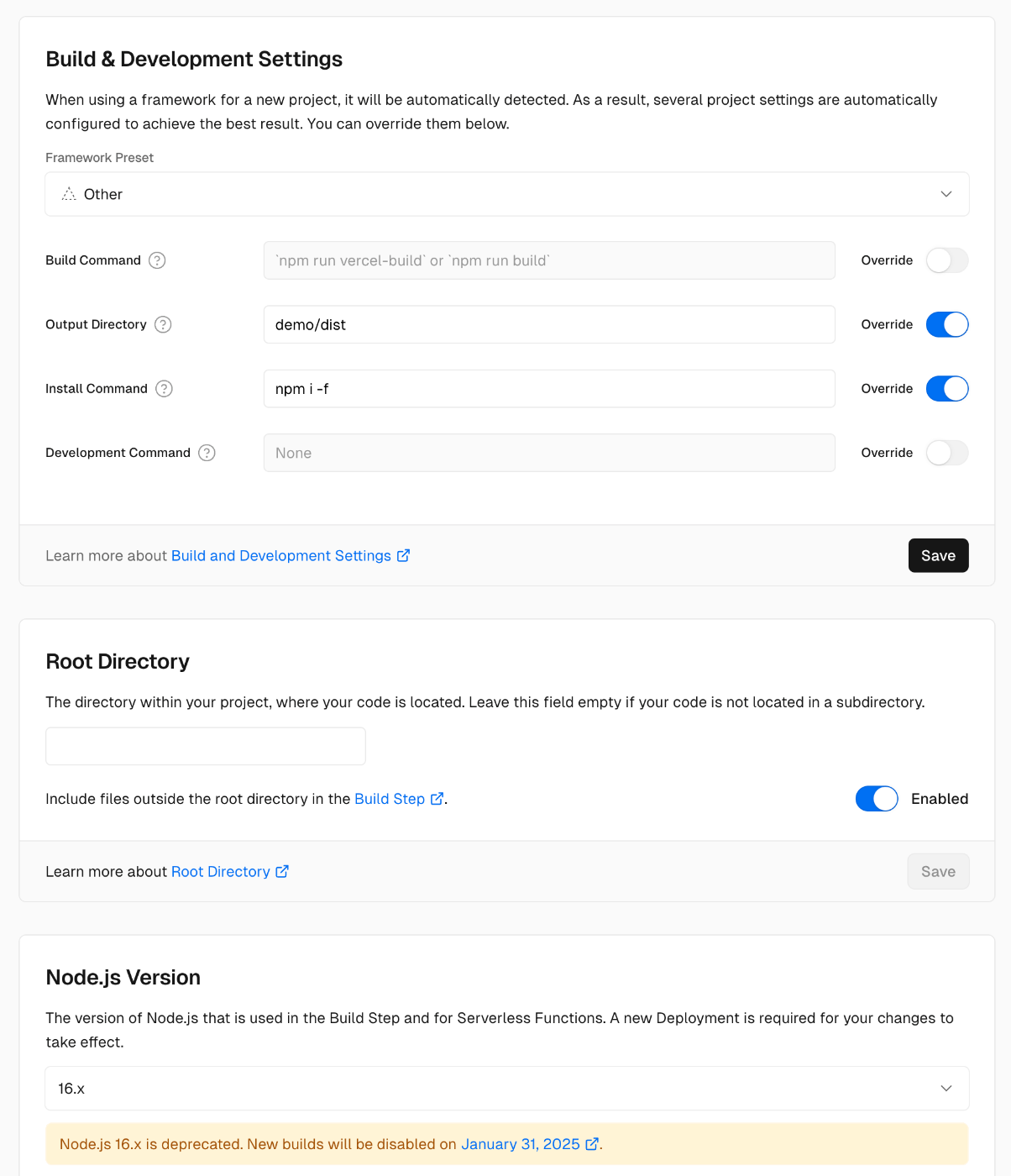
I changed the Output Directory, Install Command, and the Node.js version to 16.x.
Summary
I hope this is helpful when using Mirador 3.