Overview
In the following article, I tried JWT authentication using the JWT module.
This time, I will try cookie authentication.
Installation
If the restui module is not installed, install and enable it with a command like the following.
Configuration
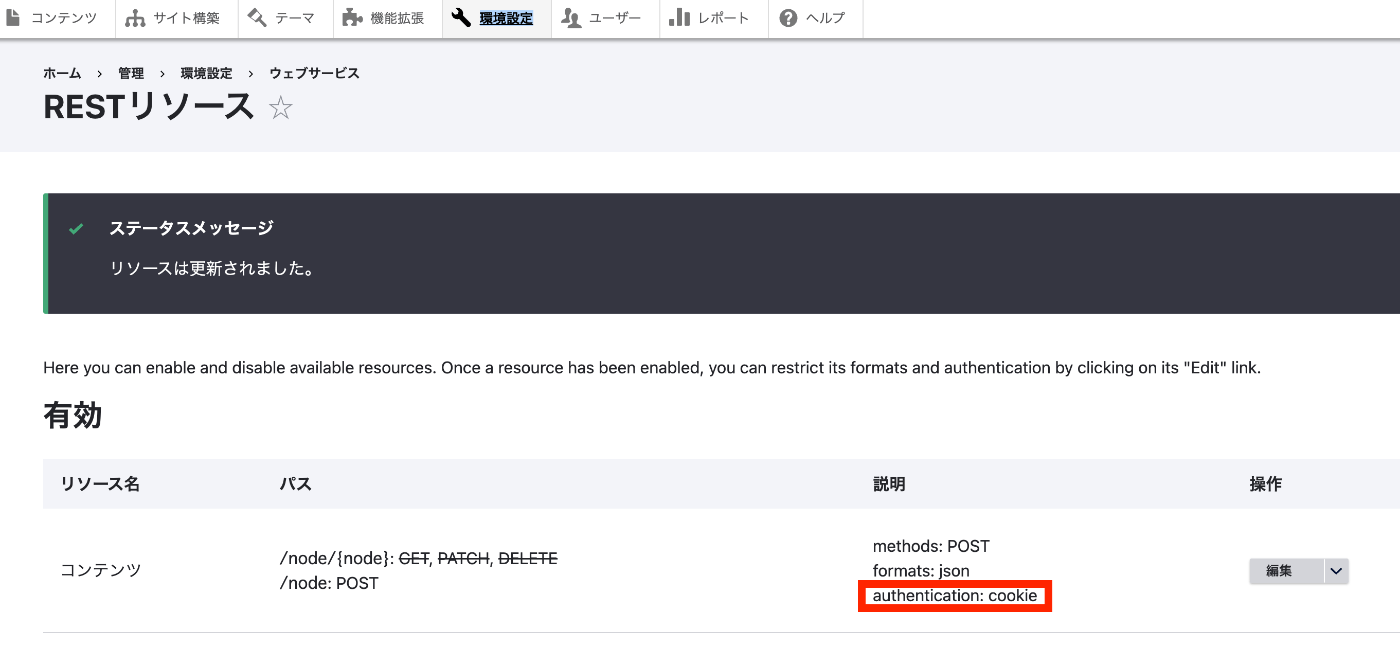
This time, I will use cookie authentication as shown below. For details on the configuration method, please refer to the related article at the beginning.
Postman
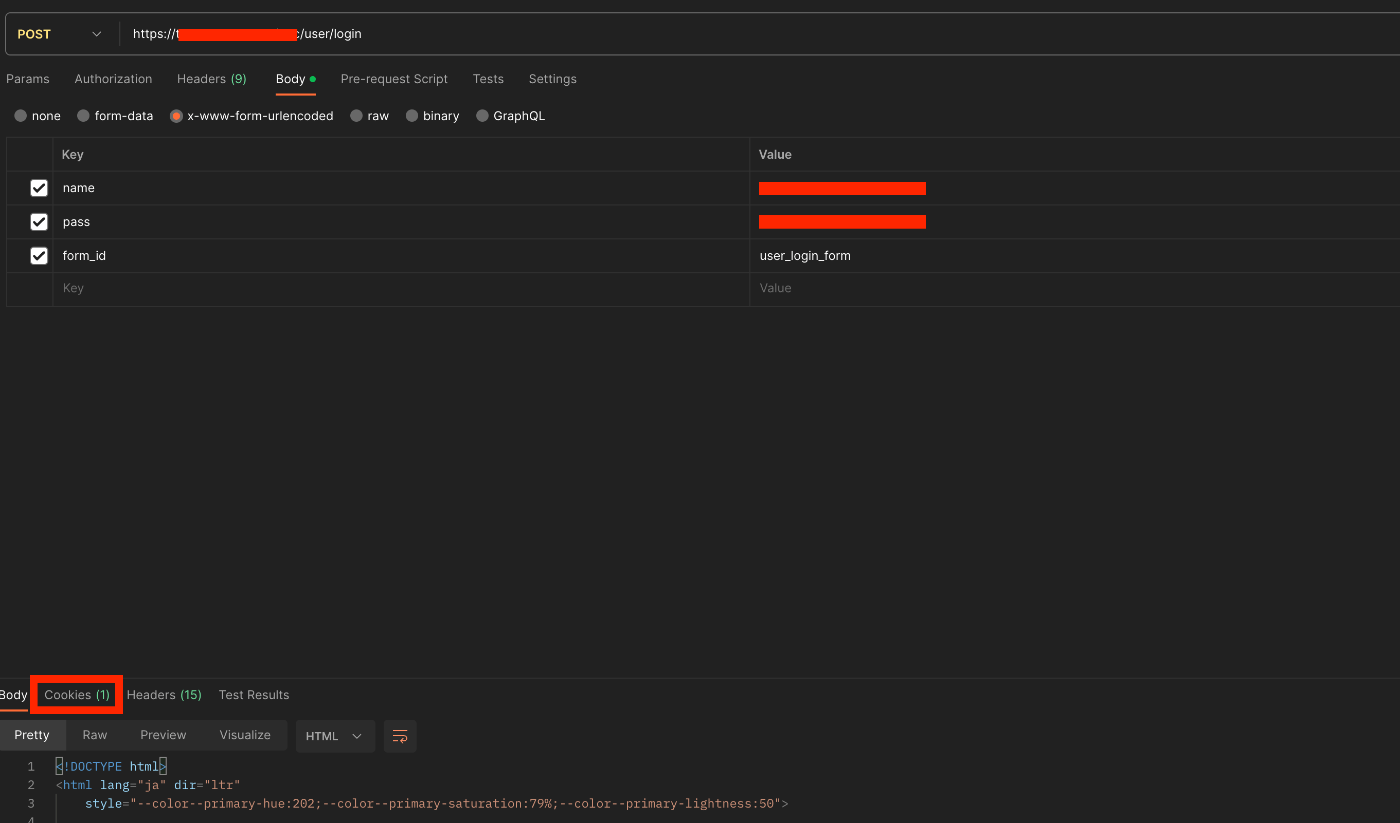
Login
POST
/user/login
Body > x-www-form-urlencoded
| Key | Value |
|---|---|
| name | {username} |
| pass | {password} |
| form_id | user_login_form |
Upon successful login, a cookie is issued.
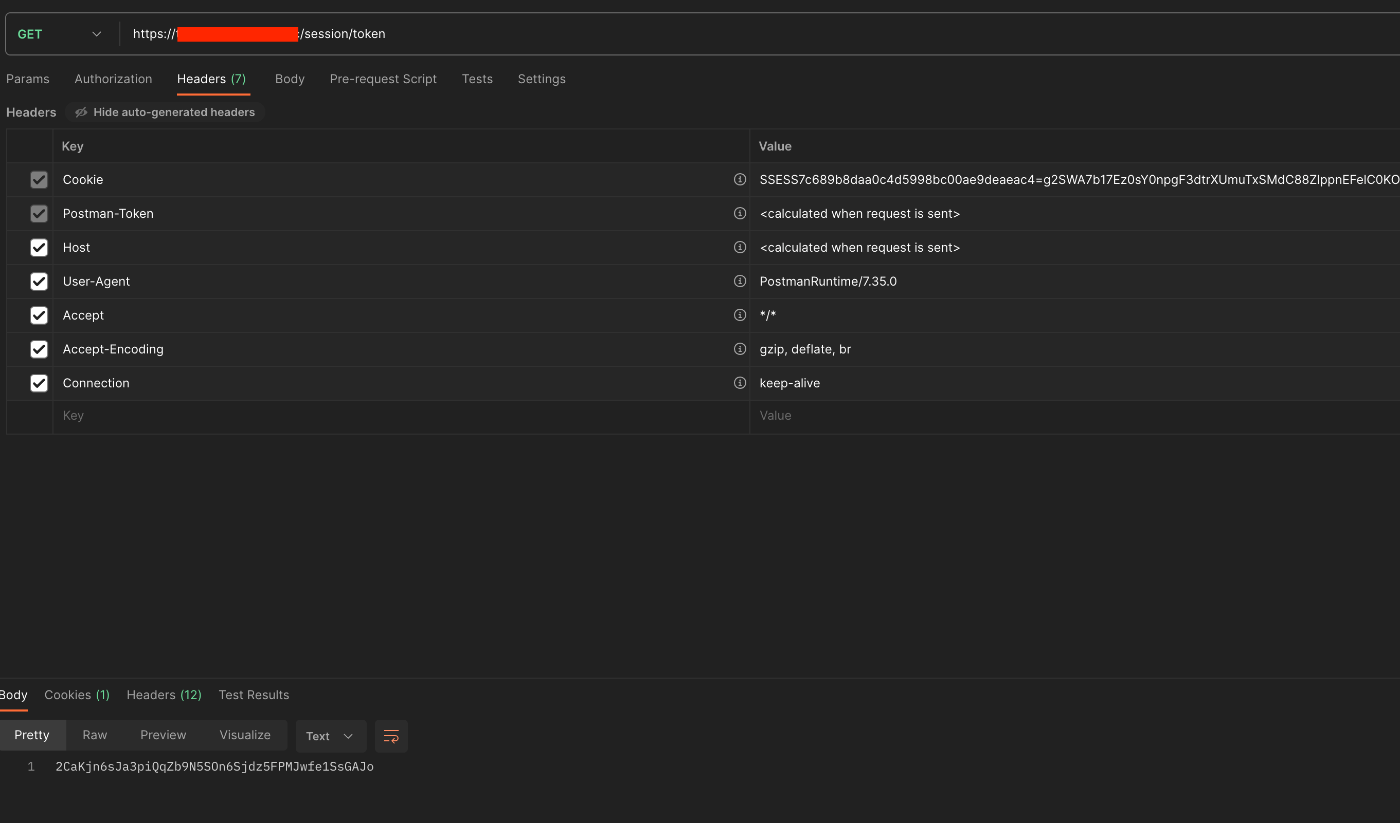
Obtaining a Session Token
GET
/session/token
Looking at the Headers tab, you can confirm that the previously issued cookie is set. Additionally, a session token is obtained as the result.
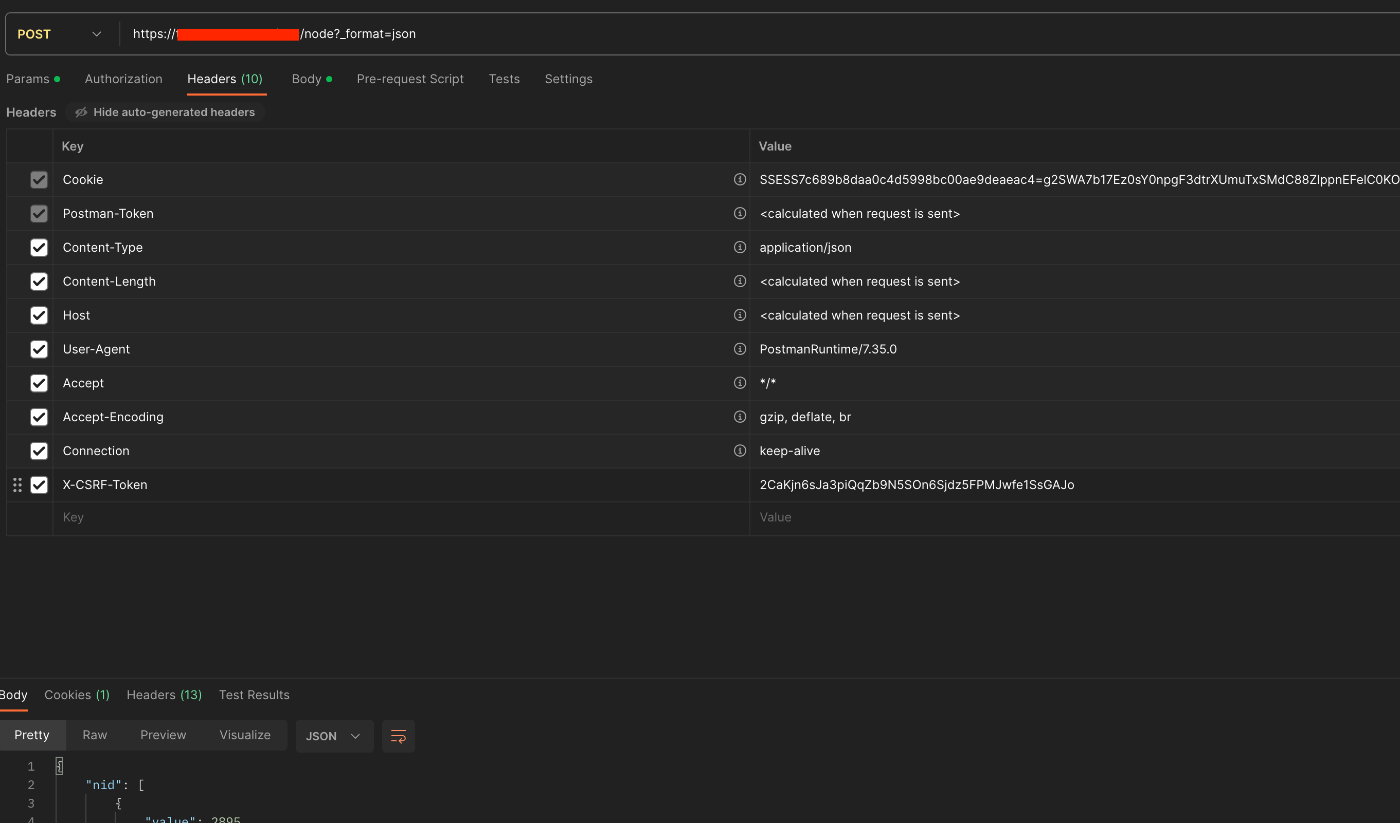
Creating Content
POST
/node?_format=json
In the Headers tab, set the session token obtained above as the Value of the X-CSRF-Token Key.
The following was used as an example for the Body value.
When I tried entering an incorrect session token, the following was returned.
Reference: Logout
GET
/user/logout
This deleted the issued session cookie.
Summary
I tried cookie authentication for Drupal REST resources. There may be some inaccuracies, but I hope this is helpful.