Overview
I had the opportunity to implement parallel display of IIIF and TEI using XSLT, so this is a memo of the process.
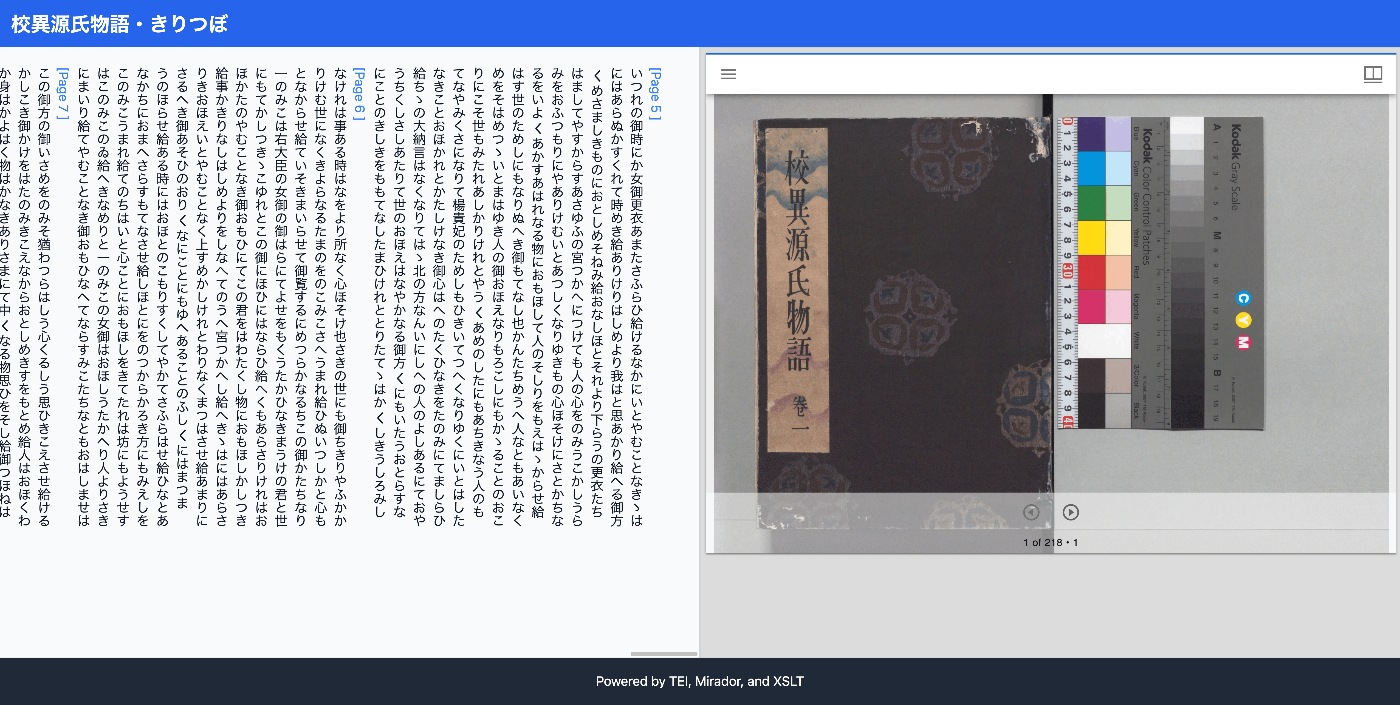
The results can be viewed at the following link. It uses the “Koui Genji Monogatari Text DB.”
https://kouigenjimonogatari.github.io/xml/xsl/01.xml
Background
For visualizing TEI/XML, I had previously often used CETEICean, a JavaScript library for converting TEI XML to HTML and displaying it in browsers.
These efforts enabled flexible development when combined with JavaScript frameworks.
However, this approach had some challenges, such as requiring separate deployment of the viewer in addition to the TEI/XML.
Solution
Therefore, I worked on parallel display of IIIF and TEI using XSLT. I prepared the following XSL file. ChatGPT was used for the implementation.
https://github.com/kouigenjimonogatari/kouigenjimonogatari.github.io/blob/master/xsl/mirador.xsl
From the XML file, you reference it as follows. Please adapt the relative paths as needed.
By doing this, when the following XML file is displayed in a browser:
https://kouigenjimonogatari.github.io/xml/xsl/01.xml
The parallel display of IIIF and TEI was achieved as shown below. Clicking page links or the forward/backward buttons in the Mirador viewer synchronizes the text and images.
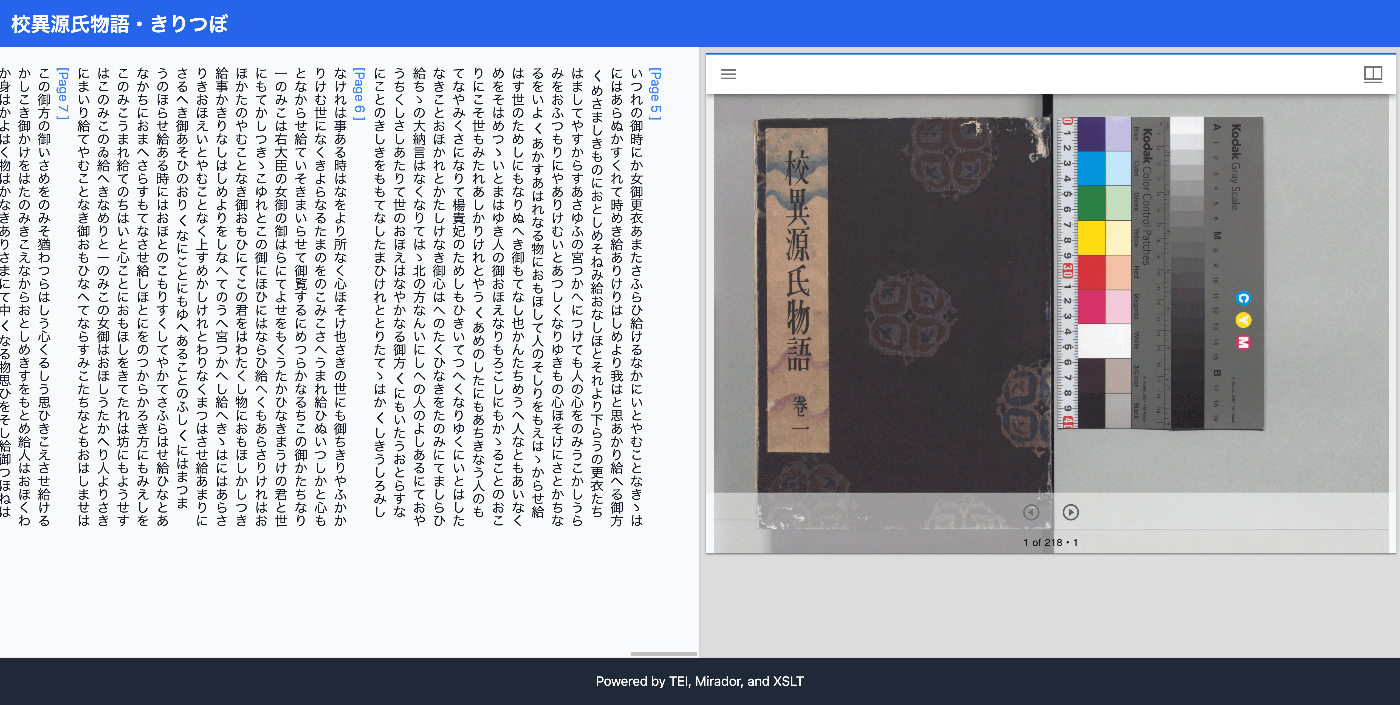
By performing visualization through XSLT in this way, separate viewer development and deployment became unnecessary, and easy customization through updating the XSL file was achieved.
Discussion
I asked ChatGPT about when to choose between the approach of creating a viewer by combining a framework like Next.js with CETEIcean, and the XSLT-based visualization method introduced in this article.
The result suggested that XSLT is suitable for relatively simple visualizations, while CETEIcean is better for cases requiring advanced interaction.
1. When Advanced Interaction is Needed: Next.js + CETEIcean
- Next.js is a React-based framework that allows flexible client-side rendering, server-side rendering, and API integration. Using Next.js makes it easy to build applications requiring complex UI, state management, navigation, and dynamic data processing.
- CETEIcean is a library for rendering TEI XML directly as HTML, particularly useful when you want to dynamically display TEI on the client side. Using CETEIcean allows you to directly manipulate TEI elements with JavaScript, enabling interactive features such as navigating to specific pages when users click, or adding annotations.
- Advantages:
- Rich interaction (page navigation, filtering, dynamic UI updates in response to user actions, etc.) is easy.
- Component-based design is possible, with high maintainability and reusability.
- Easy integration with various JavaScript libraries and plugins (Mirador, Annotorious, etc.).
2. When Simple Display or Static Structure Suffices: XSLT
- XSLT is a template language for transforming XML data into HTML and other formats, suitable for static display on the server side or client side. Using XSLT, TEI XML can be displayed as simple HTML.
- Advantages:
- Lightweight and simple to set up. If the browser supports XSLT, HTML display is possible directly without requiring a special environment.
- Since it is generated as HTML, applying CSS styles is easy, and implementing simple navigation and static page links is relatively straightforward.
- Ideal for static reports and read-only data display.
Decision Criteria Summary
- When advanced functionality or interactive elements are needed: Next.js + CETEIcean
- Example: Dynamically loading data in response to clicks or scrolling, providing multiple navigation or search features, integrating annotations and image viewers.
- When simple display is the main requirement: XSLT
- Example: Simply displaying a TEI document, applying styles to specific elements for easier reading, simple page navigation.
Summary
Achieving a viewing environment using only TEI/XML files and XSL files without using a viewer can also contribute to reducing management and operational costs.
When implementing parallel display of IIIF and TEI using XSLT, please feel free to customize and use the XSL file introduced here.
We hope this serves as a useful reference for introducing and using TEI/XML.