Overview
This is a memo on developing a TEI/XML viewer combining Next.js, CETEIcean, and React TEI Router.
Background
CETEIcean is a JavaScript library that converts TEI/XML to HTML5.
https://github.com/TEIC/CETEIcean
React TEI Router is a library that enables structured display of TEI/XML using React components, based on CETEIcean. It is described as follows:
https://github.com/pfefferniels/react-teirouter
TEI for React using CETEIcean and routes
By combining these, I created a viewer that can customize and display TEI/XML in Next.js.
Repository
The sample repository is below.
https://github.com/nakamura196/next-ceteicean-router
A working demo is also available.
https://next-ceteicean-router.vercel.app/
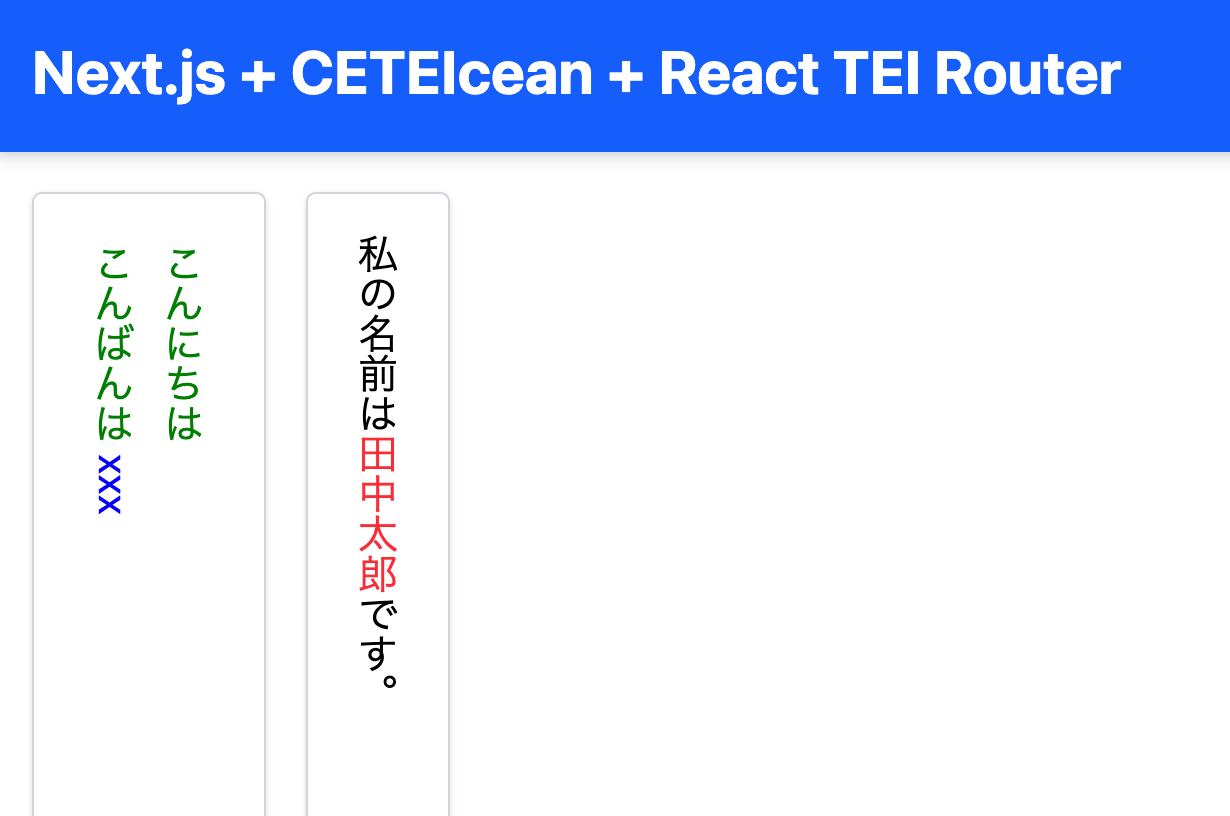
Implementation
Next.js Page Component (page.tsx)
Uses CETEIcean to convert XML and render it with custom components.
TEI Rendering Component
- Uses CETEIcean to convert XML to HTML5.
- Uses TEIRender + TEIRoute to apply custom components for each TEI element.
Components are prepared for each element using import { TEIRender, TEIRoute } from "react-teirouter";.
Custom Component (Example of p.tsx)
Here is an example for the p tag. By using <TEINodes teiNodes={props.teiNode.childNodes} {...props} />, recursive tag processing was possible.
Additional Notes
As a project using this approach, there is “Astro TEI - React,” which utilizes CETEIcean as a React component and maps custom elements to TEI.
https://github.com/raffazizzi/astro-tei/tree/main/packages/react#readme
An Astro component for publishing TEI as Custom Elements powered by CETEIcean.
This utility provides the React version of CETEIcean’s default behaviors and provides a way of mapping your own React components to TEI elements via React TEI Router.
However, for large TEI/XML files, rendering with React TEI Router can lead to excessive recursive processing and performance degradation.
In such cases, it may be better to use CETEIcean alone without using it as a React component.
https://next-ceteicean-router.vercel.app/simple/
https://github.com/nakamura196/next-ceteicean-router/blob/main/src/app/simple/page.tsx
Summary
We hope this serves as a useful reference for using TEI/XML with React.