Overview
I had the opportunity to use the Wikibase API from a Python client, so this is a memo of the process.
I used the following library.
https://wikibase-api.readthedocs.io/en/latest/index.html
Installation
Install with the following:
Read
This time, we will work with the following Wikibase instance.
https://nakamura196.wikibase.cloud/
With the above, we were able to retrieve information about Q1.
Create
Obtaining Authentication Credentials
When creating items, authentication needed to be performed using one of the following methods:
- Authentication using OAuth
- Authentication with a user account
The latter involves creating Bot passwords, and the creation method is also introduced in the following article.
This time, we will try the former method.
Select “OAuth consumer registration” from “Special pages.”
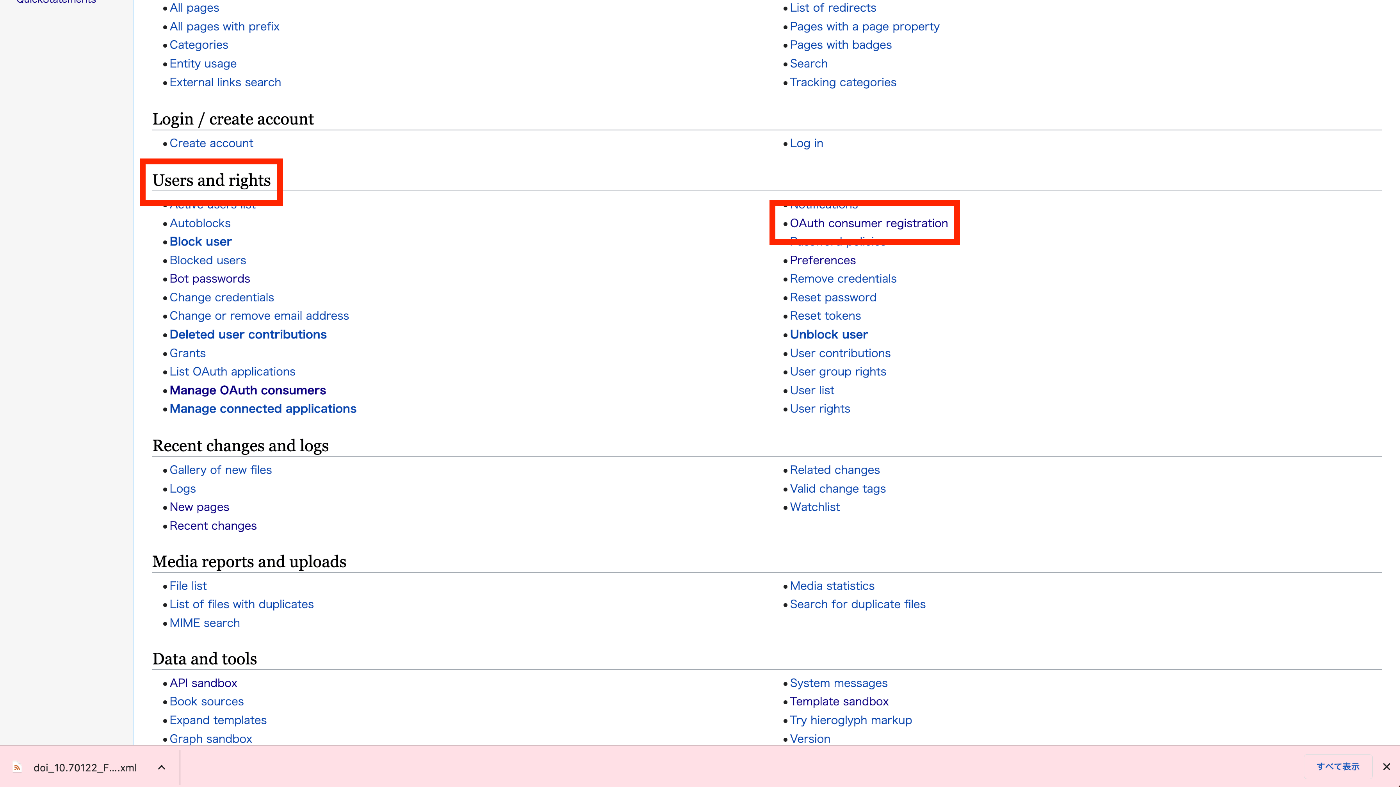
There are two creation methods: “Request a token for a new OAuth 1.0a consumer.” and “Request a token for a new OAuth 2.0 client.” Select the former.

Fill in the fields.

For testing purposes, all items were checked.
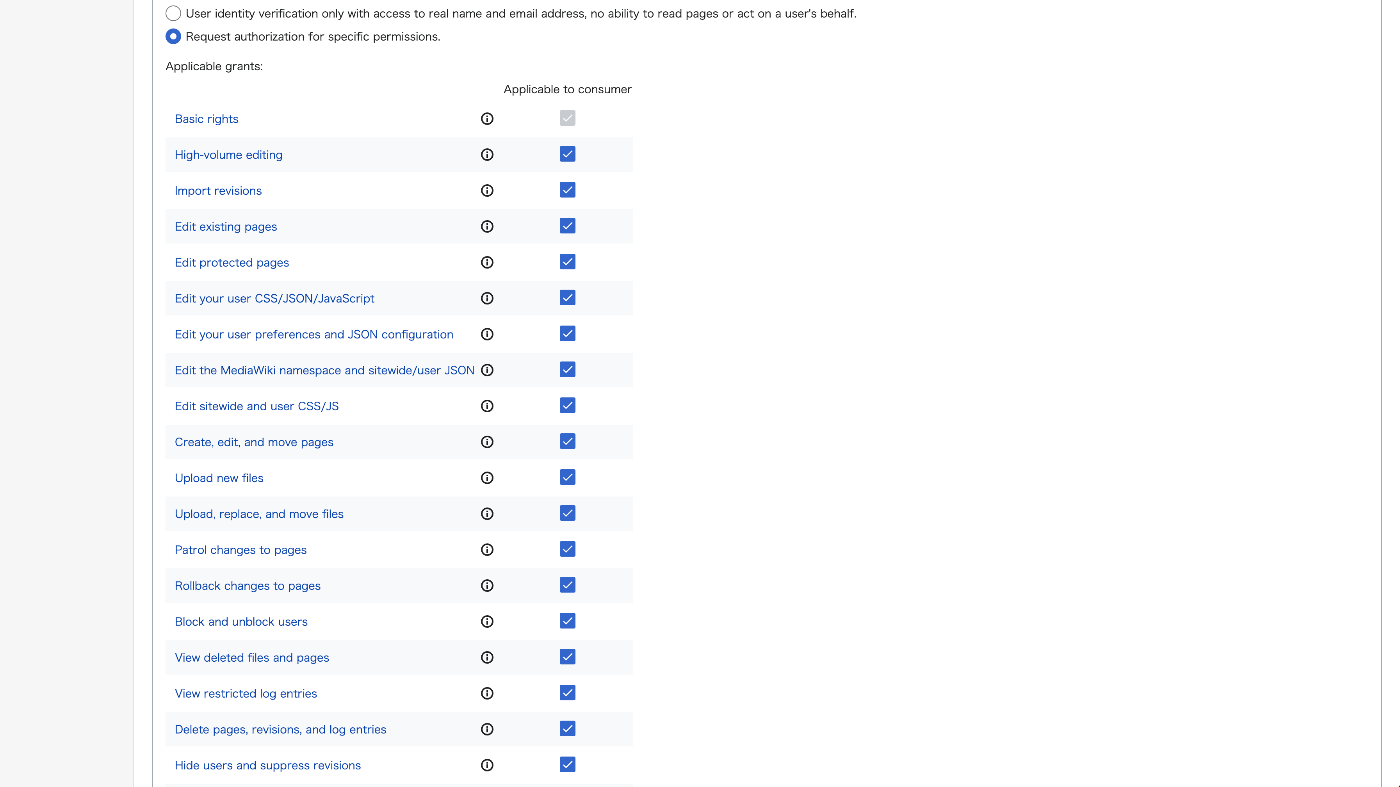
As a result, a page like the following appears and authentication credentials can be obtained.

Execution
Create a .env file.
Load and set the authentication credentials using load_dotenv.
You can create an empty item by executing the following:
For example, you get a result like this:
I plan to cover item editing in a separate article.
Deletion
When deleting, it was necessary to prefix with Item: or Property:.
The following result was obtained and the page was deleted.
Search
Let’s execute the following query.
The following result was obtained.
Summary
I tried using the Wikibase API from a Python client. By connecting Wikibase and external systems through the API, it seems possible to use them in various convenient ways.
We hope this serves as a useful reference for others.