I tried to access a specific AWS S3 bucket using Cyberduck, referencing the following article.
https://dev.classmethod.jp/articles/specify_s3_folder_iam_cyberduck/
However, when I opened the macOS version of Cyberduck and pressed the “New Connection” button at the top of the screen, the form for entering bucket information and other details was not displayed.

After investigating, I found the following issue.
https://github.com/iterate-ch/cyberduck/issues/11154
It indicated that you should open a bookmark instead, as follows:
Please refer to Access third party buckets. To set a default path, create a new bookmark instead of choosing Open Connectoin.
So, I clicked the “+” button at the bottom left of the screen as shown below:
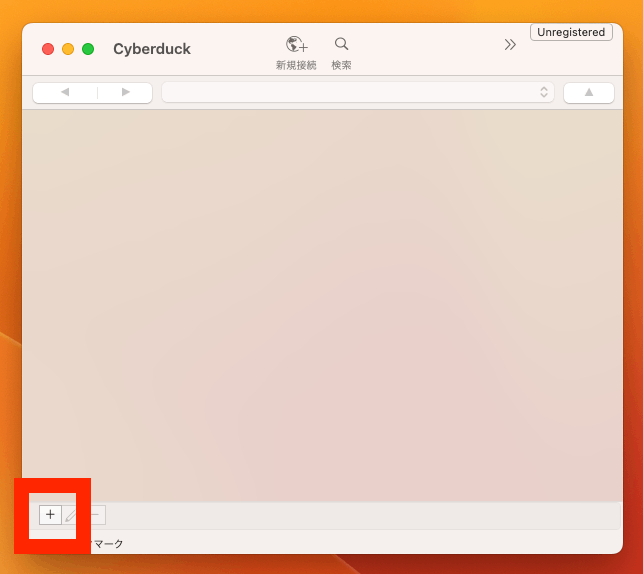
This displayed the advanced settings form, allowing me to specify the path (bucket name).

We hope this serves as a useful reference for anyone experiencing the same issue.