Overview# This is a memo on how to create polylines using the polygon tool in Annotorious v2.
Background# The Annotorious v2 website is available at the following link.
https://annotorious.github.io/getting-started/
As shown below, polygons can be drawn.
However, a tool for drawing polylines in a similar manner did not appear to be provided, including the following plugin.
https://github.com/annotorious/annotorious-v2-selector-pack
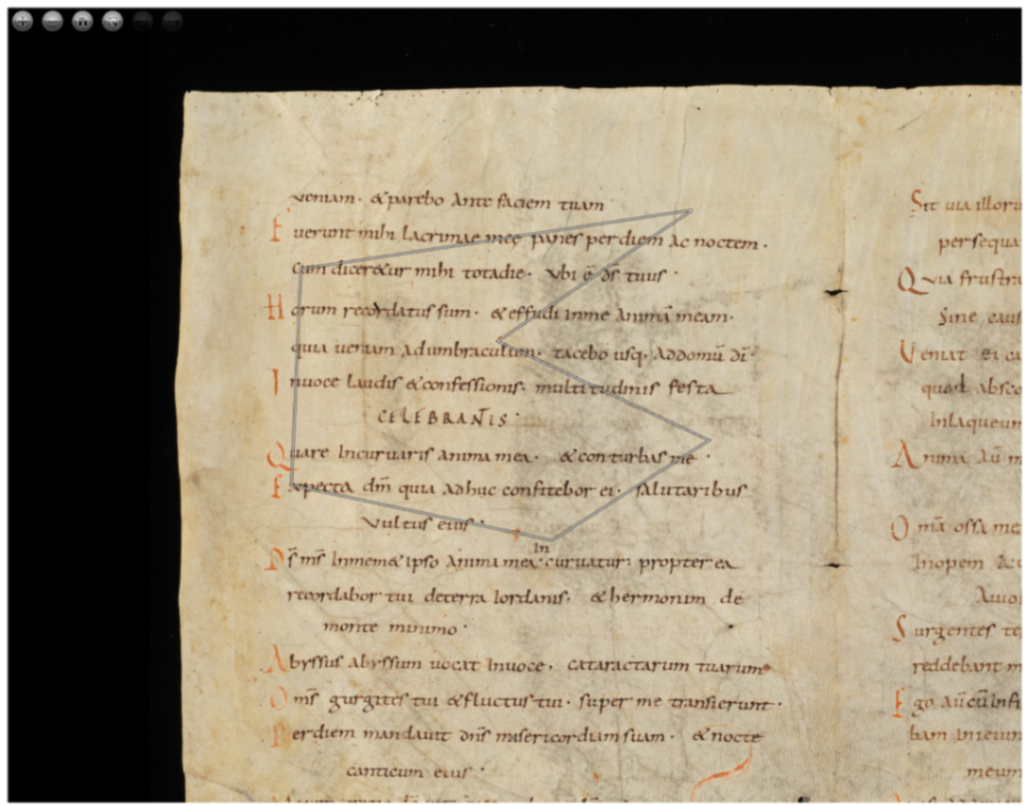
Customization# When a polygon like the following is created:
The following JSON file is generated:
{ } " " ] " } " " t b , t , @ i y o a c d p d r o " e y { } g " " } n : " " e s s t : : t o e e " " u l x # " [ " " " : r e " " t c A t v p c c t v " 4 n y a u { e t y a : 6 n p l r " o p l 9 o e u p : r e u " b t " e o " " e h 1 a : " s " : : " t a t : e h : t 3 i " " t { " p - o T " : t S " : 8 n e p p v < / 9 " x o " s g s / 0 , t l c : S v w 2 u y o / e g w - a g m / l > w 4 l o m w e < . 4 B n e w c p w 4 o " n w t o 3 3 d , t . o l . - y i e r y o 8 " n - " g r f , g c , o g 5 " o n / 4 d n - i p s 4 c o / 7 e i a d s n n f . t n 8 u s o b n = . b i \ j 8 f " s 7 r 3 o d . 3 n 7 c 8 l e h 3 d " / . " l 1 , o 2 r 1 i 3 s 3 / 7 g 8 a 9 u 0 / 6 g 2 a 5 u , - 1 F 2 r 9 a 0 g . m 1 e 3 n 7 t 4 / 5 g 1 a 1 u 7 - 1 F 8 r 7 a 5 g m 9 e 4 n 5 t . _ 1 f 3 r 5 a 4 g 9 0 8 0 0 1 4 a 6 . 8 j 7 p 5 2 , / 1 f 6 u 5 l 8 l . / 4 f 2 u 6 l 5 l 1 / 3 0 6 / 7 d 1 e 8 f 7 a 5 u l 8 t 8 / 5 j . p 9 g 6 " 9 , 6 6 5 5 2 7 3 4 3 8 , 3 0 0 3 . 3 5 2 2 9 4 9 2 1 8 7 5 2 5 0 8 . 5 4 1 5 0 3 9 0 6 2 5 , 3 3 4 8 . 4 2 4 0 7 2 2 6 5 6 2 5 3 4 8 5 . 0 2 1 4 8 4 3 7 5 , 2 7 2 4 . 3 5 7 9 1 0 1 5 6 2 5 2 1 7 0 . 8 1 1 7 6 7 5 7 8 1 2 5 , 2 1 0 7 . 6 3 3 7 8 9 0 6 2 5 \ " / s v g > " For the above, I prepared a variable like autoClose, and when it is false, added processing to replace the string “polygon” with “polyline.”
a n n o . } o ) n i } ; ( f " ( s c ! e r a l e u e a t c t o t e C i A l o n o n n s . o e t t . a a v r t a g i l e o u t n e . " ) s , e { l f e u c n t c o t r i . o v n a l ( u s e e l = e c s t e i l o e n c : t i a o n n y . ) t a { r g e t . s e l e c t o r . v a l u e . r e p l a c e ( " p o l y g o n " , " p o l y l i n e " ) ;
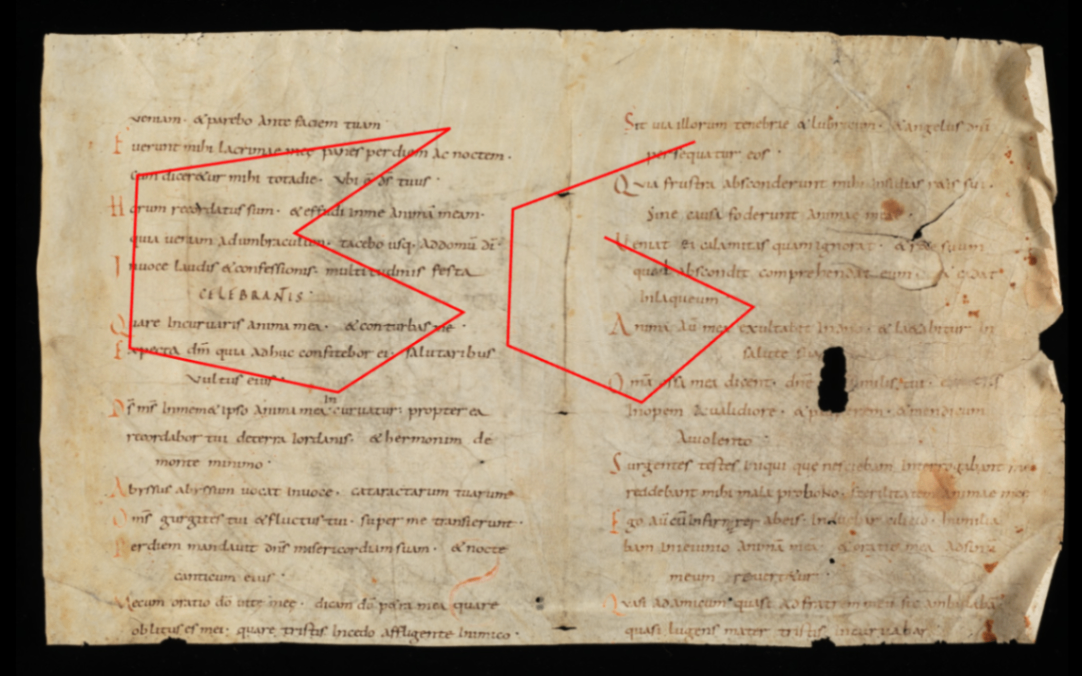
This allows you to switch between polygon and polyline based on the polygon tool, as shown below.
Representation in TEI/XML# As an example of polygon representation in TEI/XML, you can use the path element. In this case, for polygons, the starting point is added after the ending point to represent a closed shape.
< f / a < f c s / a s u < < s c i r g z / u s m f r o < < z r i i a a n z / z / o f m l c p e o < < z o < < z n a i e e h n ! p o n ! p o e c l > i x e - a n e - a n > e e u c m - t e - t e > > l l x h > x h > x u : m p m p = r i l o p l o p " l d : l o : l o 0 = = i y i i y i " " " d g n d l n h l = o t = i t u t a " n s " n s l t y s = s e = y p e i " i " = s r g 1 g 1 " : _ n 2 n 3 0 / 0 _ 9 _ 9 " / 0 l 0 l 3 w 0 a . a . l w " y 1 y 2 r w e 3 e 6 x . c r 7 r 5 = e h _ 4 _ 6 " - a 0 5 0 2 8 c n 0 1 0 5 1 o g 0 1 0 , 7 d e _ 7 _ 5 6 i = 0 1 0 2 " c " 0 8 0 9 e # 0 7 0 0 l s c 0 5 1 . r . h " , " 8 y u _ 3 1 = n l c 3 c 0 " i a h 8 h 0 6 f y a 3 a 5 1 r e n . n 8 3 . r g 1 g 5 2 c _ e 2 e 9 " h 0 = 1 = 3 > / 0 " 3 " 7 l 0 # 3 # 5 o " c 7 c r h 8 h 1 i n _ 9 _ 9 s = s 0 s 2 / " i 6 i 1 g l g 2 g . a a n 5 n 0 u y _ _ 2 / e l 1 l 7 g r a 6 a 8 a _ y 5 y 3 u 0 e 8 e 2 - 1 r . r 0 F " _ 4 _ 3 r 0 2 0 1 a t 0 6 0 2 g y 0 5 0 5 m p _ 1 _ , e e 0 3 0 3 n = 0 6 0 8 t " 0 7 0 6 / l 0 1 1 9 g a " 8 " . a y 7 7 u e t 5 t 4 - r y , y 5 F " p 9 p 8 r > e 4 e 4 a = 5 = 9 g " . " 6 m s 1 s 0 e i 3 i 9 n g 5 g 3 t n 4 n 7 _ " 9 " 5 f > 8 > r 0 2 a 4 9 g 6 8 0 8 2 0 7 . 1 5 7 a 3 . 3 1 j 0 6 p 0 8 2 3 9 / . 4 f 3 5 u 5 3 l 2 1 l 2 2 / 9 5 f 4 , u 9 3 l 2 8 l 1 2 / 8 9 0 7 . / 5 6 d , 4 e 8 0 f 8 1 a 5 3 u . 6 l 9 7 t 6 1 / 9 8 j 6 7 p 6 5 g 5 " 5 3 2 4 7 2 3 8 4 . 3 1 8 2 2 3 8 3 0 4 2 8 7 . 3 4 4 2 3 4 7 0 5 7 , 2 4 2 8 6 7 5 4 6 . 2 0 5 0 , 5 2 8 5 5 0 9 8 3 . 7 5 5 4 1 2 5 6 0 8 3 3 9 . 0 2 6 4 2 4 5 3 8 2 4 7 7 2 6 4 5 . 6 3 2 5 5 7 , 9 5 1 7 0 4 1 1 5 . 6 7 2 5 5 0 , 9 3 7 4 6 8 5 5 6 . 2 0 5 2 1 2 4 1 8 3 4 8 3 . 7 0 5 2 4 2 1 1 6 0 9 7 9 . 2 6 1 3 8 3 7 7 5 8 , 9 4 0 5 6 8 2 2 5 . , 1 2 9 1 7 7 7 0 5 . 3 8 9 1 0 1 6 7 2 6 5 7 " 5 > 7 < 8 / 1 p 2 a 5 t h 1 > 2 9 0 . 1 3 7 4 5 1 1 7 1 8 7 5 , 3 3 8 3 . 1 2 1 3 3 7 8 9 0 6 2 5 " > < / p a t h > Depending on the application, closed shapes may be drawn even when the start and end points do not match, but we hope this serves as a useful reference for distinguishing between polygon and polyline.
Summary# We hope this serves as a useful reference for expressing polylines using Annotorious v2.
Note that the latest version of Annotorious is v3, and a similar approach should be applicable there as well.