Overview
This article explains how to use processing_config in Archivematica transfers.
Background
In Archivematica transfers, you can select a processing_config. The following shows that you can choose from three options: “automated,” “default,” and “mdx.”
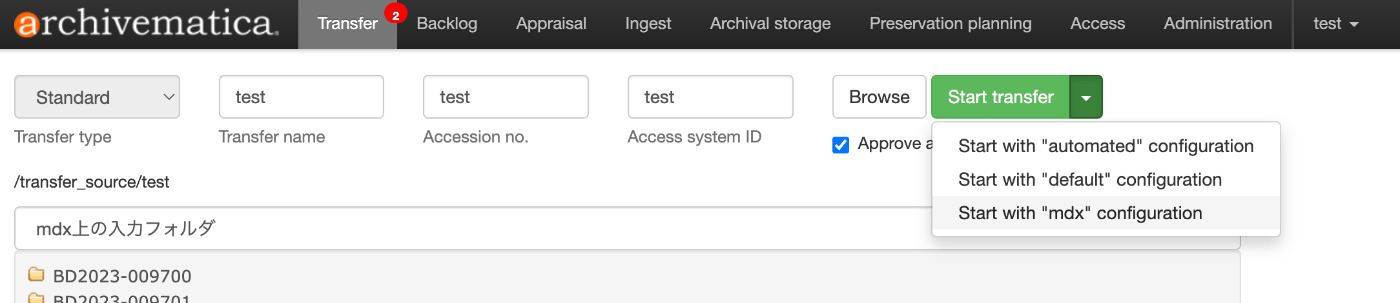
This can be configured in “Processing configuration” under the “Administration” menu.

For example, the following is a configuration example designed for interacting with mdx.jp’s S3-compatible storage.

By selecting the target storage for “Store AIP location” as shown below, when this processing configuration is selected, the AIP will be saved to that storage.

Using via API
This setting can also be used from the API.
The following is provided as a BETA version, but you can use /api/v2beta/package.
By setting the processing_config option, you can change the output folder for AIPs and DIPs for each input data even when using the API.
Summary
I hope this is helpful when using Archivematica.