概要

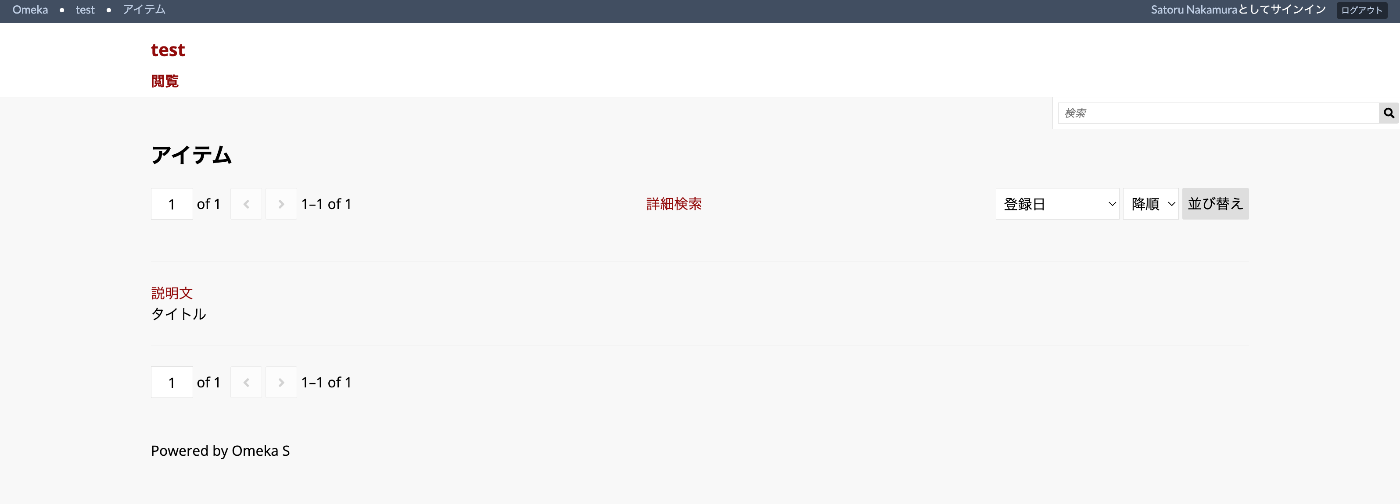
以下のように、検索結果に表示する項目を指定する方法について説明します。
設定

デフォルトの設定では、以下のように、「見出し」にタイトル(dcterms:title)、「Body」に説明文(dcterms:description)が表示されます。
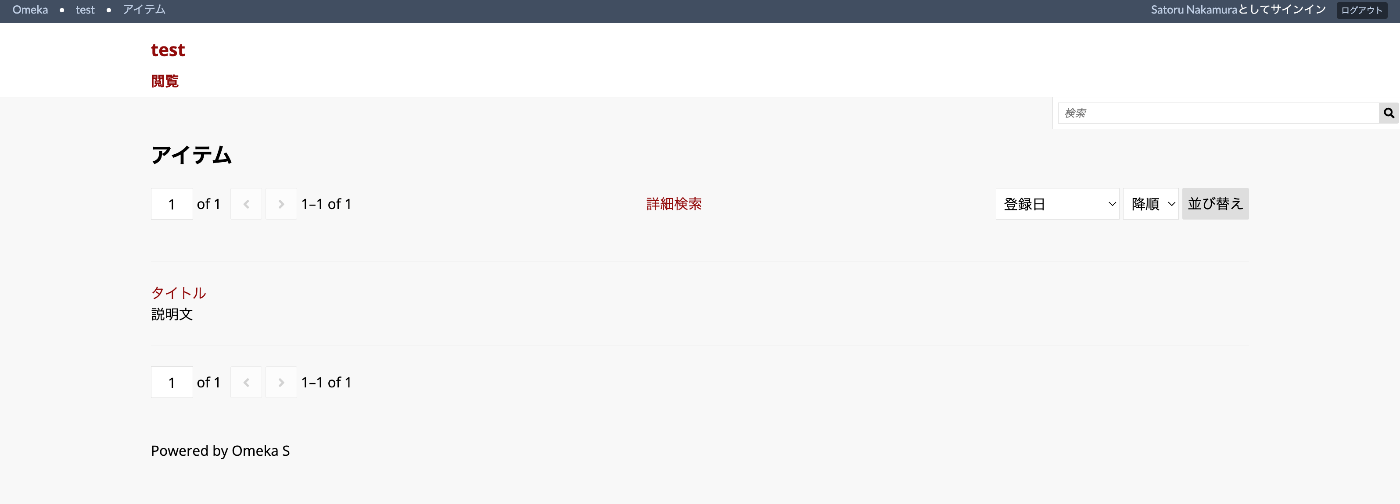
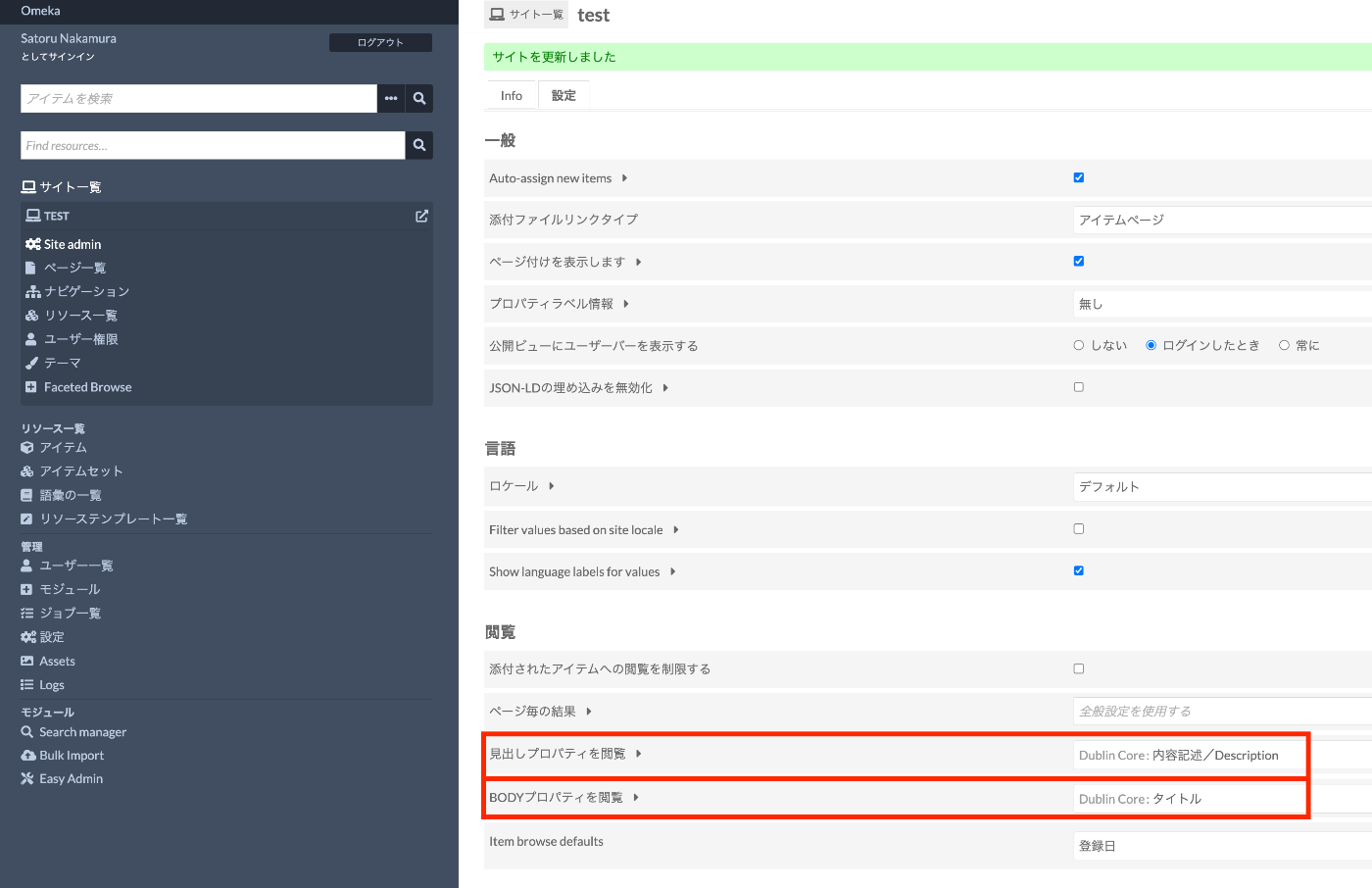
これに対して、サイトごとの設定画面の以下の箇所を変更することにより、「見出し」「Body」それぞれに表示する項目を設定することができます。
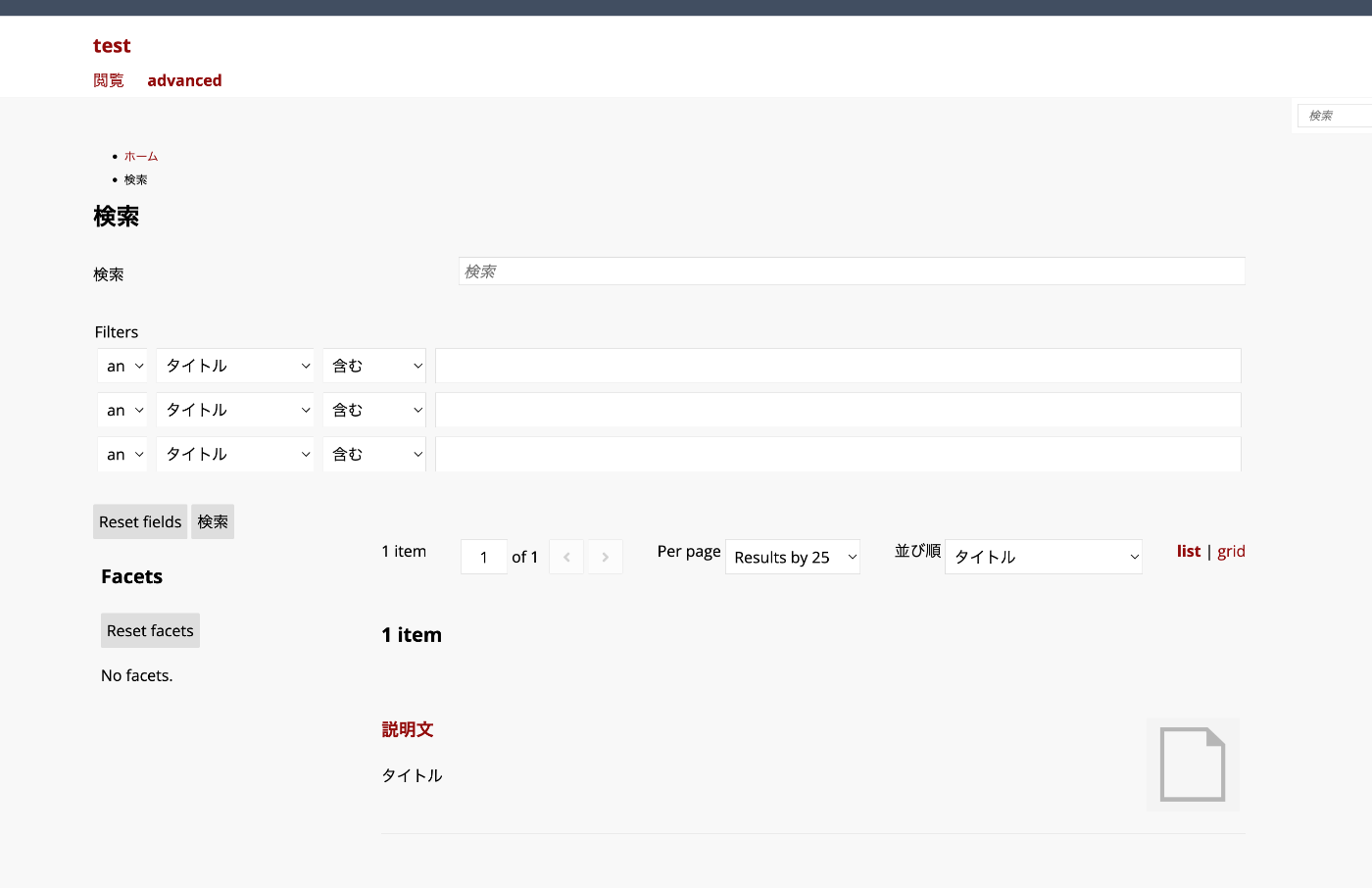
Advanced Searchの場合

Advanced Searchモジュールを使用している場合でも、この設定は引き継がれます。
以下でソースコードを確認できます。

https://github.com/Daniel-KM/Omeka-S-module-AdvancedSearch/blob/master/view/search/resource-list.phtml

browse_heading_property_termbrowse_body_property_termの設定に基づき、表示項目が指定されています。

<$$?<<<<?hb>?h?u/peop3pluhadh>hlpdyp<pc<f?<<>iT?l?o>l/?nei=eaprilpgrfnsheihTm$dspa$$$$c<<>pe(ei=chhbbld/d/r=$sf"heeooaididemtc;raaddsvivin$iae(ddyys<v<<d=stp?s$ii=c?>chd/fele>o@rnn=="l=l4ido$te(uveggraa>virst)$ras$$es$s<<veei:tcro==bbsshs?c?>atnieuooo=y==l=ctg?t-\r$$ddu"p"ahi(>llOchhyyrrer$s$;n'eimeeeTcerersbgb)sesaae?eslse=o?(rtkddroios"d>'o?aaiim$<unuodybw>s\snnb?rkruers<eAgg?o=c-crs?oe/ap$Tde>ecc>w_hrire?$y$-r-ersb3c\err-rtam-ieo>hRsm$e>ehwe>p_d-eohsasu(tlthyrpu?eosom$aiie_errauHubrdnoapsec$drtrneakndrusericmcastR"iole)eneleioaa>nptn:sg-(Tlu"wgesto->)y"r>(_r-au>vp>c$ptltraa:eehryiicslTeo_soeHu$?hapttn-tee>udee<\>m(s"mirr?Avl$c>bntm=ba(bangy'sl)opa)_)$tudeit;gre:y(l?era(T$,>ric$$er<mdthere$/'LResmsrh)ieac,oe4;ssdaus>toip[roMune'cuorg(lerdcT$a-ceeern>eEregdU=nms'ir=t,osl=iu=p,t[r>l'y'ca[lRle$y'iea-lDcspn>aeltrgdnsa_e'igcsossVrsne=pai'ln>llpytaut='a$yei>tlT]o?iai)n'ont(r'ngl:neVeusl$a(nloirl$uluseuul,rtsenlc'o]t;$eu)il-:rtalc:lni(eegn$nd)kgu,)'rl;]il$)d;lLa?in>sgt)M)o;de==='grid_only'?'grid':?>">

まとめ

Omeka Sの検索結果に表示する項目の指定にあたり、参考になりましたら幸いです。